
Yumo: The Playful Android App That Charms Your Status Bar
Yumo, a playful Android app, brings animated characters and hanging companions to your status bar for instant everyday delight.
People spend hundreds of dollars on smartphones, obsessing over camera specs and processor speeds, yet the software experience—the screen they glance at dozens of times a day—often feels sterile and forgettable. That's where Yumo comes in. It's not a productivity powerhouse or a battery saver. Instead, it's a delightfully simple Android app that turns the status bar into a tiny stage for animated characters and hanging companions. In 2026, with so many apps fighting for attention, Yumo stands out by asking for nothing more than a smile.
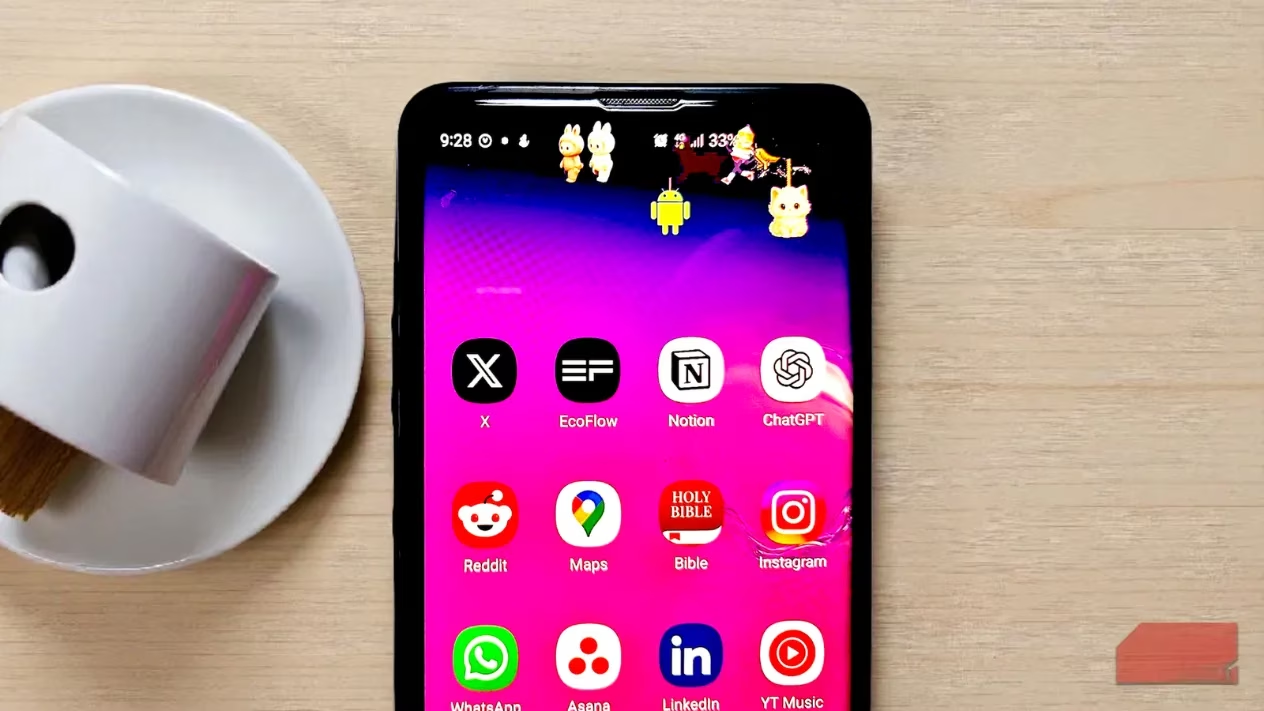
For those who love injecting personality into every corner of their tech, Yumo is worth a look. It doesn't promise to boost productivity or save battery. What it does promise is a little moment of joy every time someone unlocks their phone or checks a notification. And honestly, that's a promise it keeps beautifully.
Getting Started: Permissions and Privacy
Setting up Yumo is straightforward. Users only need to grant three permissions: overlay (so characters can appear on top of other apps), notification (to keep them running in the background), and foreground service (to ensure they stay active while the phone is in use). The app is transparent about privacy, noting that it follows Google Play policies and doesn't collect, store, or share any personal data. That's a relief for anyone cautious about what gets access to their screen.
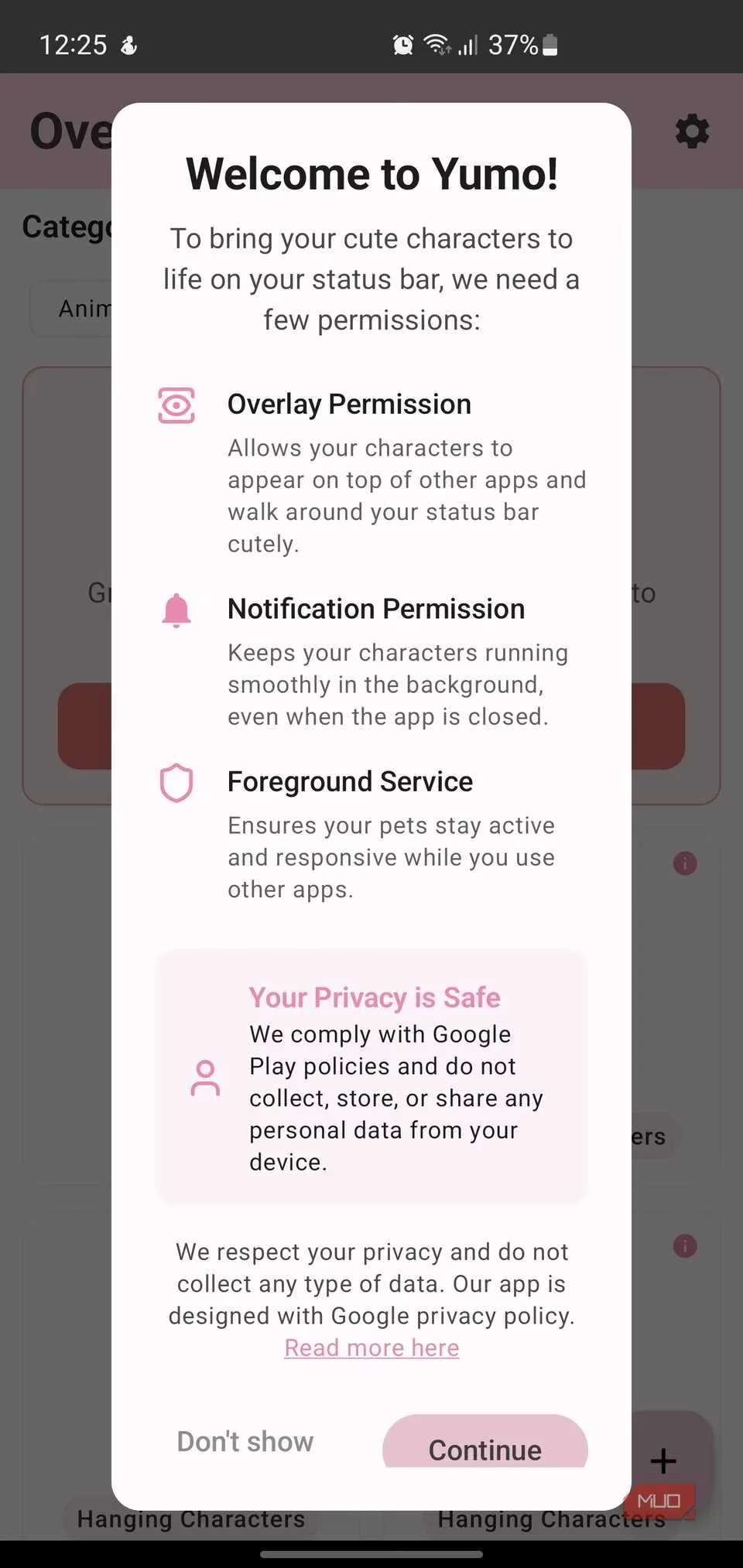
Once permissions are granted, users are greeted with two main categories of characters: Animated and Hanging. Each brings a distinct flavor to the device.
Meet the Characters: Animated vs. Hanging
Animated characters are the lively ones. They move across the status bar, making it feel like a bustling little world. Users will find Blu (a blue creature that runs), Dog (a pixelated brown pup), Gangster (a walking figure), Banana Man (an energetic yellow character), Girl, Penguin, Zombie, and more. They're not static—they dart, stroll, and dash, adding a sense of motion to an otherwise static UI element.
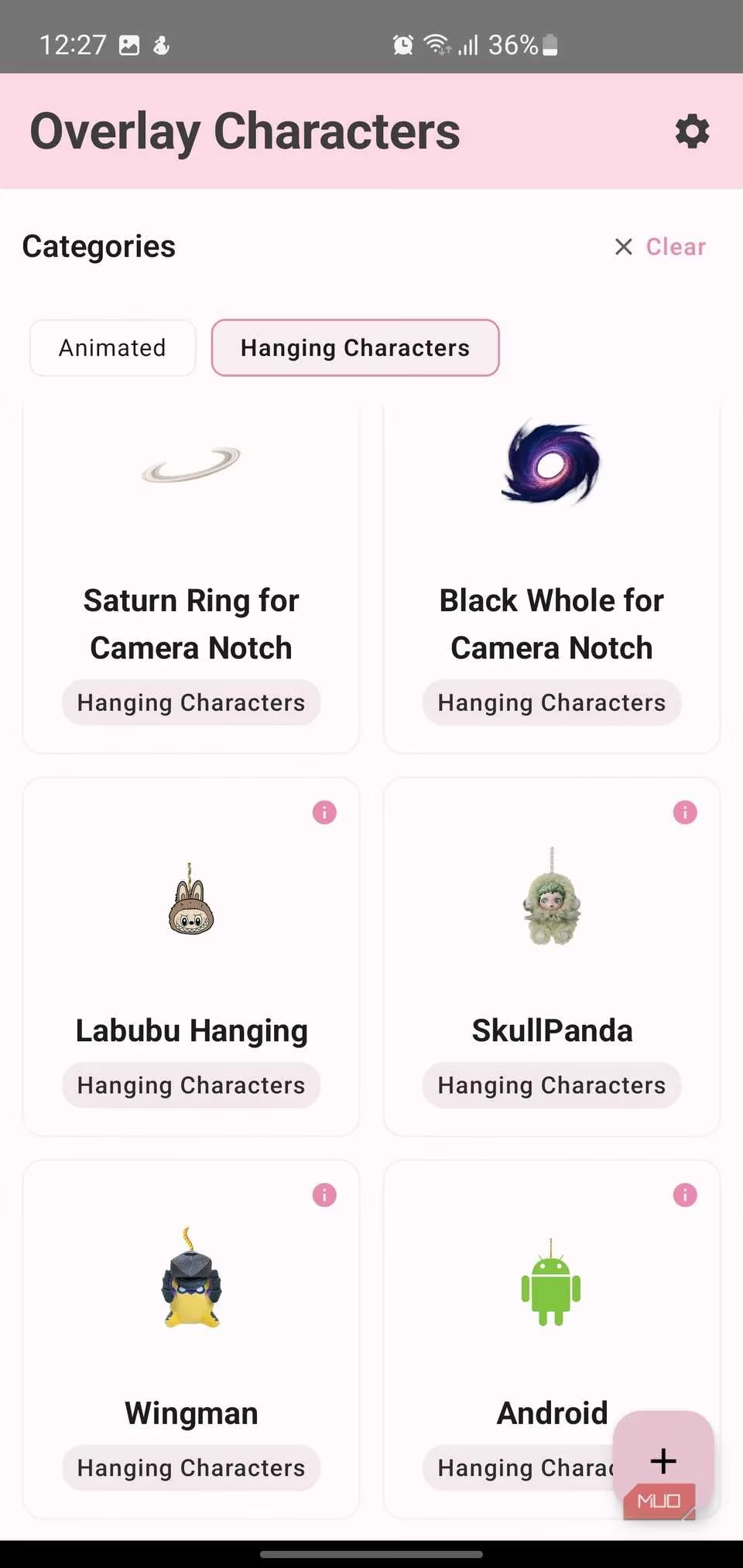
Hanging characters, on the other hand, cling to specific parts of the screen: the camera notch, status bar, battery icon, or WiFi indicator. Think of them as tiny companions that dangle from the phone's hardware. The roster includes Danglo (a robot), Tweeto (a bird), Puffin (an adorable cat suspended by a string), Labubu, SkullPanda, Wingman, the Android mascot, plus playful options like Judy Hopps and Choco. There are even themed elements like a Saturn Ring and a Black Hole designed specifically for camera notches.
Here's a quick comparison:
| Feature | Animated Characters | Hanging Characters |
|---|---|---|
| Movement | Move across the status bar | Attach to screen edges or icons |
| Examples | Blu, Dog, Banana Man | Puffin, SkullPanda, Tweeto |
| Vibe | Lively, energetic | Cute, clingy, comforting |
| Best for | Adding motion | Adding a sense of presence |
Create Your Own Companion
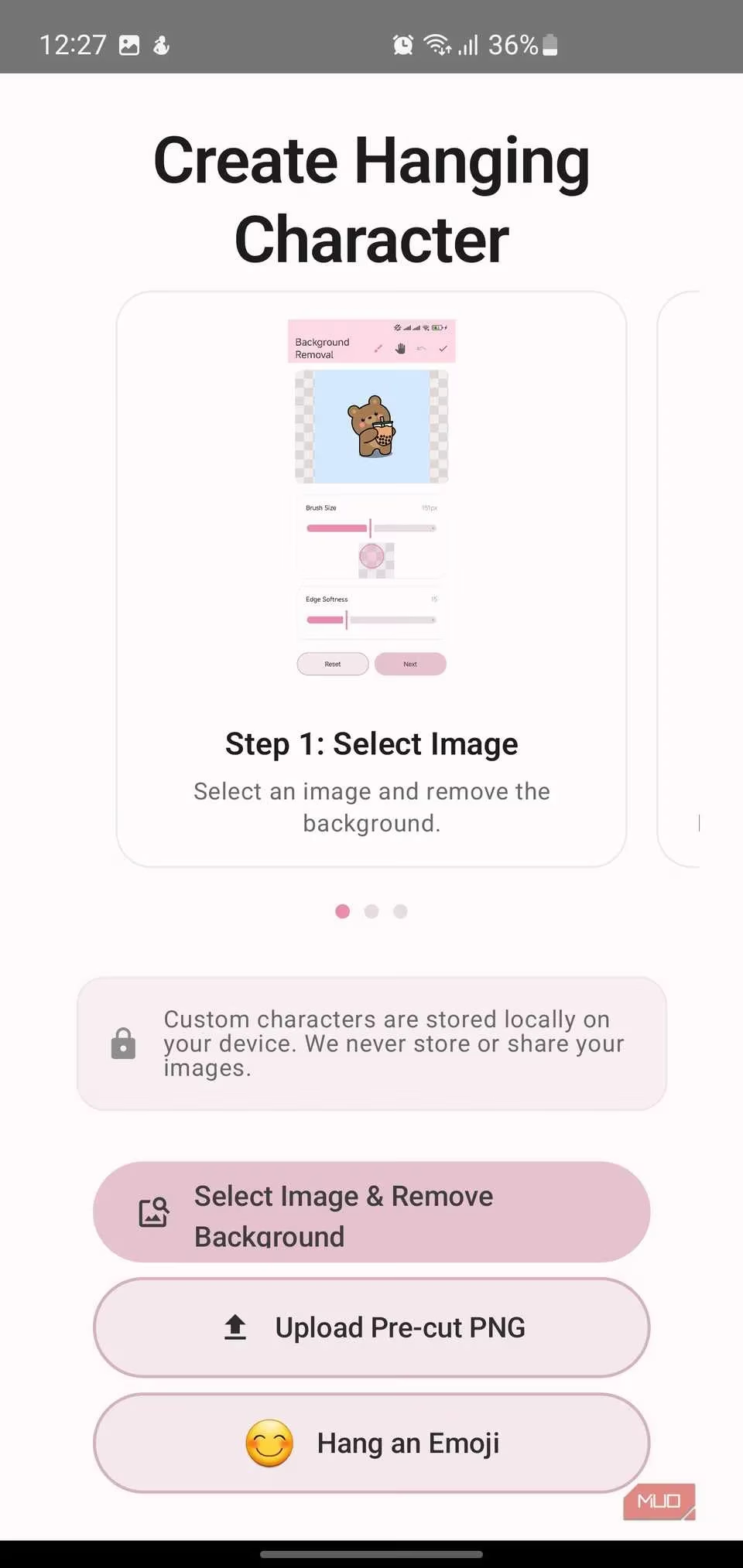
One of Yumo's standout features is its custom character creator. Users can upload their own images with background-removal tools built right into the app—similar to how one might remove a background in Canva—or upload pre-cut PNG files if they already have them. They can even hang an emoji from the status bar. Everything created is stored locally; nothing is uploaded or shared. That's reassuring for those adding personal photos or original artwork.
The catch? This feature sits behind the premium tier. Other paid perks include customizable ropes that can be resized and positioned exactly where desired, plus unlimited character slots for anyone who wants to build an entire cast of personal creations. For many users, the free version's pre-made characters might be enough, but for tinkerers, the premium upgrade is likely worth it.
Fine-Tune Every Detail
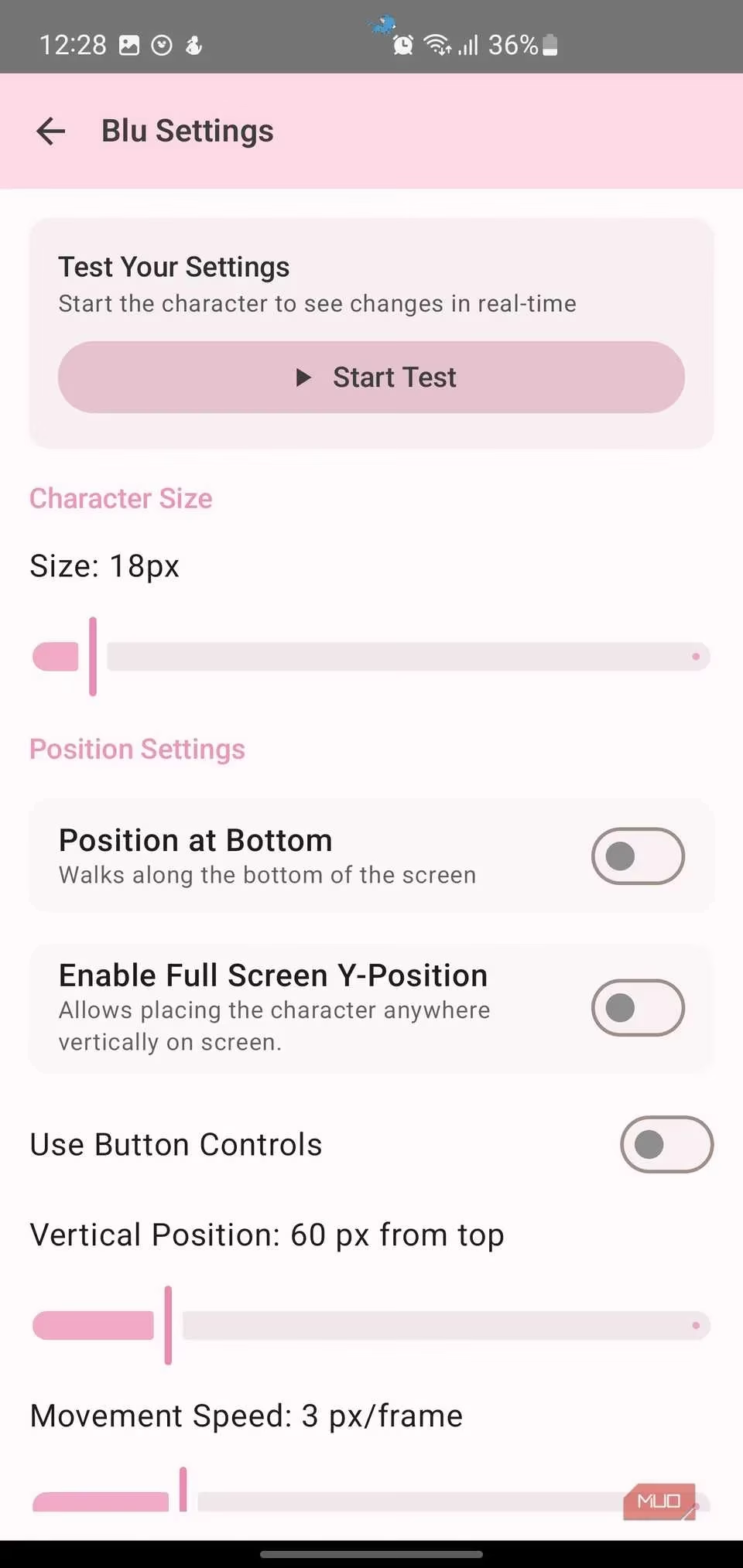
Yumo doesn't just throw characters on the screen and call it a day. It offers surgical precision in customization. Every character can be tailored with sliders and settings that let users control size, movement speed, animation speed, and position. They can scale a character from barely noticeable to boldly front-and-center. They can adjust movement speed down to the pixel-per-frame level, and animation speed to make a character glide smoothly or dart with extra energy.
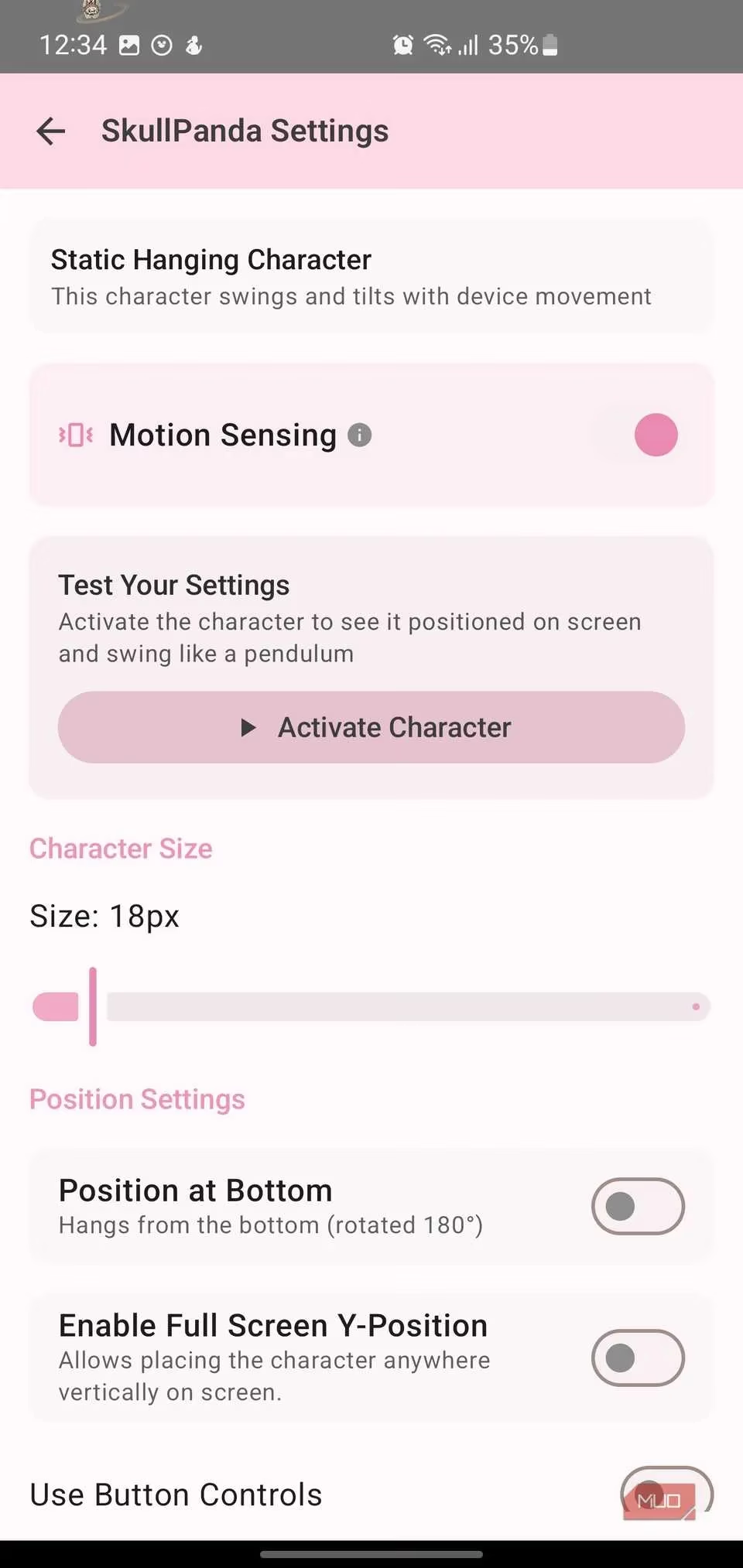
Position settings are equally flexible. Users can have characters walk along the bottom of the screen, enable full-screen Y-position to place them anywhere vertically, or use button controls for manual positioning. Horizontal and vertical position sliders let them place characters with pixel-perfect accuracy.
Hanging characters unlock even more nuance. Motion sensing adds a subtle pendulum effect, making them sway or tilt as the device moves. And a built-in "Test Your Settings" button lets users preview changes in real time. Instead of flipping between menus and the home screen, they see exactly how a character will behave before locking anything in. That's invaluable when adjusting animation cadence or movement speed.
Multiple Characters and Landscape Mode
The app supports multiple active characters, as seen in the featured image. Each companion is marked as "Running" in the Yumo interface, and users can pause them individually without disrupting the rest. A dedicated landscape mode toggle keeps them running even when the device is rotated. If certain apps don't handle rotation well, auto-rotate can be disabled on an app-by-app basis to maintain stability.
This level of control means users can have a whole squad of characters living on their phone, each doing their own thing. It's like having a tiny petting zoo in the status bar. 🐾
Free vs. Premium: Is It Worth It?
The free version of Yumo gives access to all the pre-made characters with full customization controls. That's a generous offering. But for those who want to bring in their own photos, craft something unique, or unlock unlimited character slots, the premium upgrade is likely worth the investment. Given how much time people spend staring at their phones, a one-time or subscription fee for a bit of daily joy seems like a fair trade.
Final Thoughts
People spend so much money on their phones, obsessing over specs and cameras, but they often neglect the software experience of the screen they stare at the most. Yumo is a reminder that technology can be playful, personal, and just plain fun. For anyone who wants to smile a little more every time they check their notifications, Yumo is the download they need. It's not going to change lives, but it might just make the day a little brighter—one tiny character at a time.