
Your Android's Secret Superpower: Never Miss a Sound Again with Sound Notifications
Experience the power of Android Sound Notifications, an innovative accessibility tool that keeps you alert to important sounds effortlessly.
Let me tell you about a game-changer on my Android phone that I only recently discovered. It’s called Sound Notifications, and honestly, it feels like having a superpower. You know those moments when you're completely absorbed in a podcast with your noise-canceling headphones, or you're just in another room? That's when the doorbell rings, the oven timer beeps, or maybe even a smoke alarm goes off. I used to miss these sounds all the time. But not anymore. This clever feature uses my phone's microphone to listen for important sounds and sends a popup alert right to my screen. It's like having a second set of ears that never get distracted.
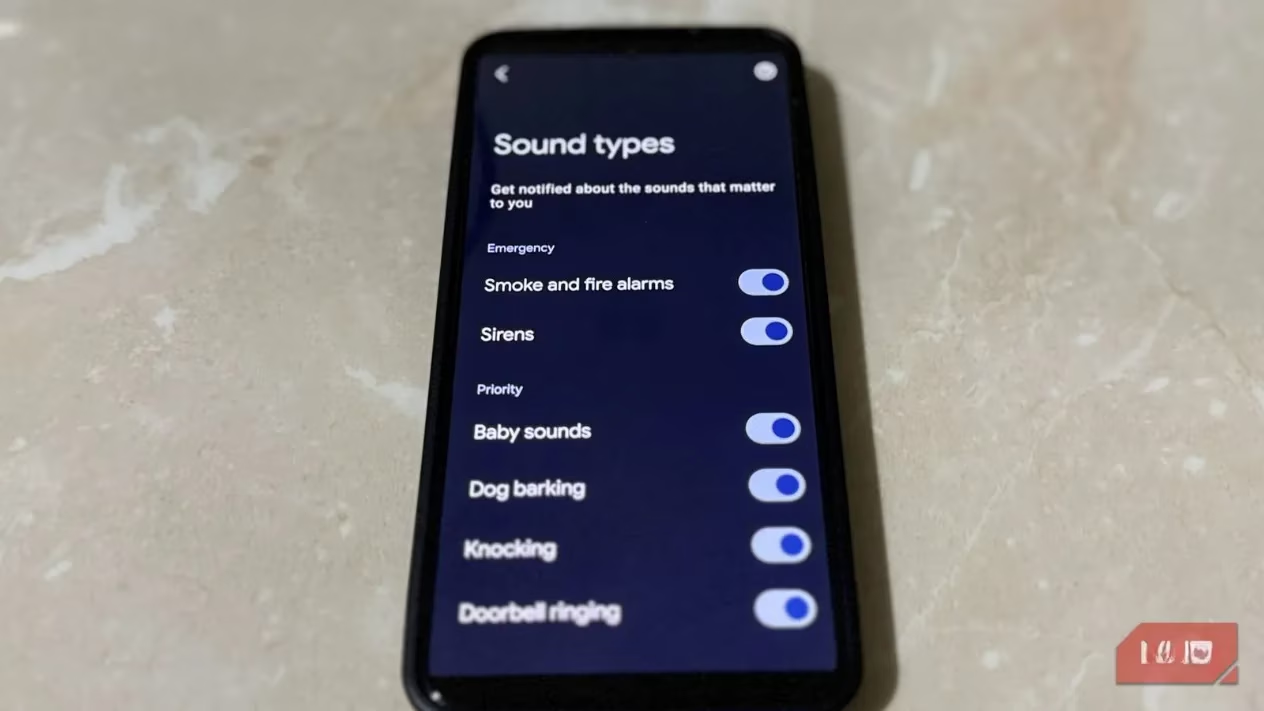
Now, I know what you might be thinking. 'Isn't this just for people who are hard of hearing?' That was my first thought too. And yes, it's an incredible accessibility tool designed for exactly that purpose. But here's the thing—even with perfect hearing, our attention is often elsewhere. This feature bridges that gap. It keeps me aware of my surroundings without me having to constantly strain to listen. When my phone is on the table and I'm focused on work, it quietly keeps track of the world for me. Setting it up was incredibly simple. I just opened my Settings app, went to Accessibility > Hearing enhancements > Sound Notifications, and flipped the switch. That was it. My phone instantly became a more attentive listener than I am.
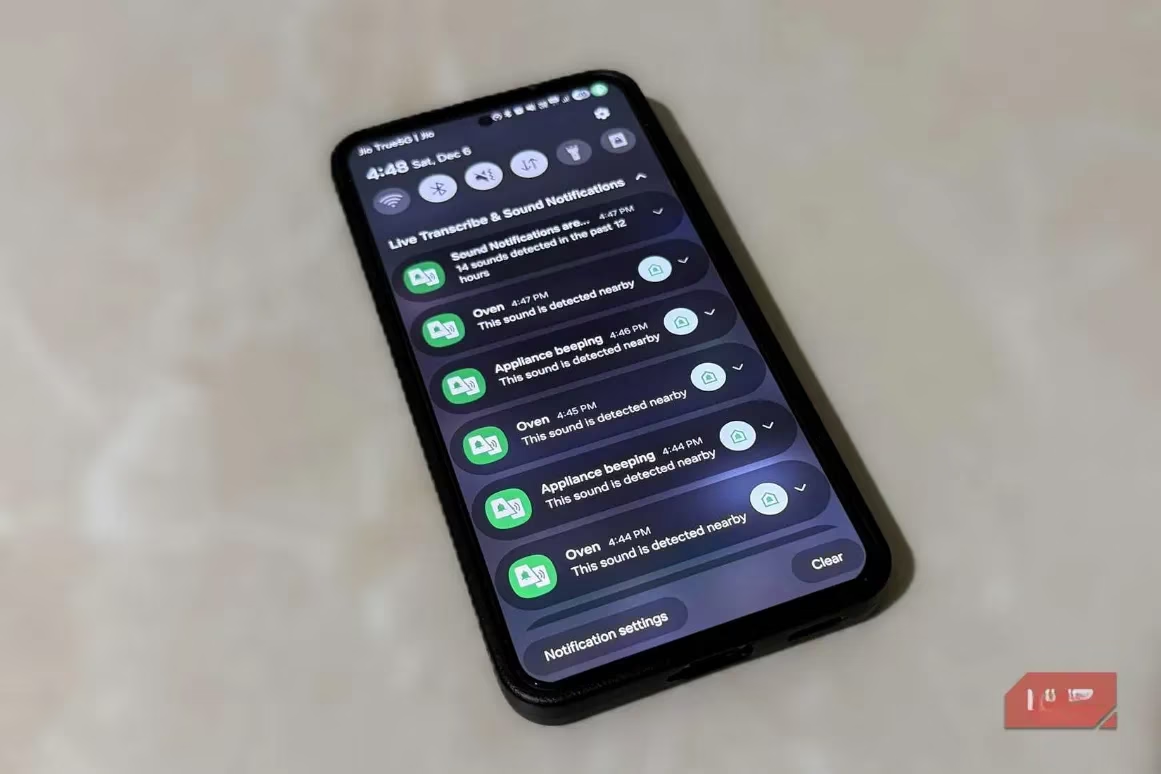
The default list of sounds it listens for is impressively comprehensive. We're talking about:
-
Critical alarms: Smoke alarms, fire alarms, and sirens.
-
Home sounds: A baby crying, a dog barking, knocking, doorbells.
-
Appliance signals: Beeps from microwaves, washing machines, and even the landline phone ringing.
-
Others: It can even detect running water, which is surprisingly useful.
At first, I thought this might be overkill. Getting notified every time my neighbor's dog barks? No, thank you. But that's the beauty of it—you have full control. I tapped Edit sound types and simply toggled off the sounds I didn't care about. Now, it's perfectly tailored to my life. Want to see how it works? There's a handy demo icon in the top left corner of the menu that shows you exactly what the alerts will look like.
One of my favorite aspects is the sound log. If I step away from my phone—maybe to take out the trash or grab the mail—I can come back and check the log to see if anything happened while I was gone. It's a peace-of-mind feature. I've even started saving and naming specific sounds. For example, I saved the unique 'end-of-cycle' beep from my washing machine and named it 'Laundry Done!'. This way, I can easily differentiate it from my microwave's timer. It adds a layer of personalization that makes the feature truly mine.
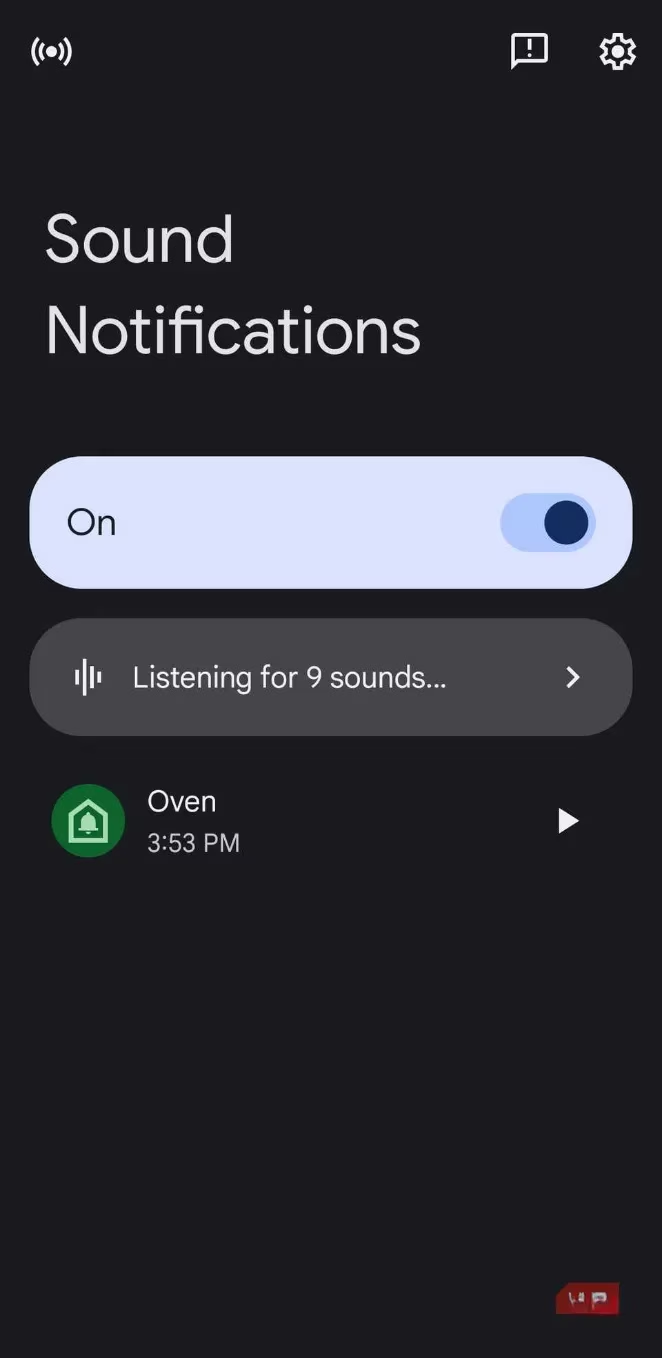
And here's where it gets really powerful: you can teach it new sounds. The preset list is great, but what about the unique chime of my specific coffee maker? Or the distinct sound of my garage door closing? The feature lets me record any sound I want it to recognize. In the Sound Notifications menu, I tapped the gear icon, selected Custom sounds, and hit Add sound. You get 20 seconds to record a clear audio clip. The clearer the recording, the better the phone learns. Now, my phone knows to alert me when my coffee is ready, something it would have never known before. It's like training a very smart, digital pet.
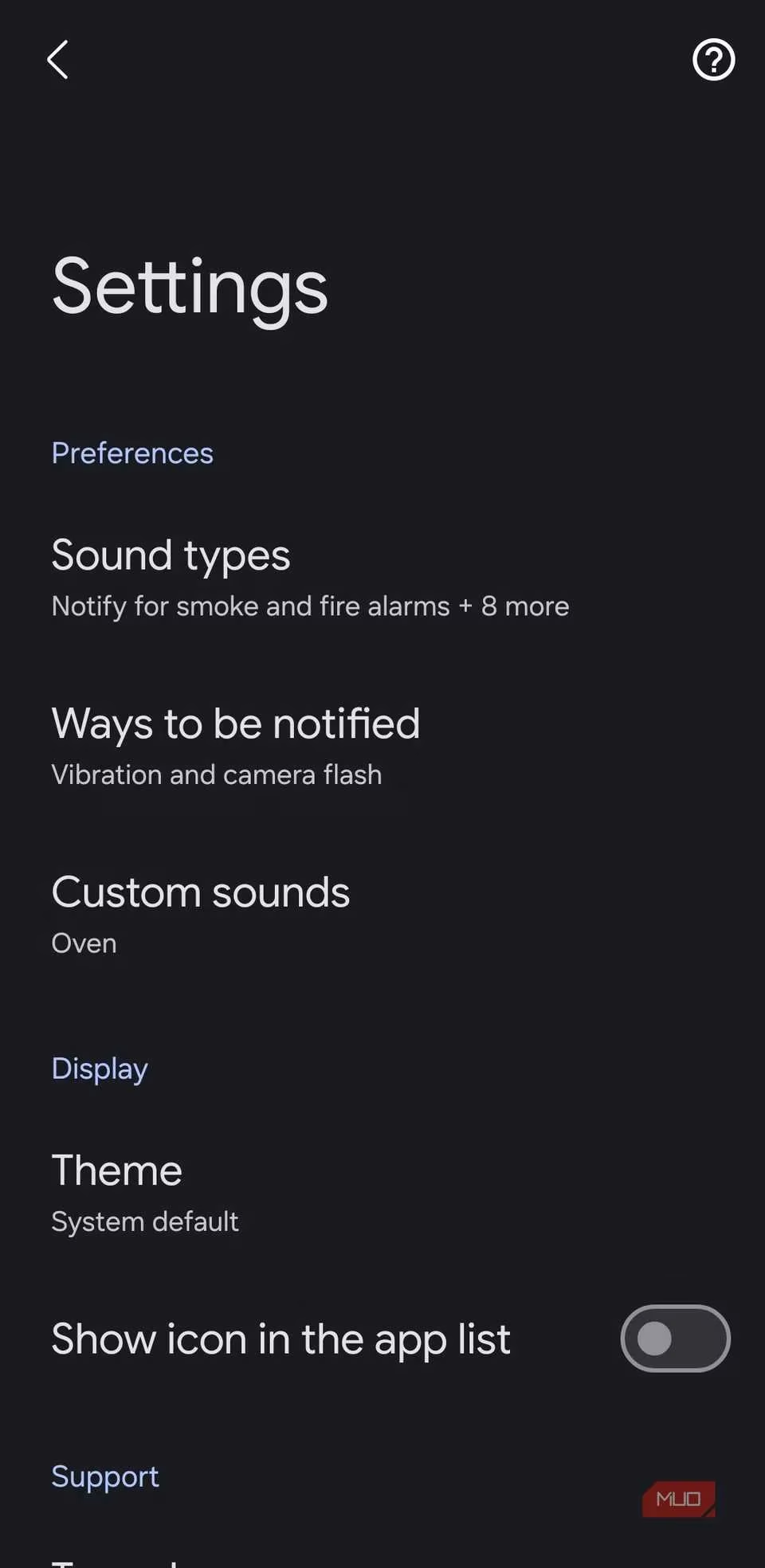
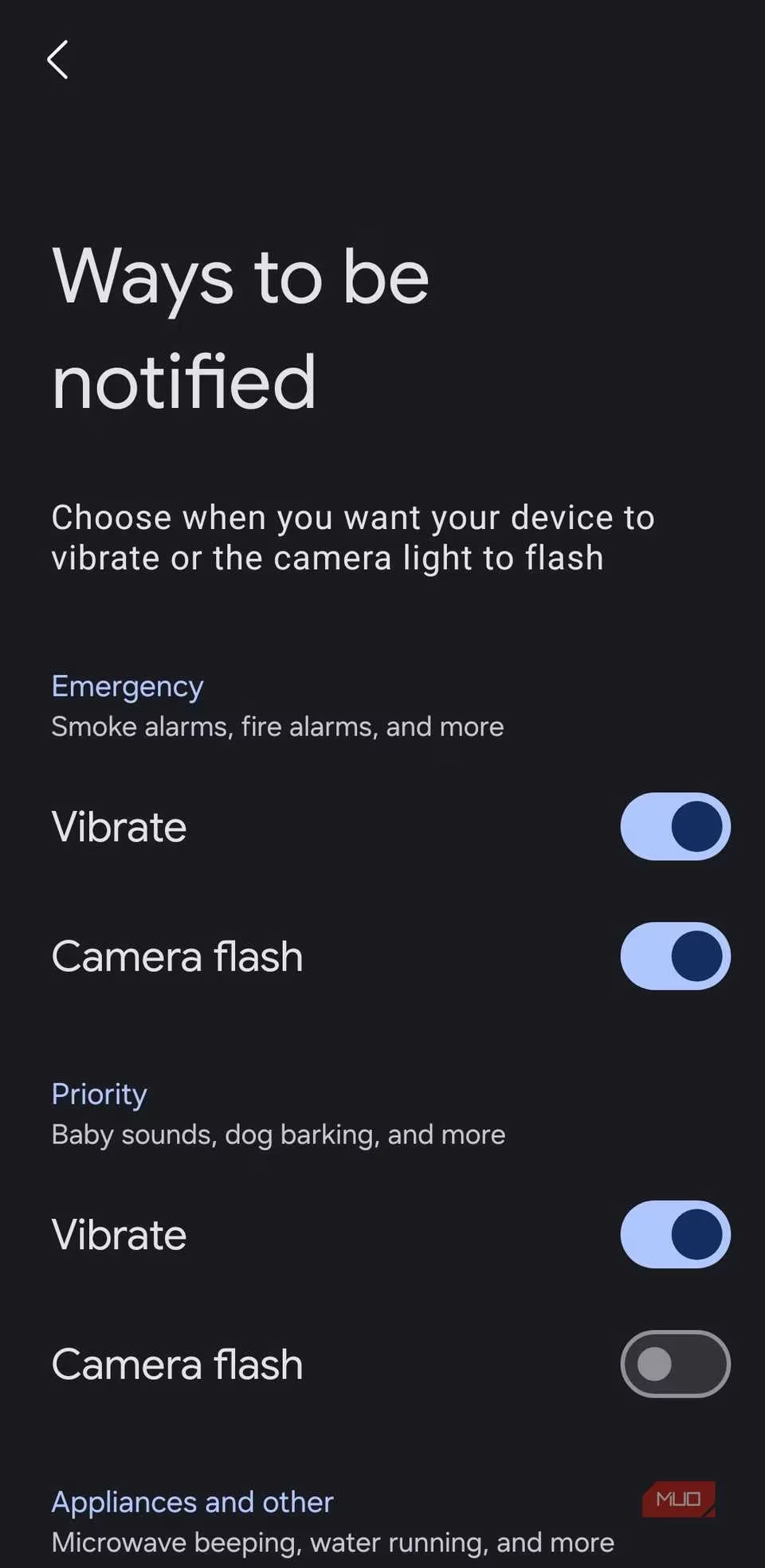
Of course, getting notified is one thing, but how you get notified is another. By default, the phone vibrates and even flashes the camera LED—a fantastic visual cue for critical alerts. But for something less urgent, like my laundry finishing, I don't need such a dramatic announcement. I went into Ways to be notified (again, via that handy gear icon) and customized the alerts. I set a gentle vibration for appliance beeps while keeping the full flash-and-vibrate combo for smoke alarms. This level of granular control means the feature informs me without ever becoming annoying.
I'll admit, the idea of my phone 'listening' all the time gave me a slight pause. Privacy is a big deal. But I was relieved to learn that Sound Notifications processes everything locally on the device. The audio it hears never leaves my phone; it's not sent to Google or any cloud server. The only exception is if I voluntarily include a sound clip when submitting feedback to help improve the feature. Knowing that my private moments aren't being uploaded somewhere makes me completely comfortable leaving this feature on 24/7.
Looking ahead to 2026, features like this show how our phones are evolving from mere communication devices into proactive assistants that enhance our daily awareness and safety. It's a small setting buried in the Accessibility menu, but its impact on my daily routine has been huge. I no longer worry about missing the delivery person at the door or letting something burn in the oven because I had my headphones on. My phone has my back, or rather, my ears. If you haven't tried it yet, I highly recommend giving Sound Notifications a spin. It might just become your favorite unsung hero feature too.