
Why Ueli Remains the Ultimate Cross-Platform App Launcher in 2026
Ueli, the cross-platform keyboard launcher, eliminates desktop friction with Alt+Space, launching apps, files, and calculations instantly.
Many power users have embraced a minimalist desktop where all icons are hidden and only the most essential programs sit on the taskbar. While this approach creates a clean, distraction-free workspace, it also introduces a hidden penalty: launching anything beyond those pinned shortcuts becomes surprisingly tedious. The default Windows search box works decently when the desktop is visible, but the moment a full-screen application covers everything, users have to reach for the mouse to reveal an auto-hiding taskbar or minimize windows just to run a program. That tiny extra step disrupts focus and adds unnecessary friction to a modern workflow. In 2026, the solution for this problem remains the same gem that emerged a year ago: Ueli, an open-source, cross-platform launcher that strips away all the hassle and respects the way people actually work.
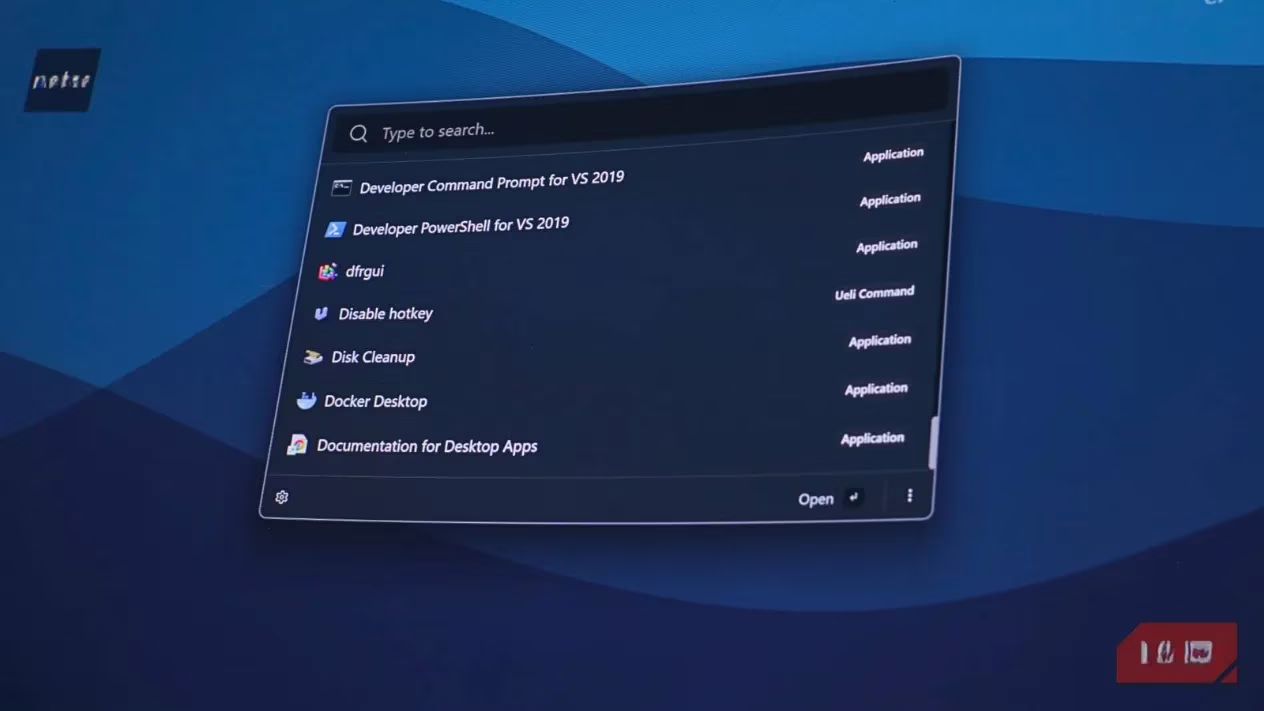
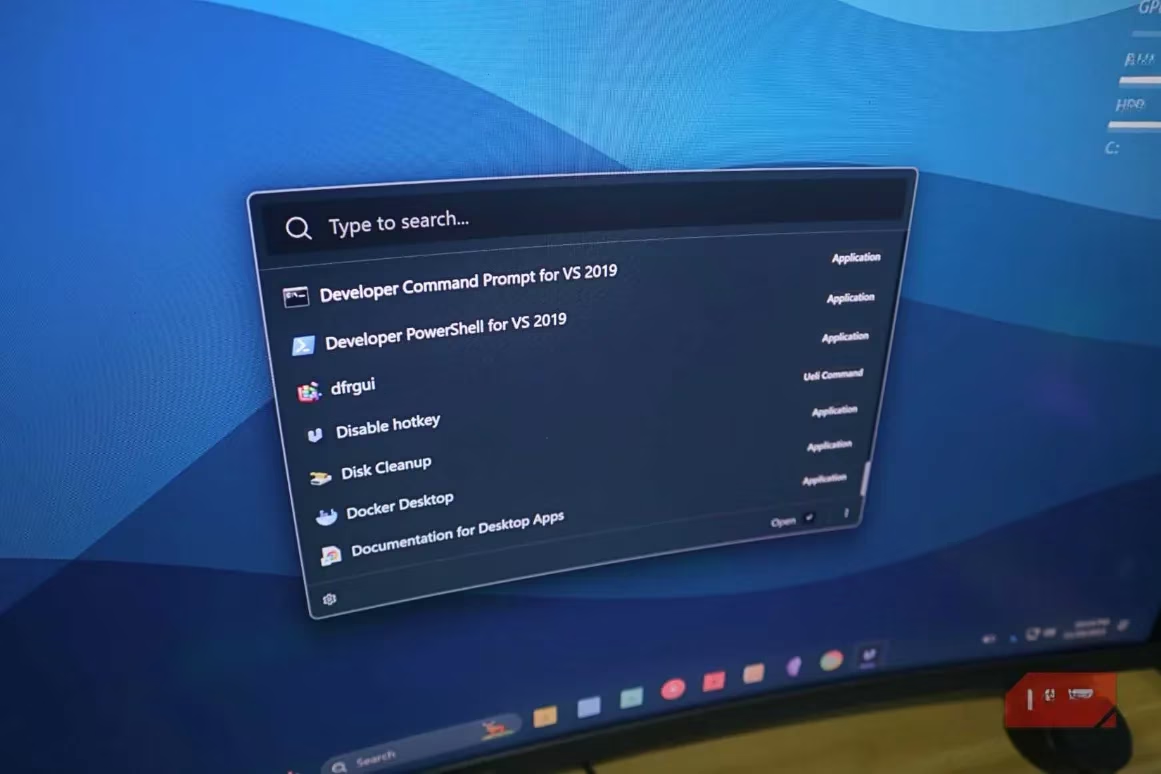
Ueli (pronounced \"you-ell-ay\" ) was designed from the ground up to feel like a natural extension of the operating system. After experimenting with alternatives such as Keypirinha, Everything, Wox, and even the PowerToys Command Palette, many users have landed on Ueli as their launcher of choice. The app's interface is clean, respecting the design language of Windows, macOS, or Linux, depending on where it runs. It does not try to be flashy or overloaded with animations; instead, it appears instantly after the hotkey is pressed, presenting results in a familiar, legible list. The experience is so smooth that it often feels like a native feature rather than a third-party tool.
The most transformative aspect of Ueli is its keyboard-first philosophy. By default, the Alt + Space shortcut summons the launcher, no matter what application is currently active. From that tiny search bar, users can type a fuzzy query and hit Enter to open any installed program, a file, a folder, or even a specific system command. The fuzzy search engine is remarkably tolerant of typos and partial names, meaning that \"chr\" instantly pulls up Chrome, \"noepd\" finds Notepad++, and a few letters of an obscure document’s title bring it to the surface. This interaction model keeps hands on the keyboard and eliminates the dozen small mouse movements that accumulate into minutes of lost productivity each day.
Beyond basic application launching, Ueli packs a suite of built-in tools that replace the need for multiple separate utilities. Here are some highlights:
-
Calculator & Unit Converter: Type a mathematical expression or a currency conversion (e.g., \"25 usd to eur\") and the answer appears inline, so there is no need to open a separate app or web page.
-
System Commands: Users can shut down, restart, sleep, or lock the PC with a few keystrokes — great for leaving a desk quickly.
-
Terminal Shortcuts: A quick command can open a terminal already pointed at a specific directory, or run a simple script without searching for a shortcut.
-
File & Folder Search: With the filesearch extension enabled, entering a path or a folder name opens it directly in File Explorer.
-
Bookmark & Web Search: Ueli can comb through browser bookmarks and also let users trigger a web search with a chosen search engine right from the launcher.
These capabilities are not hidden behind complex menus; they are accessible from the same unified search box, making the learning curve nearly zero.
Customization is another area where Ueli outshines many minimal launchers. The PowerToys Command Palette, for instance, offers very limited visual or behavioural tweaks. Ueli, on the other hand, lets users adjust the theme (including dark and light modes), resize the search bar, select a default browser for web queries, and configure how deep the file search scans. The Workflows feature adds an automation layer: users can chain multiple actions into a single command. For example, a morning workflow might open a developer’s IDE, the team communication app, and a project dashboard simultaneously. A study workflow could launch a note-taking tool, a reference manager, and a pomodoro timer. These sequences run with one keystroke from Ueli, turning it into a personal productivity assistant.
One of Ueli’s quiet strengths is its cross-platform consistency. It runs on Windows, macOS, and Linux with nearly identical interfaces and feature sets. A user who switches between a Windows desktop at work and a MacBook on the go does not have to retrain muscle memory or adapt to a different launcher. The same hotkey, the same fuzzy search, and the same extensions work everywhere. This uniformity is rare and highly valuable in 2026’s hybrid computing landscape.
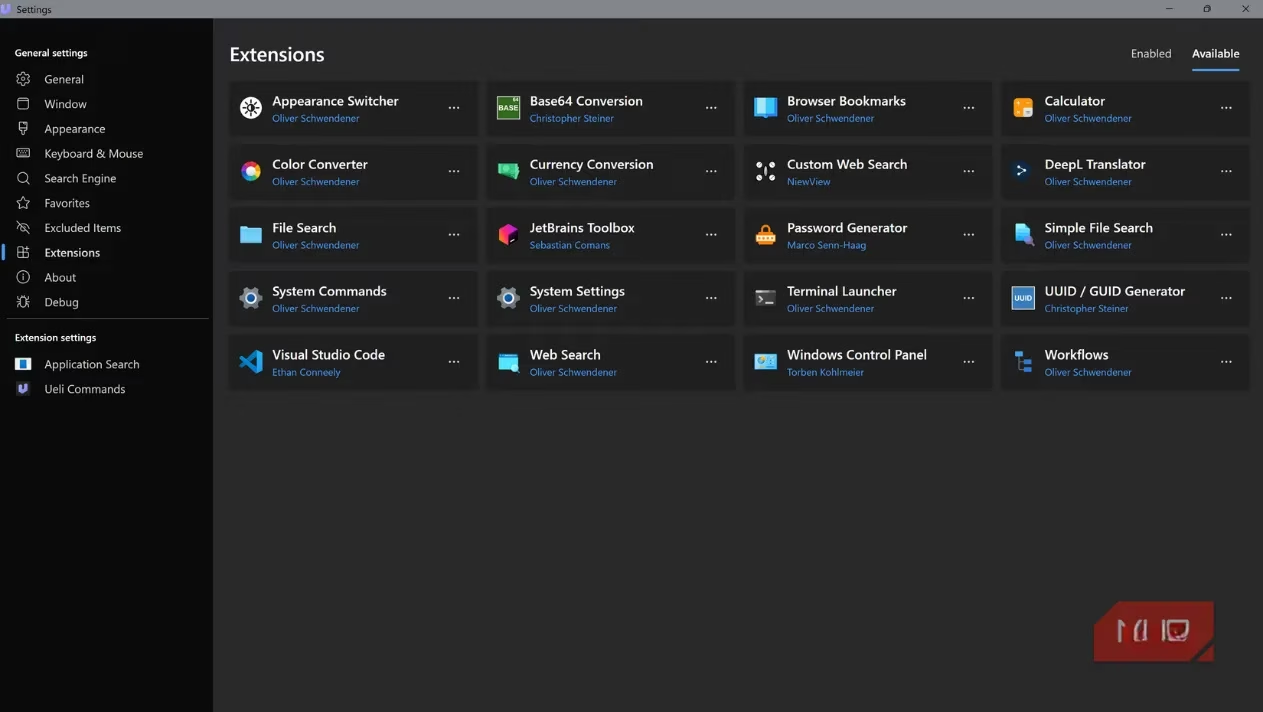
No tool is flawless, and Ueli’s most noticeable shortcoming is its extension ecosystem. The application ships with approximately 20 built-in extensions — a solid set that covers everyday needs — but it does not have a built-in marketplace or an easy mechanism to install community-created plugins. For those who love tweaking every corner of their software and demand hundreds of add-ons (like some Alfred or Raycast users), this limitation might feel restrictive. However, in practice, the included extensions handle the vast majority of tasks that Windows users perform daily. From folder navigation and calculations to system commands and web searches, the core functionality is already present and polished.
For anyone who values speed, simplicity, and a keyboard-driven workflow, Ueli continues to be an outstanding upgrade over default OS search. It consumes minimal system resources, respects the native aesthetic of each platform, and quietly eliminates the small inefficiencies that disrupt deep work. Setting it up takes less than five minutes: download, choose a hotkey, and optionally enable the extensions that fit a personal routine. After a few days of use, the Alt + Space reflex becomes second nature, and going back to manual navigation feels like a step backwards. In a world of ever-more-complex software, Ueli stands out by doing one thing exceptionally well: getting out of the way while getting things done.