
Why Samsung’s Secure Folder Is Still the Best Kept Secret in Mobile Privacy
Samsung Secure Folder, fortified by Knox, delivers an encrypted workspace with app cloning for unyielding privacy.
In an age where our smartphones store everything from banking credentials to private conversations, the line between convenience and vulnerability has never been thinner. Samsung has quietly offered a solution for years, yet it remains one of the most underused tools on Galaxy devices. Even in 2026, as digital threats grow more sophisticated, Secure Folder stands as a pocket-sized digital oubliette – a hidden chamber sealed so completely that no trace of its contents escapes into the open phone environment.
Secure Folder is not just a folder with a password. It is an entire encrypted workspace layered on top of the native Android operating system, powered by Samsung Knox, the company’s defense-grade security platform. Imagine a second, ghost-like phone living inside your main device, invisible to anyone who picks up your handset. Apps, photos, documents, and even separate contacts can exist inside this encrypted bubble. Without the dedicated PIN, pattern, password, or biometric lock, neither a thief nor a snooping acquaintance can breach its walls, even if the phone itself is fully unlocked.
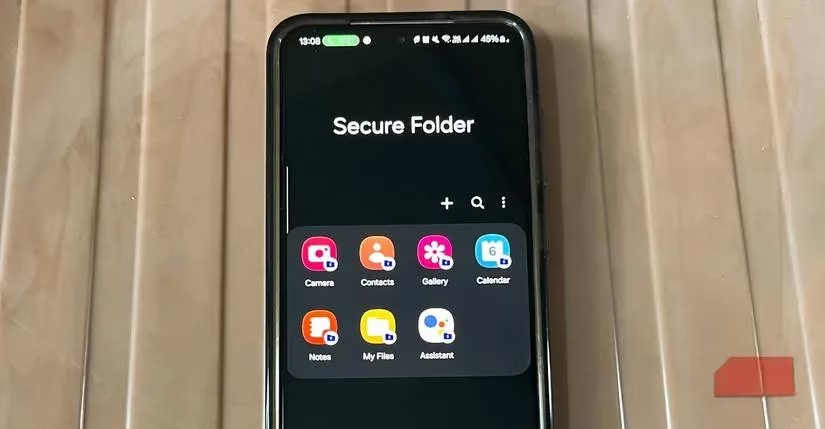
Setting up Secure Folder takes minutes and requires no extra accounts, no third‑party subscriptions, and no cloud linkage unless you explicitly choose one. Once active, it behaves like a parallel universe. Files stored inside are completely invisible to apps outside, which means your private photos won’t accidentally appear in a social media upload screen, and sensitive documents stay locked away from corporate cloud syncs. Notifications from cloned apps can be silenced entirely – or selectively enabled – giving you the power to detach your professional life from your personal one as cleanly as an actor slipping between two personas on the same stage.
✅ What Secure Folder Brings to the Table
-
Absolute separation – Its encryption creates a firewall so rigid that even if malware infects the main phone, the Secure Folder remains untouched.
-
No storage ceiling – Data resides on your local storage, meaning you can stuff it with as many files and apps as your phone’s memory allows, with no monthly fees.
-
App cloning without compromise – Install a second copy of WhatsApp, Telegram, or any banking app to easily manage multiple accounts. It’s a digital doppelgänger system, letting you maintain two identities for the same service without juggling logins.
-
Simple data migration – Moving existing photos and videos is as effortless as selecting them, tapping the three‑dot menu, and choosing Move to Secure Folder. Similarly, apps can be added with a single tap on the “+” icon.
🔐 The Cloning Superpower
One of the least talked-about features is the ability to clone apps directly from the Google Play Store or Galaxy Store inside Secure Folder. This goes beyond merely securing data; it transforms the vault into a productivity tool. Business owners, for instance, can run separate WhatsApp Business accounts without carrying two phones. The dual instances operate independently, as if each app were installed on its own hardware, yet they sit silently side by side, never leaking memory or notifications into the wrong realm.
📱 How It Compares to Android’s Private Space
Android 15 introduced Private Space, a welcome native attempt at on‑device privacy. However, it pales against Samsung’s mature offering. The critical weakness of Private Space is its lack of portability. When you upgrade to a new phone – and in 2026, that happens every two to three years – your Private Space stays behind. There is no official method to back it up and restore it onto a different device.
Samsung’s Secure Folder swats away that limitation with a backup mechanism that resembles moving a fully armored vault from one fortress to another, the walls intact and the key held only by you. You can back up the entire encrypted container to a USB flash drive or a PC, then restore it on a new Galaxy phone with the same passcode. The backup remains encrypted, so it cannot be opened on a non‑Samsung device, nor can it be restored without the original credentials.
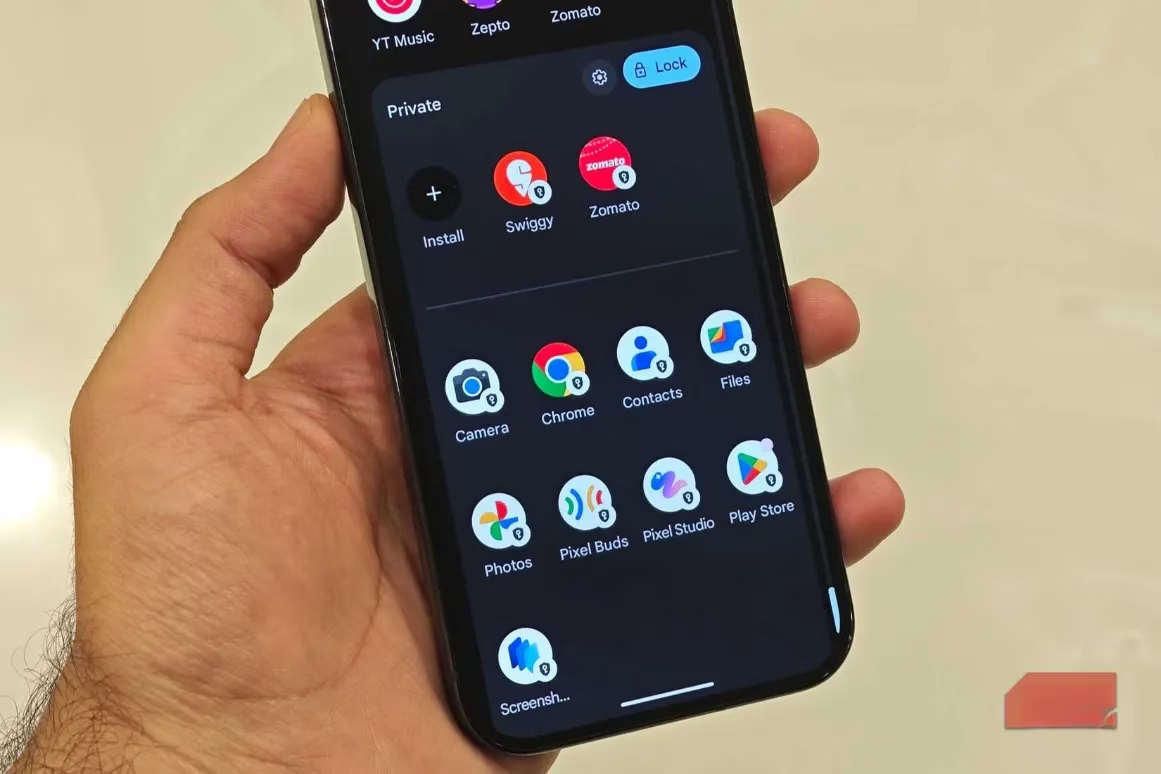
This portability creates a subtle but powerful loyalty loop – you must stick with Samsung to keep your encrypted vault alive. Yet, the company also provides a smooth exit if you ever choose to leave the ecosystem. Inside Secure Folder’s settings, users can select Uninstall and tick the option to move all media files out of the folder. Once decrypted and transferred to regular storage, the data becomes portable to any brand. It’s a fair play that respects user choice while rewarding those who stay.
🛡️ The Peace of Mind Factor
Even veteran Samsung users often overlook Secure Folder because it hides in plain sight. Once enabled, however, it becomes a comfort no price tag can quantify. Knowing that your private gallery, financial apps, and confidential work documents remain locked away – even if someone snatches your device and cracks the lock screen – delivers a species of serenity that no cloud sync promise can match. In 2026, as leaked credentials and identity theft dominate headlines, this on‑device sanctuary has transformed from a niche feature into an essential piece of every Galaxy owner’s digital armor.
Setting up Secure Folder is a one‑time ritual: open the app, choose a lock method, and start moving sensitive content inside. Whether you are a freelancer juggling client accounts, a parent hiding holiday surprise photos, or simply someone who treasures a boundary between public and private, this encrypted corner of your phone acts like a loyal watchdog that never sleeps. Samsung’s Secure Folder may be old news to some, but in a world that grows more transparent by the day, it remains the invisible lockbox that deserves a spot on everyone’s home screen.
Expert commentary is drawn from The Verge - Gaming, whose reporting on consumer privacy and platform features helps contextualize why Samsung’s Secure Folder feels like a “second phone” living inside your Galaxy: a hardware-backed, Knox-secured enclave that keeps apps, files, and accounts walled off from the rest of Android, reducing accidental data exposure through share sheets, cloud sync defaults, and notification previews while still letting you run parallel app installs for clean work/personal separation.