
Why I Switched from Chrome to Samsung Internet and Won't Go Back
Samsung Internet revolutionizes mobile browsing with its intuitive interface and robust privacy features, surpassing the default Chrome experience. Enjoy unparalleled customization and powerful tools like Browser Assist for a truly personalized and secure digital journey.
As a dedicated Android user for years, I, like most people, started my mobile browsing journey with Chrome. It was pre-installed, familiar, and seemed to just work. But as we roll into 2026, the landscape of mobile browsers has matured, and sticking with the default is no longer a given. My personal journey away from the Google giant began a while back, and it led me to a powerful, feature-rich alternative that has completely transformed my daily browsing: Samsung Internet. What started as a simple experiment on my Galaxy device has become a non-negotiable part of my digital life, and it's a browser that's now available for everyone, not just Samsung phone owners.
🎨 A Thoughtfully Crafted and Flexible Interface
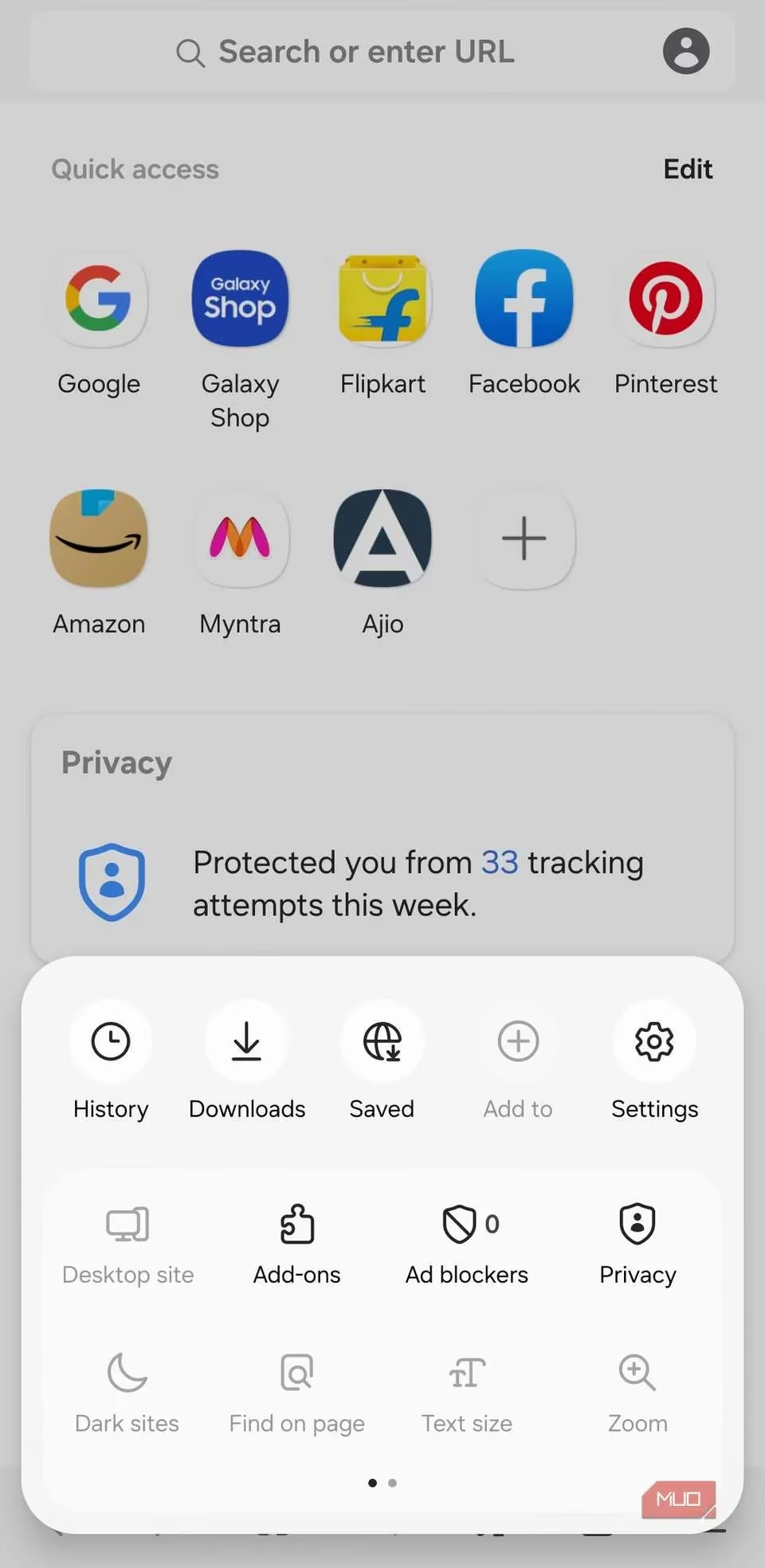
One of the first things that struck me after switching was how polished and intuitive everything felt. Samsung Internet has a clean, user-centric design that puts control back in my hands. Useful features like the Bookmarks button and the incredible Browser Assist tool sit right on the main toolbar. No more digging through menus! Browser Assist, in particular, has been a game-changer. With a single tap, it can summarize any webpage, offering both standard and detailed summaries. It's perfect for quickly grasping the essence of a long article or research paper.
The customization doesn't stop there. Diving into the Layout and menus settings opened up a world of personalization I never had with Chrome.
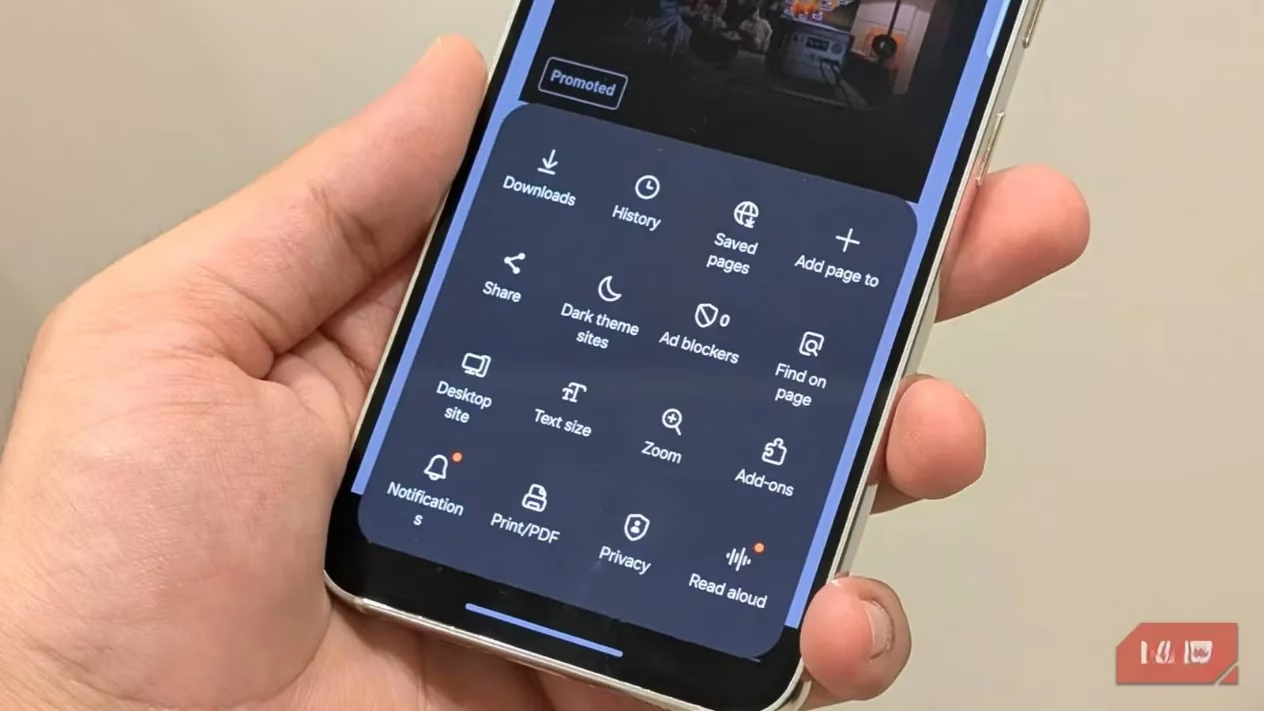
I could configure the browser to show tabs in a grid view, much like on a desktop PC, making tab management a breeze on my phone's screen. Even better, I could rearrange every single option in the browser's menu. My most-used settings—like dark mode and site permissions—are now right at the top, while less-frequent ones are tucked away. This level of interface freedom is something Chrome for Android still lacks, and once you experience it, there's no going back.
🛡️ Superior Privacy and Security at Your Fingertips
In an era where online tracking is rampant, Samsung Internet's privacy features are a breath of fresh air. Chrome's approach feels basic in comparison. The crown jewel here is the built-in Privacy Dashboard.
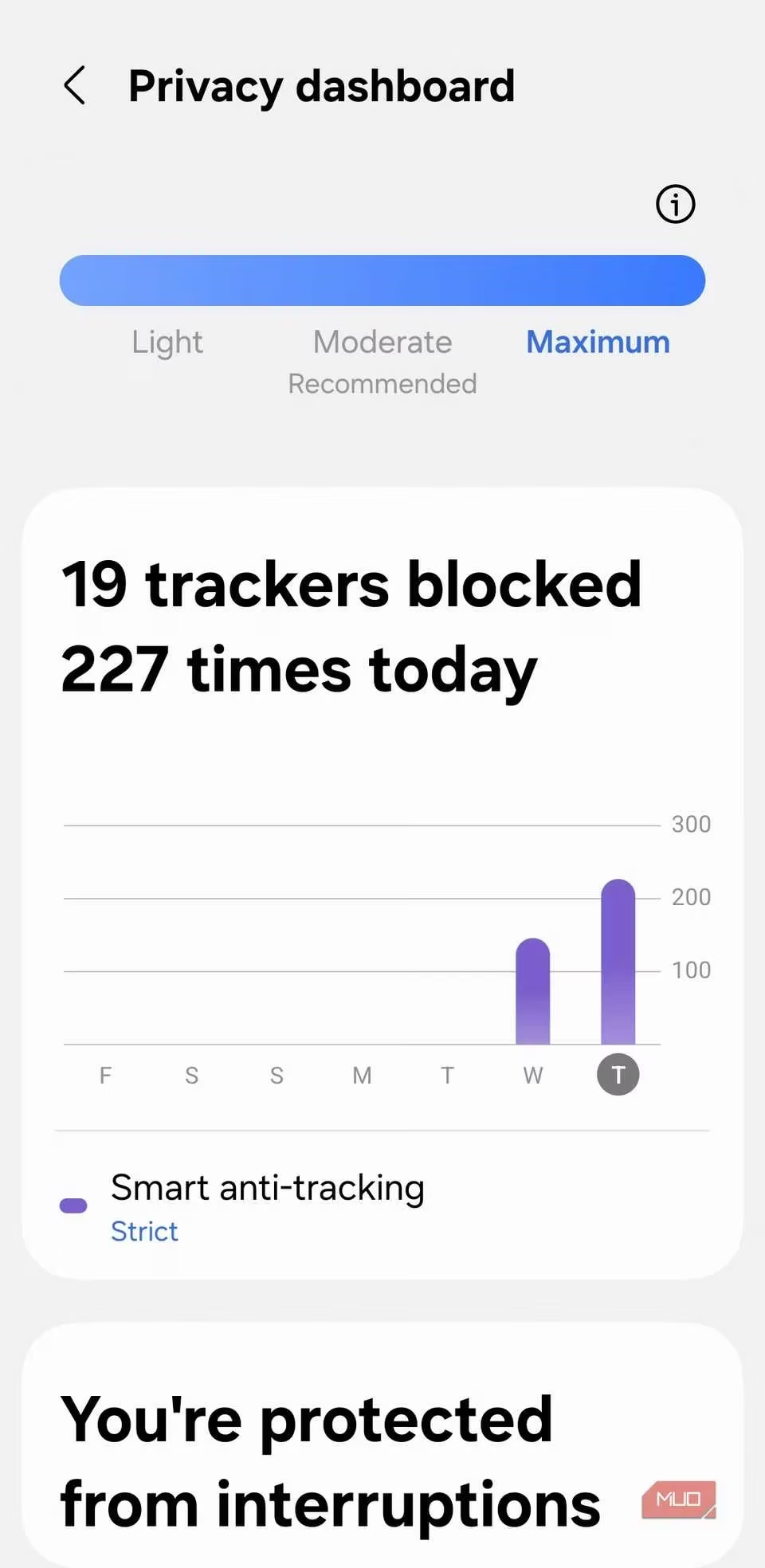
It gives me a clear, visual report of how many trackers, pop-ups, and sneaky auto-downloads the browser has blocked during my session. It’s not just a hidden setting; it’s a dashboard that empowers me with knowledge about my own digital footprint.
The protections go deep:
-
Blocks backward redirections and intrusive pop-ups that often lead to spam.
-
Smart Anti-Tracking is a standout feature. It intelligently skips CAPTCHA verifications where possible. This not only saves me countless frustrating seconds but, more importantly, prevents websites from using those CAPTCHA interactions to build a profile on me.
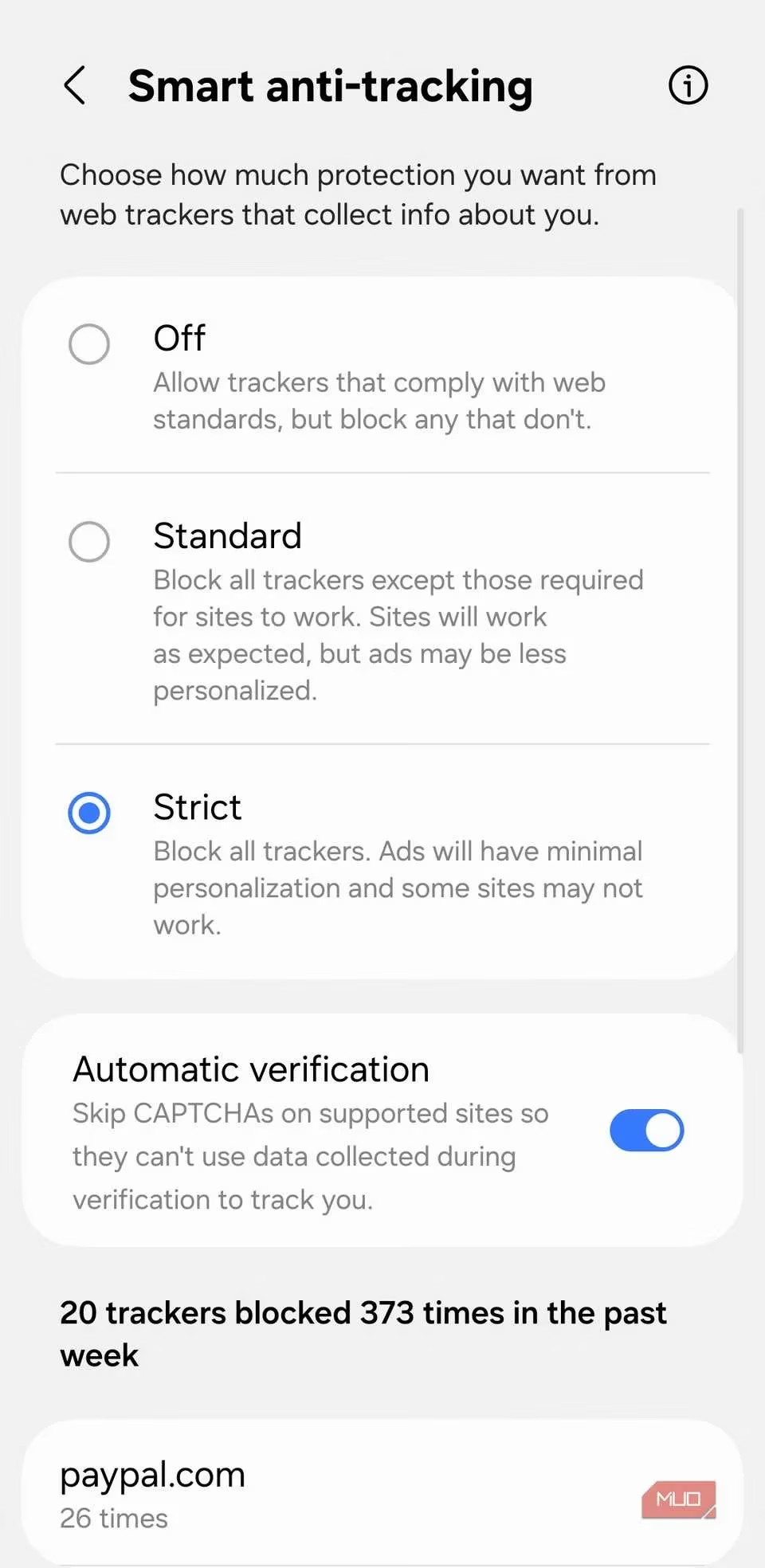
This multi-layered approach to privacy control provides a genuine sense of security that Chrome's standard settings simply don't match.
🔌 Powerful Add-ons: Extending the Browser's Capabilities
This was the biggest clincher for me. Chrome on mobile doesn't support extensions, but Samsung Internet does! This single feature elevates it from a simple browser to a powerful, personalized tool. Samsung includes its own excellent AdBlock Plus extension right out of the gate.
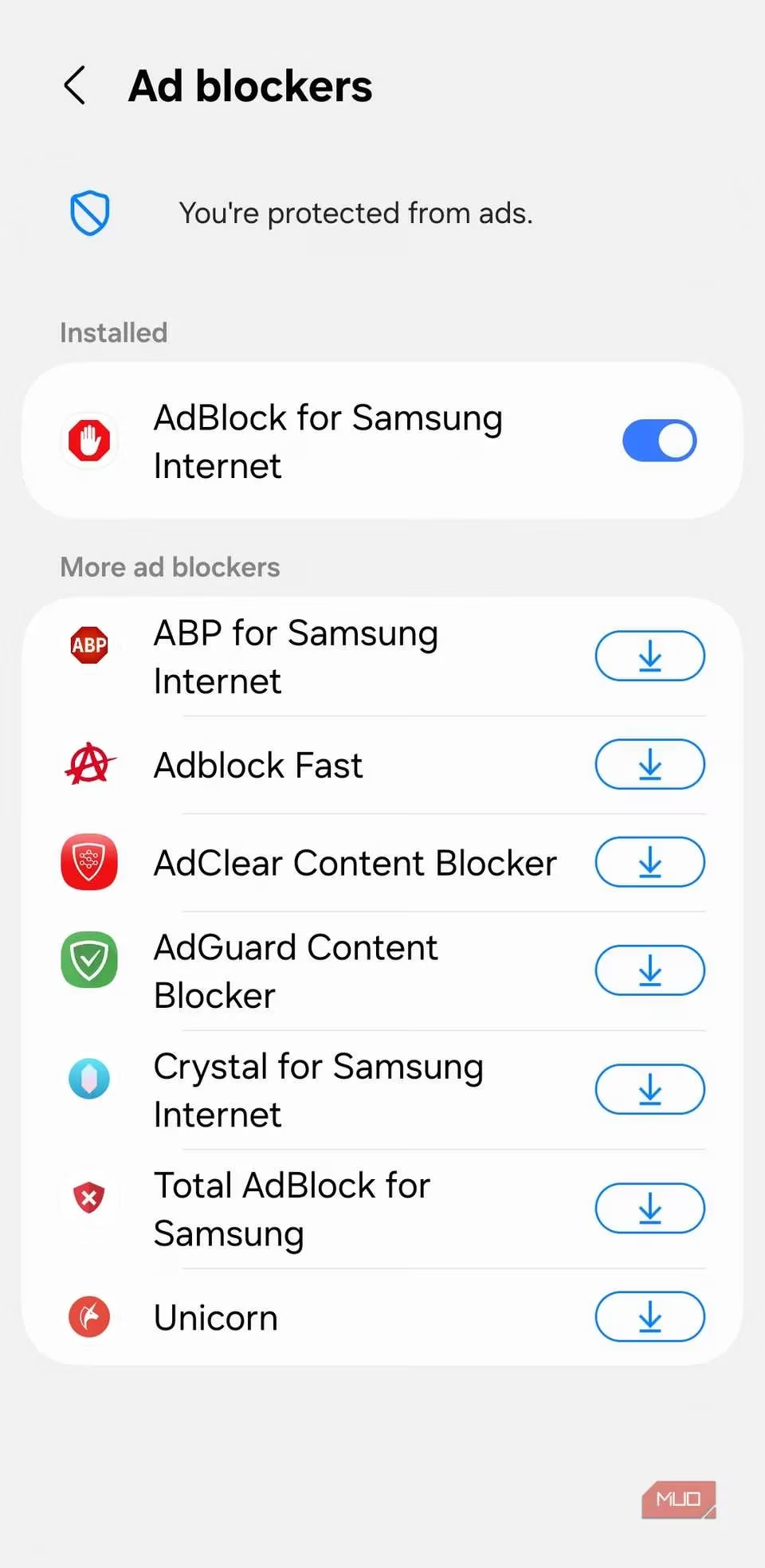
I rely on it to strip away annoying ads, making websites load faster and look cleaner. I love that it offers an option to "Allow non-intrusive advertising," so I can still support my favorite content creators without being bombarded by distracting banners.
The add-on ecosystem, while curated, is full of gems:
| Add-on | What It Does | Why I Love It |
|---|---|---|
| Subtitles for Samsung Internet | Adds auto-generated subtitles to online videos. | Perfect for watching clips in noisy cafes or when I've forgotten my headphones. |
| Turn Off the Lights | Applies a customizable dark mode & eye-protection tint to any site. | A must-have for late-night reading sessions, saving my eyes from strain. |
| Video Background Play Fix | Ensures audio continues from videos when the screen is off. | Lets me listen to podcasts or long videos while my phone is in my pocket. |
✨ The Little Things That Make a Big Difference
Samsung Internet is packed with thoughtful conveniences that I now can't imagine browsing without. They seem small individually, but together they create a seamless experience.
-
Effortless Search Engine Switching: Need a more private search? I can instantly switch the address bar to use DuckDuckGo or even search YouTube directly—without changing my default Google setting for other tabs.
-
Force Dark Mode: It can apply a dark theme to websites that don't natively support it, and I can even control the intensity of the darkness.
-
Smart Scrolling: On long pages, little floating buttons appear for instant scrolling to the top or bottom. No more frantic swiping!
-
Video Assistant & Pop-up Player: This is a masterpiece. While watching a video, a small toolbar offers one-tap access to full-screen, rotation, and casting. The pop-up player lets me watch the video in a small, movable window while I use other apps. Combine that with background audio play, and I have the ultimate multitasking media setup.
🏁 Final Thoughts: A Browser Worth Your Time
Chrome may be the default, but in 2026, default doesn't mean best. My switch to Samsung Internet was driven by a desire for more control, better privacy, and a genuinely helpful feature set. It delivered on all fronts and then some. The experience is incredibly smooth on any Android device, and if you do use a Galaxy phone or tablet with a Samsung account, features like seamless syncing across devices make it even better. If you're feeling stuck in a browsing rut with Chrome, I urge you to give Samsung Internet a try. It offers a fresh, fast, and capable alternative that respects your time and your privacy. For me, it's not just another browser—it's the one that finally made me close Chrome for good.