
Why I Disabled Chrome Sync Despite Its Convenience
Discover the risks of Chrome Sync's data collection and how disabling it enhances your privacy and security, transforming your browsing experience.
As a longtime Chrome user since its early days, I’ve always appreciated how effortlessly it let me jump between devices. Just last week, I was researching hiking trails on my laptop during lunch, and within seconds, I could pull up the same tabs on my phone while waiting for coffee. That seamless magic? That’s Chrome Sync. But recently, I made a decision that shocked even me: I permanently disabled Sync after realizing the staggering amount of personal data I’d been funneling to Google’s servers. It felt like discovering hidden cameras in my own home – all in the name of convenience. 😳 The sheer volume of intimate details being uploaded without my conscious consent left me genuinely unsettled. How did we normalize this level of surveillance disguised as a feature?
The Illusion of Convenience
Chrome Sync promises frictionless browsing by saving your entire digital footprint to the cloud. Enable it, and suddenly your bookmarks, extensions, and even half-written emails appear like loyal servants across every device. 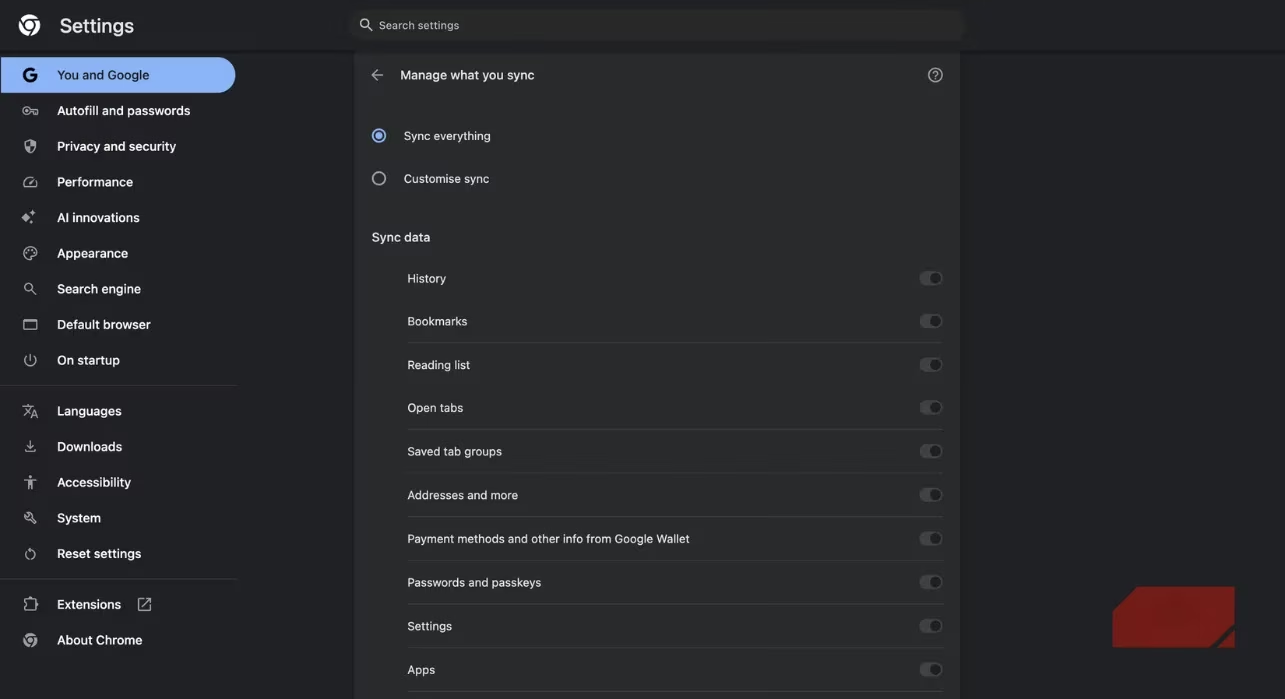
But here’s what they don’t emphasize: every single interaction gets cataloged. During my audit, I found Sync had uploaded:
-
📚 3 years of browsing history (including sensitive medical searches)
-
🔑 87 saved passwords via Chrome’s built-in manager
-
💳 My credit card details from autofill forms
-
📍 Location data from map queries
Worst of all? Articles I’d saved privately using "Read Later" features were synced too. Google essentially held a mirror to my digital soul, and I’d handed them the glass willingly.
The Hidden Cost of "Free"
We all know Google monetizes data, but seeing it firsthand chilled me. Remember when they were fined $150 million in 2024 for tracking Incognito mode users? That same profit-driven mindset powers Sync. 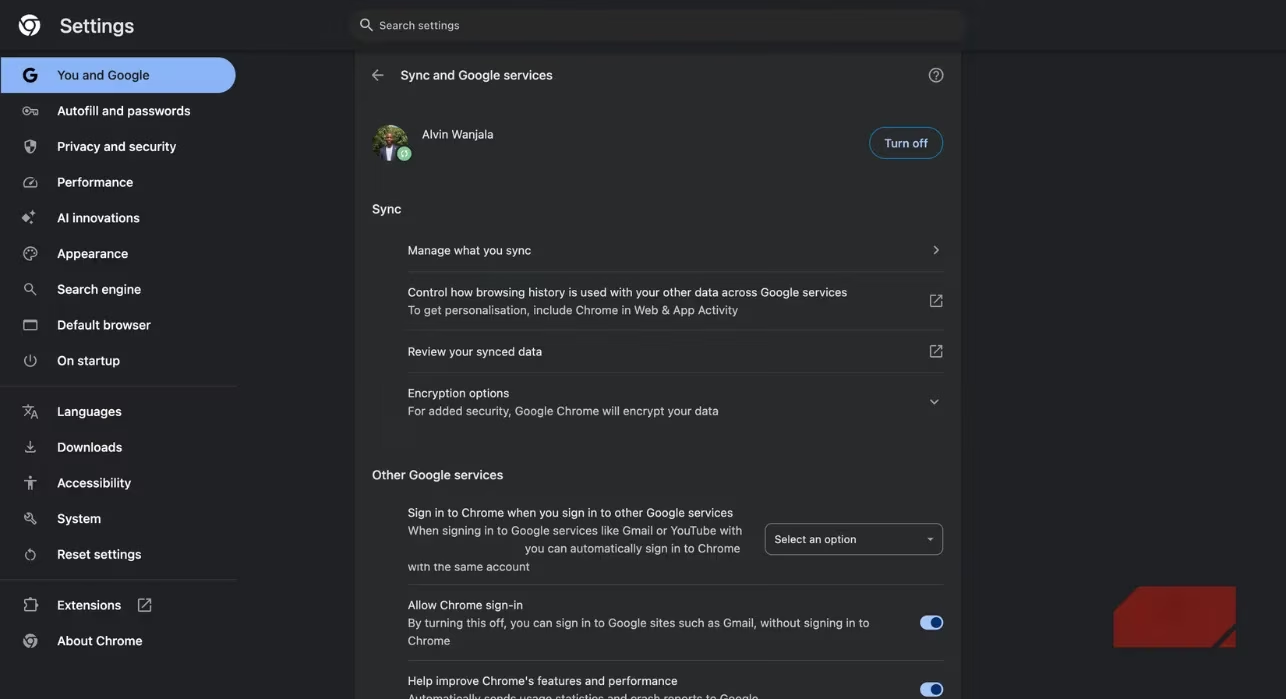
Consider this: your synced data builds advertising profiles so precise, they know you’re apartment-hunting before your family does. I tested it – searched for vegan recipes just once, and within hours, ads for plant-based meal kits flooded every site I visited. Coincidence? Hardly. 😒
Security risks amplify the danger:
| Risk Factor | Real-World Consequence |
|---|---|
| Account breach | Hackers access passwords & payment data |
| Government requests | Legal subpoenas for your entire browsing history |
| Cross-device tracking | Behavioral profiling across phone/laptop/tablet |
Breaking Free: My Sync Detox Journey
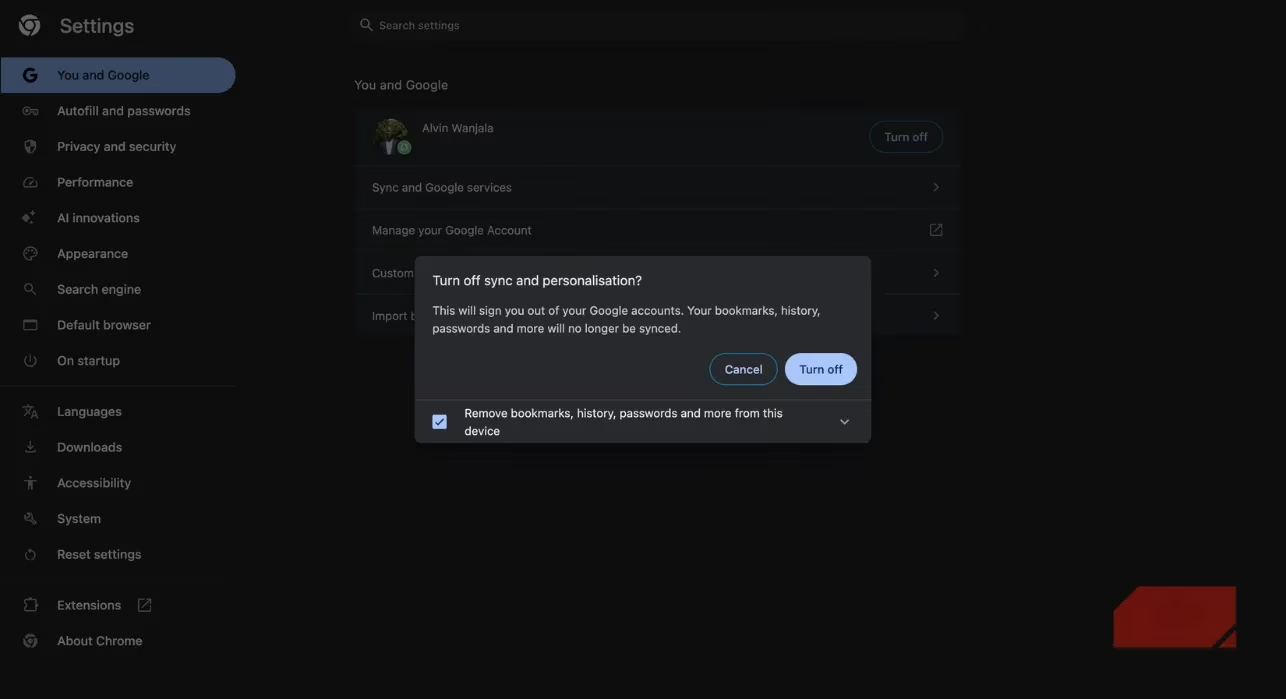
Disabling Sync felt like digital decluttering. The process? Surprisingly simple:
-
Click Chrome’s ⋮ menu → Settings → "You and Google"
-
Select Turn Off → Confirm
But the real challenge was replacing Chrome’s password manager. After researching alternatives, I chose Bitwarden – its zero-knowledge encryption means not even their staff can access my vault. The transition took 15 minutes, and now I sleep better knowing my credentials aren’t tied to advertising ecosystems.
Life After Sync
Surprisingly? I don’t miss it. As someone who primarily browses on a single device, Sync was overkill. For occasional cross-device needs:
-
🔒 Use encrypted messengers (Signal/Telegram) to send links to myself
-
✨ Employ bookmark services like Raindrop.io
-
🌐 Leverage Firefox Sync (more privacy-focused) for essential transfers
My laptop’s memory usage dropped 40% too – a welcome bonus! If you rarely switch devices, ask yourself: is trading your digital autonomy worth saving two clicks?
Frequently Asked Questions
🤔 What exactly does Chrome Sync collect?
It uploads: browsing history, bookmarks, installed extensions, payment methods, addresses, reading lists, themes, settings, and passwords if using Chrome's manager.
🔒 Is synced data encrypted?
Google encrypts data in transit, but it's stored linked to your account for their algorithms. You’re the product, not the customer.
📱 Can I selectively disable Sync components?
Yes! Under Sync settings, toggle off categories like history or passwords. But ask: why collect any data you wouldn’t share publicly?
⚠️ What’s the biggest Sync danger?
Account compromise. A single breach exposes your entire digital behavior map – passwords, purchases, and private searches.
🔄 Are ethical alternatives available?
Absolutely:
-
Bitwarden/1Password for passwords
-
Firefox Sync (collects less metadata)
-
Manual backups for bookmarks/history
This isn’t about abandoning convenience – it’s about demanding transparency. When did we agree that seamless browsing required surrendering our right to opacity? 🤨