
Universal Android Debloater Next Generation: Reclaiming Your Samsung Phone from Unwanted Bloat
Universal Android Debloater Next Generation (UAD-NG) effectively declutters Samsung Galaxy phones by removing pre-installed bloatware, enhancing device performance and storage without requiring root access.
Opening the app drawer of a new Samsung Galaxy phone in 2026 can feel like walking into a meticulously organized kitchen only to find the counters cluttered with appliances you never bought and will never use. Beyond the flagship specs and stunning displays, users are greeted by a pre-installed ecosystem of apps like Bixby, Samsung Health, Game Launcher, and duplicate utilities that demand storage space, siphon battery life, and consume precious RAM. This digital clutter, often resistant to standard removal, can make a powerful device feel sluggish and intrusive. For years, the only recourse was the nuclear option of rooting, a process fraught with warranty voids, security compromises, and technical complexity. However, a powerful yet accessible tool has emerged to declutter Android devices without such drastic measures: the Universal Android Debloater Next Generation (UAD-NG). This application transforms the arcane world of Android Debug Bridge (ADB) commands into a simple, visual interface, empowering users to surgically remove unwanted system bloatware.
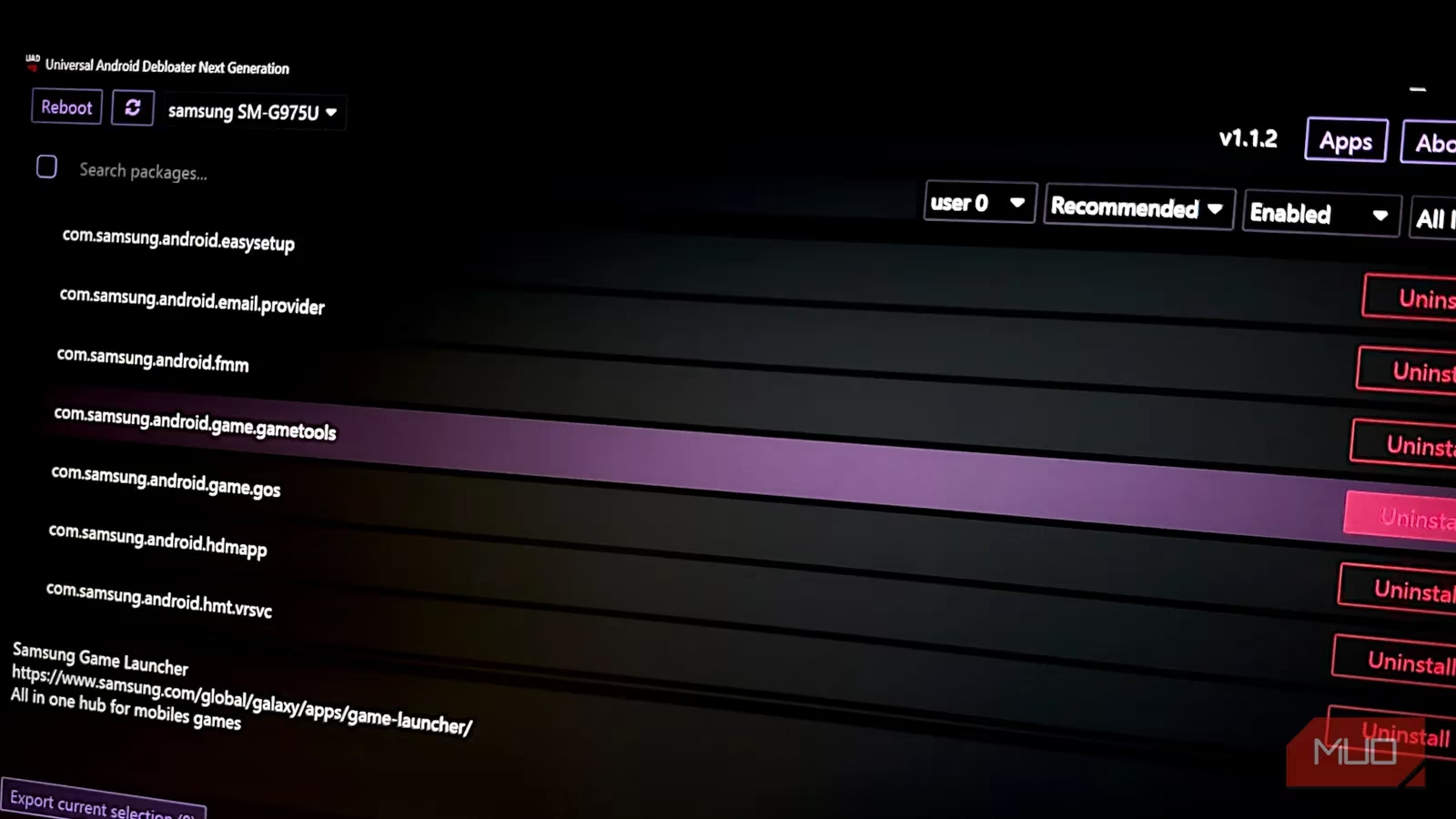
UAD-NG operates by exploiting a fundamental architectural feature of Android. While core system apps reside in a protected, read-only /system partition, their user-facing instances and data live in the /data partition. The tool doesn't physically delete files from /system—which would require root access—but instead performs a system-level uninstall for all user profiles. This process is like putting a noisy, energy-hungry appliance into a state of cryogenic sleep; it remains physically present in the house (the phone) but is completely disconnected from the power grid, unable to function or draw resources. The targeted apps vanish from the app drawer, cease background processes, and stop consuming RAM and battery. Even after a reboot, they remain in this dormant state. The only way to revive them is through a factory reset, which restores all original packages. For most users seeking performance and storage gains, this is a perfectly acceptable trade-off.
Getting started with UAD-NG is a straightforward, three-step process:
-
Enable USB Debugging on Your Android Device: This hidden developer feature allows your computer to communicate with your phone.
-
Go to Settings > About Phone and tap the Build Number seven times to unlock Developer Options.
-
Return to the main Settings menu, enter Developer Options, and enable USB Debugging.
-
-
Install ADB on Your Computer: The Android Debug Bridge is the command-line backbone.
-
Windows: Download "Platform Tools" from the official Android developer site or use a package manager like Chocolatey.
-
macOS: Install easily via Homebrew (
brew install android-platform-tools). -
Linux: Use your distribution's package manager (e.g.,
sudo apt install adb).
-
-
Connect and Verify: Connect your phone to your computer via USB, open a terminal (PowerShell, Terminal, etc.), navigate to your ADB directory, and run
adb devices. If a device serial number appears, you're ready to launch UAD-NG.
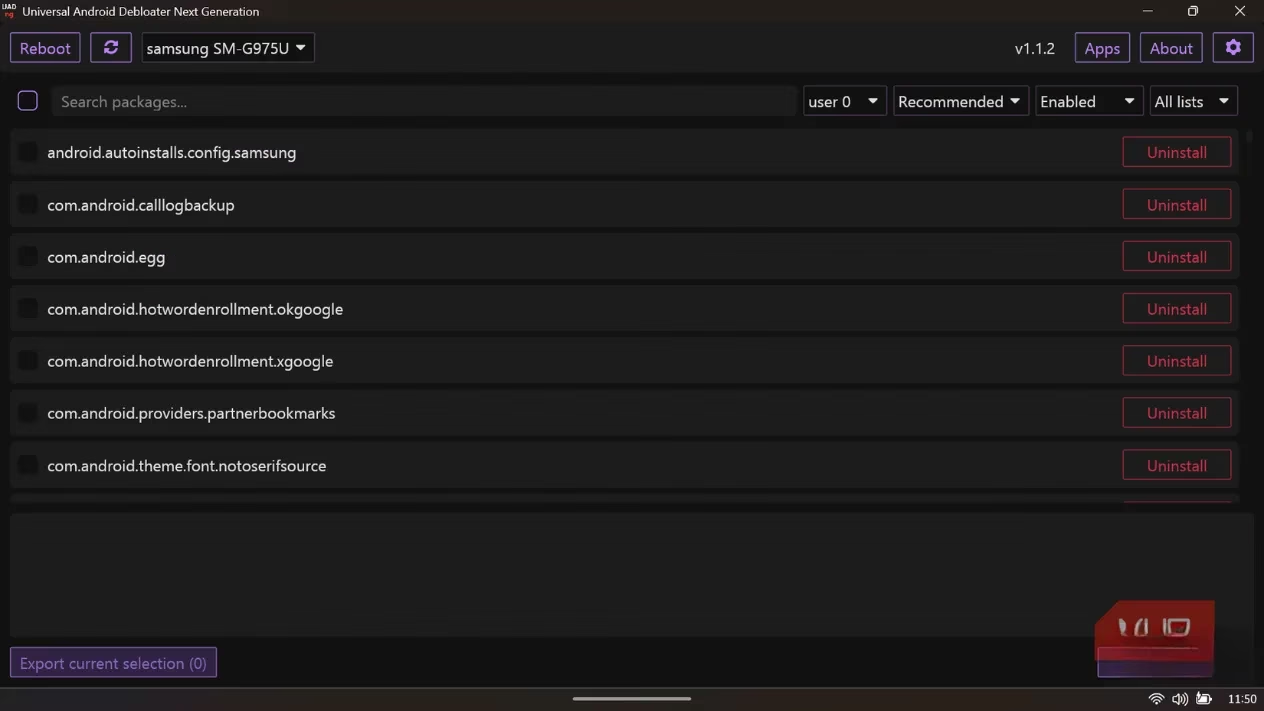
Once launched, UAD-NG, built with Rust for efficiency, automatically identifies your device's manufacturer and populates a list of relevant packages. The interface is a masterclass in user-friendly power, offering several layers of control to prevent mistakes:
-
Detailed Package Descriptions: Selecting any app reveals its official name, purpose, and often a link to its developer page. For example, selecting
com.samsung.android.game.gametoolsclarifies it's the "Samsung Game Launcher," allowing you to make an informed decision about its necessity. -
Safety-First Taxonomy: Packages are color-coded and categorized by risk level:
| Safety Level | Implication | Example Action |
| :--- | :--- | :--- |
| Recommended | Safe to remove, no side effects. | Uninstall duplicate OEM apps. |
| Advanced | May affect minor functionality. | Proceed with caution. |
| Expert | Could break significant features. | For experienced users only. |
| Unsafe | High risk of causing boot loops. | Avoid unless absolutely certain. |
-
Advanced Filtering: A dropdown menu next to the search bar lets you filter apps by origin—such as
oem(Samsung),carrier(network provider apps),google, oraosp(core Android). This is like having a spectral analyzer for digital clutter, allowing you to target, for instance, all the bloatware installed by your mobile carrier with a single click.
For beginners, the settings panel (accessible via a gear icon) offers crucial safety nets. The option to "Clear and disable packages instead of uninstalling them" is a brilliant feature. When enabled, UAD-NG resets the app and disables it, putting it into a deep hibernation state. Performance-wise, this is identical to uninstalling—the app cannot run or update—but it allows for easy reversal if you later discover you need a specific function. It's the digital equivalent of moving an item to a well-labeled storage unit instead of throwing it away entirely. Another critical setting is "Allow to uninstall packages marked as 'unsafe' (I KNOW WHAT I AM DOING)," which is disabled by default to prevent catastrophic errors.
Using UAD-NG reveals that the most fluid and responsive version of Samsung's One UI is often the one stripped back to its essential framework. The tool empowers users to reclaim control over their devices, transforming a phone burdened by manufacturer and carrier demands into a streamlined tool tailored to individual needs. For anyone frustrated by phantom battery drain, unexplained storage use, or the general sluggishness imposed by uninvited software, Universal Android Debloater Next Generation stands as an essential utility in the modern Android user's toolkit, a scalpel in a world too often full of digital sledgehammers.