
Unified Remote: Ditch the Mouse, Turn Your Phone into a Universal PC Controller
Unified Remote transforms your Android phone into a powerful Windows PC remote, eliminating the primitive ritual of getting up to control media, files, and system commands. This clever app offers a simple setup and a versatile toolbox of controllers, making couch-based computer mastery effortless.
Picture this: you're comfortably nestled in your favorite armchair, a bowl of snacks within reach, fully immersed in the latest must-watch series. Then it happens—you need to pause, adjust the volume, or skip that cringey intro. The dreaded journey begins: you must heave yourself up, shuffle across the room, fumble with a mouse or keyboard, and then trudge back, your cozy moment shattered. What a primitive ritual for 2026! Surely, humanity has devised a better way than this caveman-esque commute to the computer desk. Voice assistants offer a glimmer of hope, but shouting "Hey computer, volume down!" across the room feels more like arguing with a stubborn ghost than exercising control. The solution, it turns out, has been in your pocket all along.
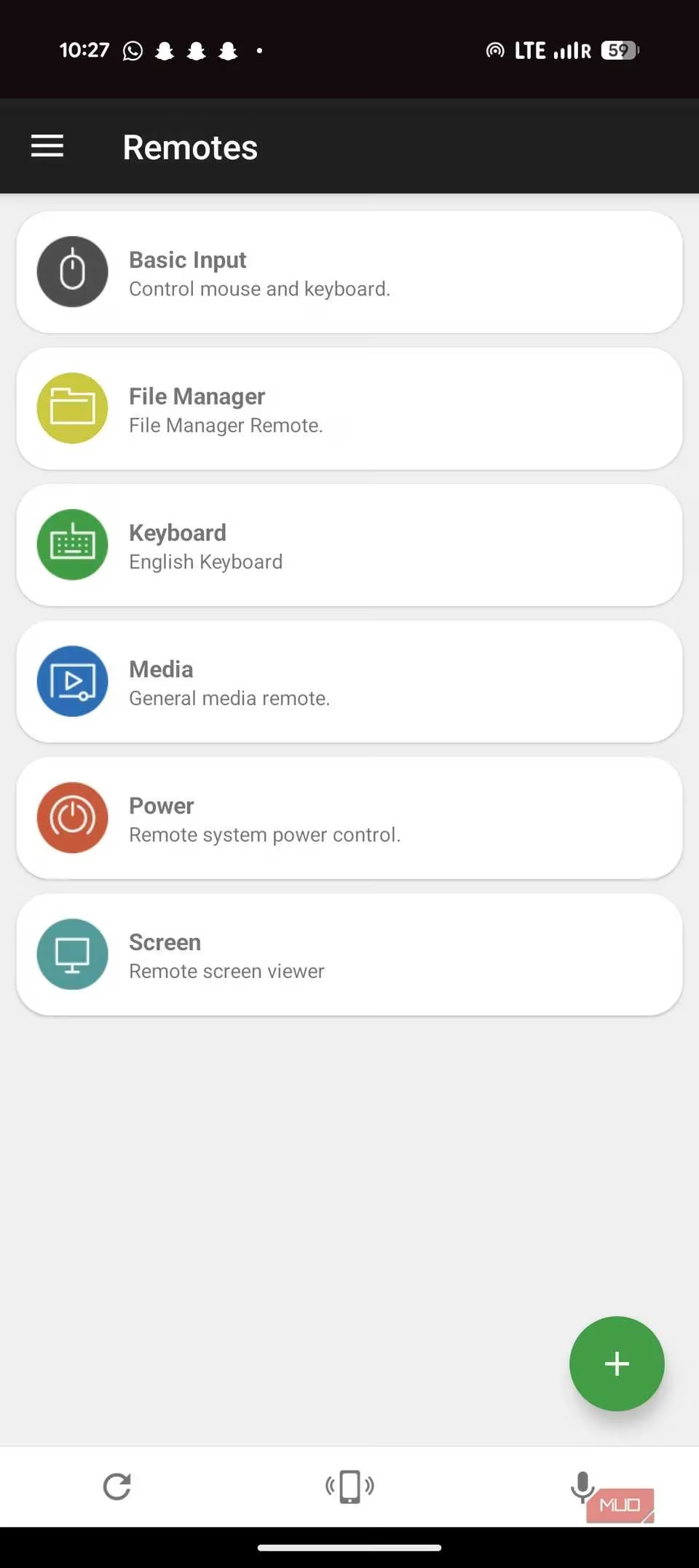
Enter Unified Remote, the clever Android app that transforms your smartphone into a Swiss Army knife of remote controls for your Windows PC. It's the digital bridge between your couch-potato aspirations and your desktop-bound machine. The premise is beautifully simple: why get up when you can command your entire computer from the palm of your hand? This isn't just about pausing videos; it's about wielding power over media, files, presentations, and even system commands, all from a distance. The era of the lazy genius has truly arrived.
Setup: Easier Than Making Instant Noodles 🍜
If the thought of "server" and "client" setup gives you cold sweats, fear not. Unified Remote's installation process is designed with human patience (or lack thereof) in mind. It's a two-step dance so simple, a hamster could probably do it—if hamsters had PCs and Android phones, that is.
-
Step One: The PC Side. You download and install the tiny, unobtrusive "Unified Remote Server" on your Windows computer. Think of it as a friendly digital butler waiting for instructions. It runs quietly in the background, barely touching your system resources.
-
Step Two: The Phone Side. You grab the Unified Remote app from the Google Play Store on your Android device. This is your new command center.
Once both are installed and running, magic happens. As long as your phone and PC are flirting on the same Wi-Fi network, they find each other automatically. No cryptic IP addresses to type, no passwords to forget. The whole affair takes mere minutes. You'll spend more time deciding what to watch than you will setting up the remote to control it.
A Remote for Every Occasion: Your Phone's New Career
Unified Remote lives up to its name by not being just one remote, but a whole toolbox of them. It divides its genius into specific, purpose-built controllers.
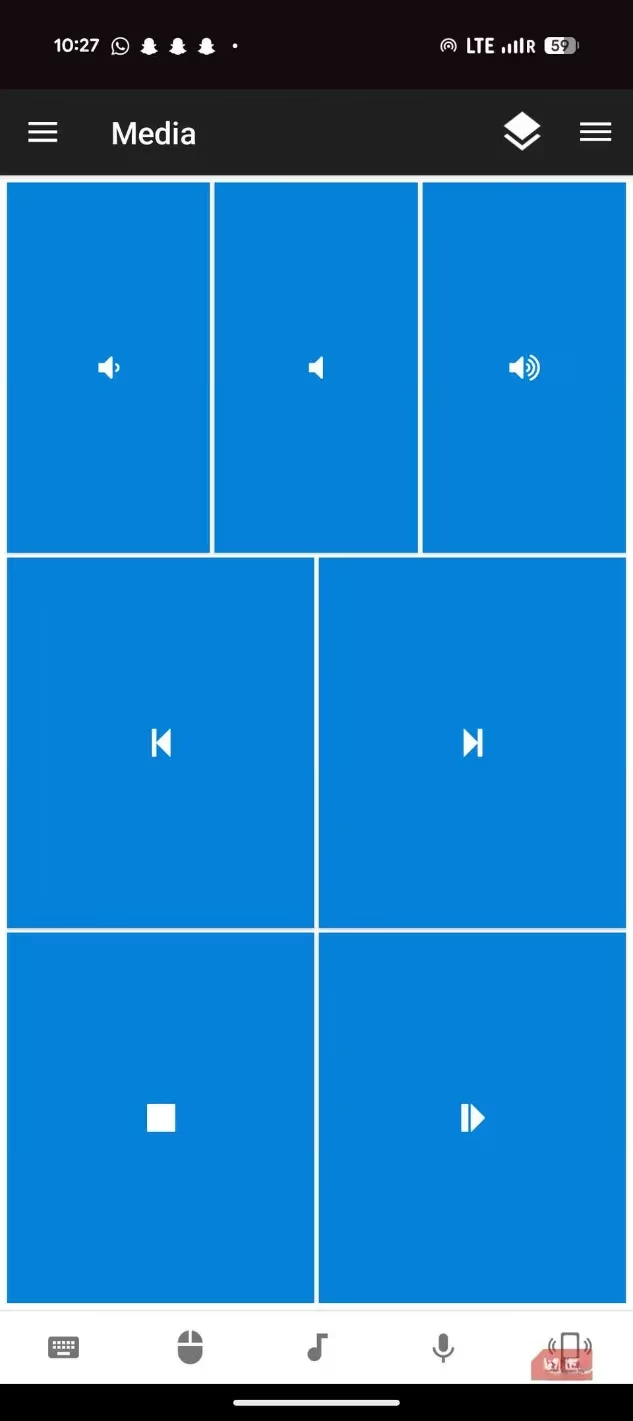
Let's break down the star players in this remote-control orchestra:
-
The Basic Input Remote (A.K.A. The Super-Trackpad): This is the core. It turns your phone's screen into a glorious, spacious touchpad. Forget the cramped, frustrating nub on your laptop. Your phone's display is a vast, smooth plain of control. The responsiveness is shockingly good—little to no lag means your cursor moves when you do, not a second later. Precision tasks like highlighting text or clicking tiny web buttons become a breeze. And because it's a multitouch screen, it understands gestures a physical mouse can't: pinch to zoom on a webpage feels natural, and swipe gestures become fluid and direct.
-
The Media Maestro: This is the couch commander's favorite. Dedicated, beautiful buttons for play, pause, volume, and track skipping for apps like Spotify, VLC, YouTube, and Netflix. No more tabbing around or hunting for the tiny player window.
-
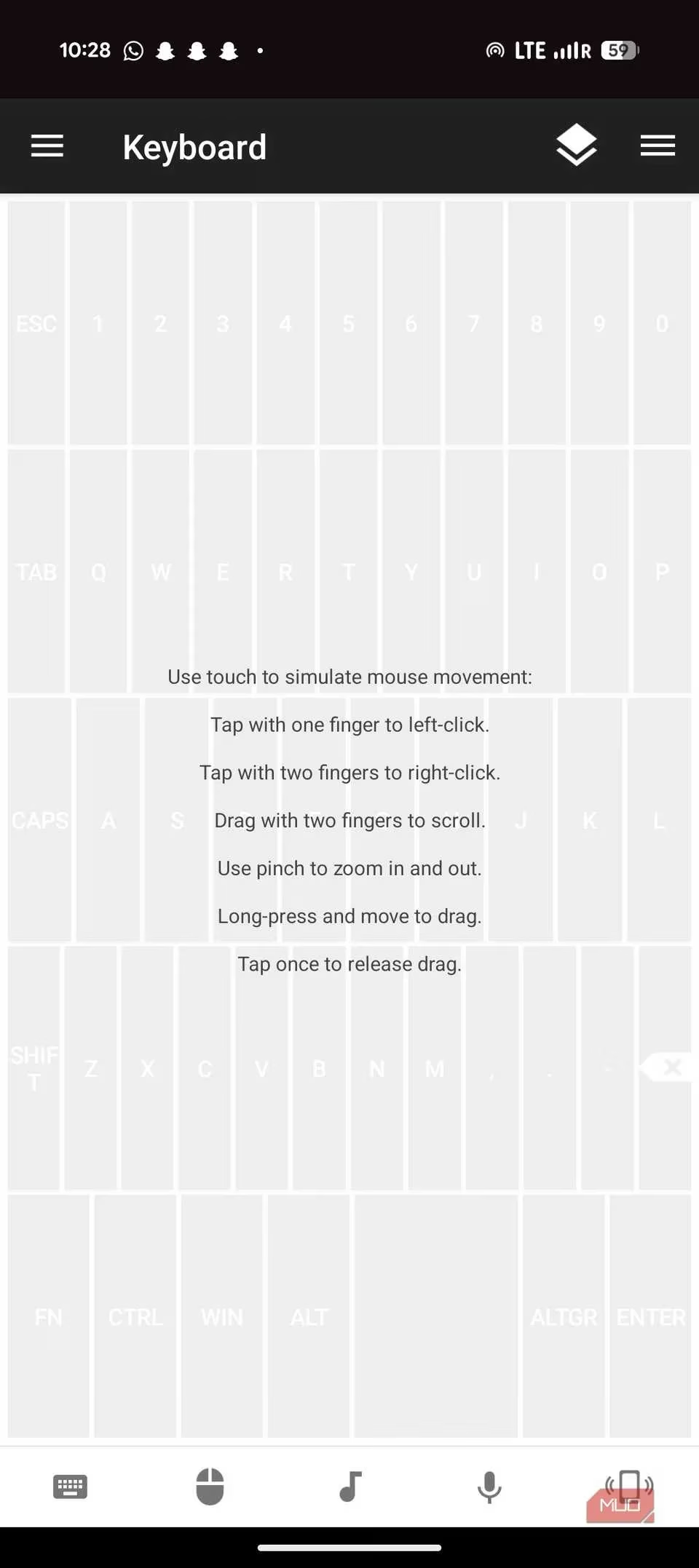
The Keyboard Companion: Need to type a quick search or a URL? A full (or compact) keyboard pops up on your phone. It's perfect for those short bursts of text input without scrambling for the physical keyboard.
-
The Power Broker: Yes, you can put your PC to sleep, restart it, or shut it down—all from your phone. It's the ultimate power move, literally. With Wake-on-LAN support, you can even turn it back on from your slumber.
And that's just the free version! The paid upgrade unlocks a veritable universe of over 90 remotes, including some truly game-changing tools:
| Feature | What It Does | Why It's Awesome |
|---|---|---|
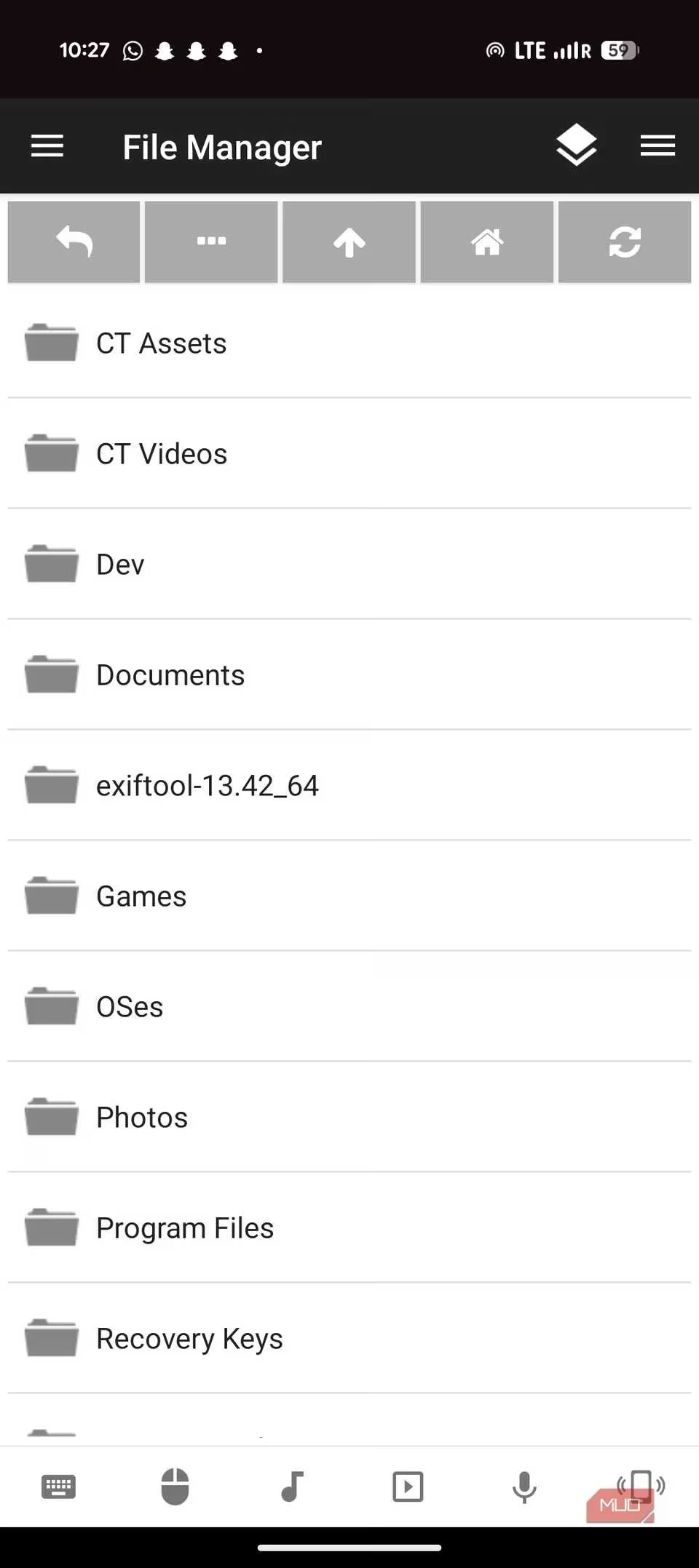
| File Manager | Browse your PC's files and folders directly from your phone. | Open documents, launch programs, or find that one photo without ever touching the mouse. See your files in a neat explorer view. |
| Screen Viewer | Streams your PC's desktop display to your phone screen. | Perfect for checking on a long download in another room or controlling a presentation monitor. It even supports multiple monitors! |
| App-Specific Remotes | Custom controls for Zoom, Discord, PowerPoint, and dozens more. | Mute/unmute, raise hand, or slide control for Zoom calls. Play/pause for specific media players. It's hyper-convenient. |
Living the Remote Life: Real-World Uses
So, how does this translate from cool tech to daily utility? Let's paint a picture:
-
The Home Theater PC Connoisseur: Your PC is connected to the big TV. You're watching a movie. The volume is wrong. Instead of blundering in the dark for a keyboard, you tap your phone. Perfection.
-
The Presentation Pro: You're presenting slides to a room. Instead of being chained to the laptop, you walk around, engaging with your audience, advancing slides with a discreet tap on your phone. You look like a wizard.
-
The Music Curator: Your PC is the house DJ, pumping tunes through speakers. You're cooking, cleaning, or lounging. Song comes on that you hate? Skip it from the next room without breaking stride.
-
The Quick Checker: You left a file downloading or a render processing on your PC. Instead of getting up, you pull out your phone, use the Screen Viewer to peek at the progress, and go back to what you were doing.
The Honest Truth: It's Not Magic (But It's Close)
Now, let's not get carried away. Unified Remote is phenomenal, but it's not a total replacement for your trusty mouse and keyboard. The app is wonderfully self-aware about this.
-
The Tactile Void: Typing a long email on a glass screen still feels like typing on a frozen lake. There's no satisfying clack of keys. For prolonged typing sessions, you'll still want a physical keyboard.
-
The Precision Paradox: While the touchpad is excellent, complex graphic design work or high-level gaming still demands the pinpoint accuracy of a dedicated mouse.
-
The "It's Still a Phone" Factor: You're using the same device for notifications, calls, and controlling your PC. It's a multitasking marvel, but sometimes you just want dedicated tools.
The app's real genius lies in eliminating friction in specific scenarios. It doesn't try to be your primary input device 24/7. Instead, it asks: "Why should you have to get up for that?" It fills the gap between "I need full control" and "I just need to do this one simple thing."
The Verdict: Unlocking Latent Potential
In 2026, where seamless connectivity is expected, Unified Remote delivers a brilliantly simple solution to a universal annoyance. It's the app you didn't know you needed until you try it, and then you wonder how you ever lived without it. It takes hardware you already own—your phone and your PC—and forges a new, incredibly useful relationship between them.
For anyone who uses their PC in a multi-room setup, gives presentations, enjoys media from the couch, or simply values convenience, Unified Remote is a no-brainer. It's not about replacing your mouse; it's about setting it free for the important jobs while your phone handles the mundane. In the grand quest to make technology serve us with less effort, Unified Remote isn't just a remote—it's a declaration of independence from the tyranny of the desk chair. 🎉