
Typora in 2026: A Calmer Markdown Editor for Distraction-Free Writing
Typora, a minimalist Markdown editor, pairs seamless live preview with focus tools for fast, distraction-free long-form writing.
In an age of overcrowded word processors and endless browser tabs, writers are rediscovering a tool that feels like a quiet desk in a noisy room. Typora, a minimalist Markdown editor, has built a loyal following by blending the simplicity of a notepad with the structure of Markdown. As of 2026, its focus-first philosophy remains one of the strongest arguments for moving long-form drafting away from the browser.
A live preview that keeps up with your thoughts
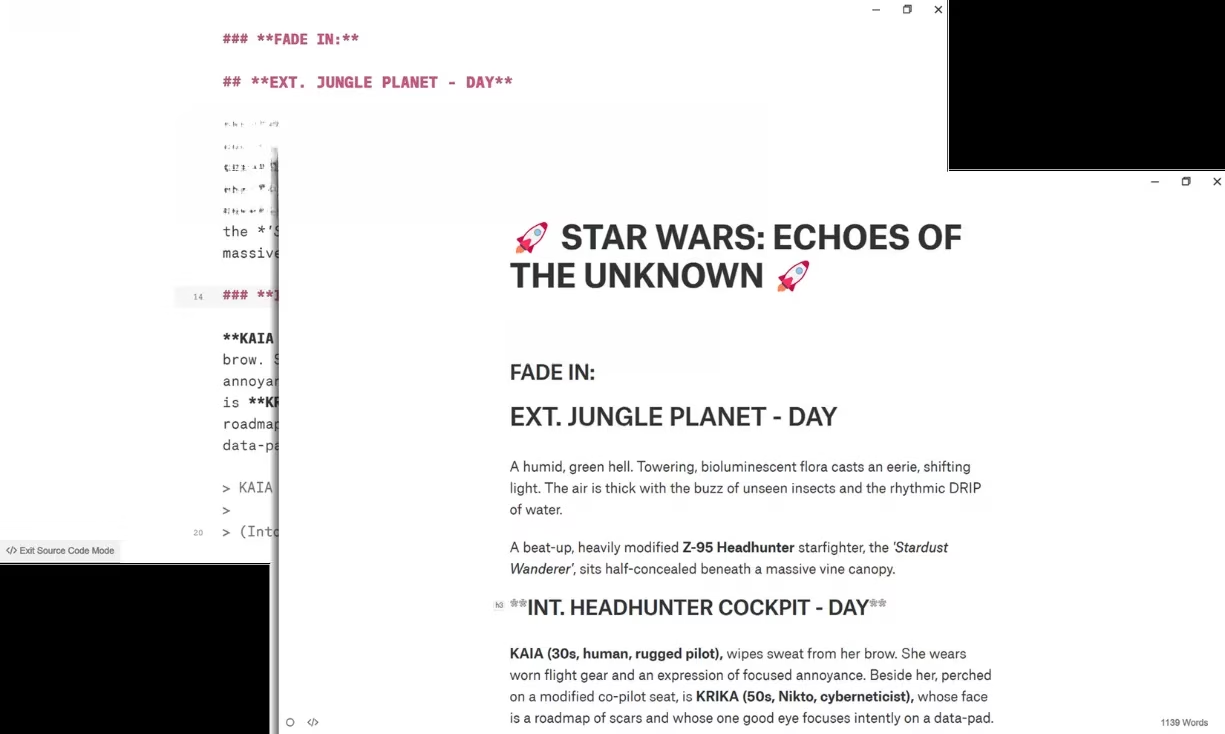
Typora’s biggest strength is its seamless live preview. Unlike many Markdown apps that split the screen into an editor and a preview pane, Typora merges both. The formatting appears as soon as a writer types it. That WYSIWYG approach means there is no mental gear-shifting between raw syntax and finished layout. For people drafting quickly, this can be a game changer. Plain and simple, it feels less like using a markup tool and more like writing by hand.
A writer can type hashes for headings, add quote blocks, or use bold and italics without ever leaving the flow. The visual result shows up instantly. According to long-time users, that immediate transformation helps beat blank-page paralysis. Instead of pausing to select a style from a toolbar, the text simply becomes the next section.
Themes that help writers settle in
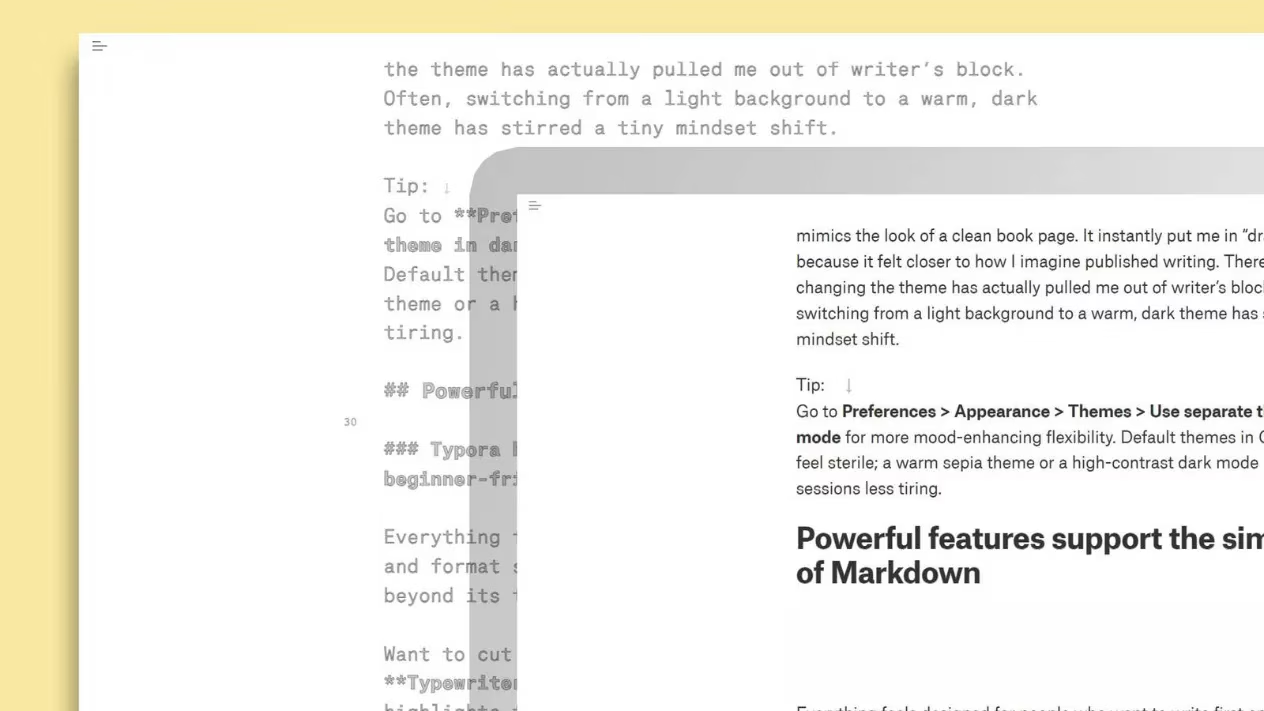
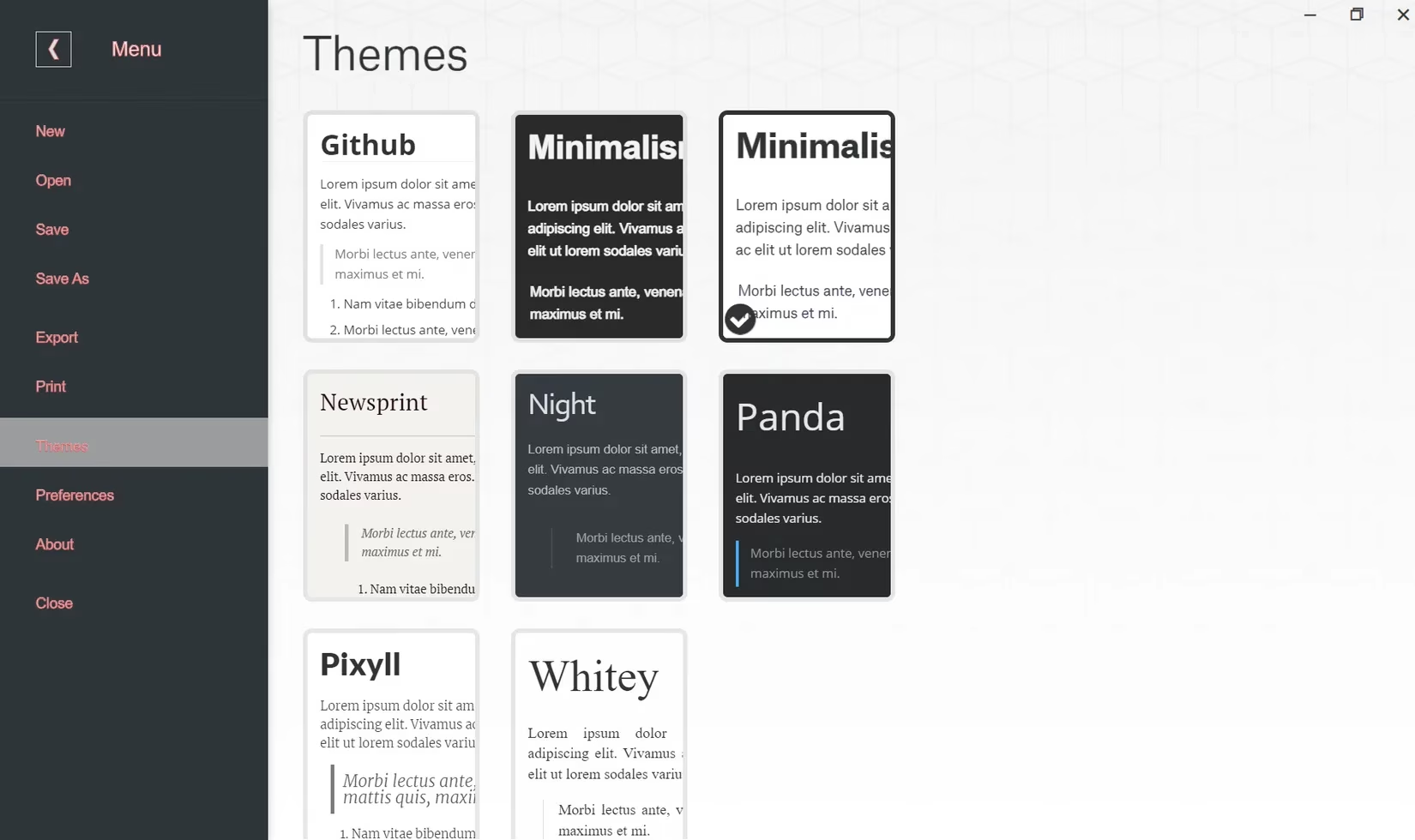
Visual comfort matters when you spend hours in front of a screen. Typora allows users to switch between multiple themes, tweak typography, and install custom CSS themes created by the community. This flexibility can directly improve writing stamina. A writer who prefers a serif-based theme can make the editor look like a clean book page, which may trigger a more focused drafting mindset.
Google Docs offers templates and fonts, but Typora feels more intentional because it is designed almost exclusively for writing. Some users report that switching from a light background to a warm dark theme has helped them escape a creative rut. That small visual shift can be enough to make the page feel new again.
Focus mode, typewriter mode, and diagrams
Typora includes several features for people who need to protect their attention. Focus mode highlights the current line or paragraph and fades everything else. Typewriter mode keeps the current line centered while scrolling. Both options are available in Preferences and can help a writer zoom in on a stubborn paragraph without closing other sections.
For more technical writing, Typora supports Mermaid, a diagramming engine that creates sequence diagrams, flowcharts, Gantt charts, class diagrams, state diagrams, and pie charts. Users describe diagrams by writing text instructions inside fenced code blocks, so the process stays within the same document. It is a flexible option for tutorials, documentation, and process-heavy articles.
Exporting, images, and ownership
Typora can export to PDF, Word, HTML, ePub, and LaTeX through Pandoc. That means the same Markdown document can become an article, an ebook, or an academic paper without a major reformatting process. For writers who produce content for multiple platforms, this can save hours.
Images are handled locally by default. A user can drag and drop an image into a document, and Typora references its location. The image can then be copied or saved to a designated folder. For web-ready documents, Typora also supports image uploads to different cloud servers.
More importantly, Typora keeps work on the local machine. There are no server downtimes, no accidental account suspensions, and no loss of access to a proprietary cloud. Markdown files are plain text, so they can be opened by many other apps. Users can back them up with Time Machine or Git and control their own redundancy.
Google Docs vs. Typora at a glance
| Feature | Typora | Google Docs |
|---|---|---|
| Markdown focus | Native and seamless | Partial, with toolbar formatting |
| Live preview | Merged editor and preview | Separate formatting experience |
| Cloud access | Local-first, no built-in cloud | Cloud-first with offline support |
| Mobile app | Not available | Available |
| Pricing | One-time purchase | Free with Google account |
Let’s be real—Google Docs is a full productivity suite, and it is difficult to beat for collaboration and sharing. But Typora’s local-first approach and one-time purchase model appeal to writers who want a calmer environment. It is a bit of a head-scratcher that Typora still lacks an official mobile app, but users can work around that by combining Markdown files with iCloud Drive or other third-party cloud storage tools.
A writing habit worth trying
Switching writing software is never an overnight decision. Writers build habits around familiar formatting tools, and moving from Microsoft Word or Google Docs to Typora takes time. Still, many users say that writing 1,000 words in one sitting feels more comfortable when their hands rarely leave the keyboard. Typora removes the extra mouse movements, scroll-bar adjustments, and interface noise that often interrupt a draft.
For anyone curious, the best approach is to try a brief article in Typora and compare the difference. The editor will not solve every productivity problem, but its focus-first design, instant Markdown preview, and calm visual customization make it a strong candidate for distraction-free writing in 2026.