
Turn an Old Android Device into a Car Head Unit with HUR
Headunit Reloaded Emulator (HUR) turns a spare Android phone or tablet into an Android Auto head unit, avoiding costly aftermarket head units.
Many drivers with older vehicles find themselves staring at an aging touchscreen, wishing for modern conveniences like Google Maps, Spotify, and hands-free calling. If a car didn't come with Android Auto or Apple CarPlay, installing an aftermarket head unit is one option, but it's an expensive one. Prices for aftermarket Android Auto head units range from $300 to $1,200, and that's before installation costs, which can add several hundred dollars more. There's also the potential frustration of removing the factory stereo, dealing with custom wiring harnesses, and hoping everything works together seamlessly.
Fortunately, a spare Android phone or tablet lying in a drawer might just be the solution. The Headunit Reloaded Emulator (HUR) app, which costs around $5, can transform an old Android device into a full-featured Android Auto head unit. If a spare device isn't already available, a cheap second-hand tablet can be found for well below $100. There's no installation to worry about, and no cabling to deal with.
The Problem with Aftermarket Head Units
Aftermarket head units vary significantly in price, and spending more doesn't necessarily guarantee a better experience. Installation costs can tack on another couple of hundred dollars if the driver isn't handy. Then there's the potential frustration of yanking out the factory stereo, dealing with custom wiring harnesses, and hoping everything plays nicely together. For those who want a simpler, cheaper alternative, HUR offers a compelling path.
Here's a quick comparison:
| Aspect | Aftermarket Head Unit | HUR Setup |
|---|---|---|
| 💰 Cost | $300 - $1,200 + installation | ~$5 for app + cost of spare device (often $0 if already owned) |
| 🔧 Installation | Professional installation often needed | No installation, just app setup |
| 📱 Devices | Single unit | Requires two devices (main phone + spare) |
| 🔊 Audio Quality | Direct connection, generally better | Can degrade due to Bluetooth/Wi-Fi chain |
| 🎛️ User Experience | Seamless, integrated | Manual setup, occasional hiccups |
| ⚙️ Customization | Limited by manufacturer | High (DPI, resolution, day/night modes) |
What is Headunit Reloaded Emulator (HUR)?
HUR is an app that emulates a real car head unit. It runs on an old Android phone or tablet and connects to the user's main phone to display Android Auto. The setup requires two devices: the main phone (which runs the Android Auto server) and the spare device (which runs the HUR app and acts as the display). The two devices can be connected via Wi-Fi hotspot or USB.
Setting Up HUR: A Step-by-Step Guide
Using HUR is refreshingly straightforward. Once the app is installed on the spare Android device, the following steps will launch an Android Auto server on the main phone.
-
Open the Settings app on the main phone and navigate to Android Auto.
-
Scroll down to see the Version. Tap on it eight times to enable developer mode. A permission prompt may appear; tap 'Yes' to proceed.
-
Tap the three vertical dots in the top-right corner, then tap 'Start head unit server.'
-
Start the personal hotspot on the main phone and connect the spare Android device to it.
-
Android Auto should open automatically on the HUR app.
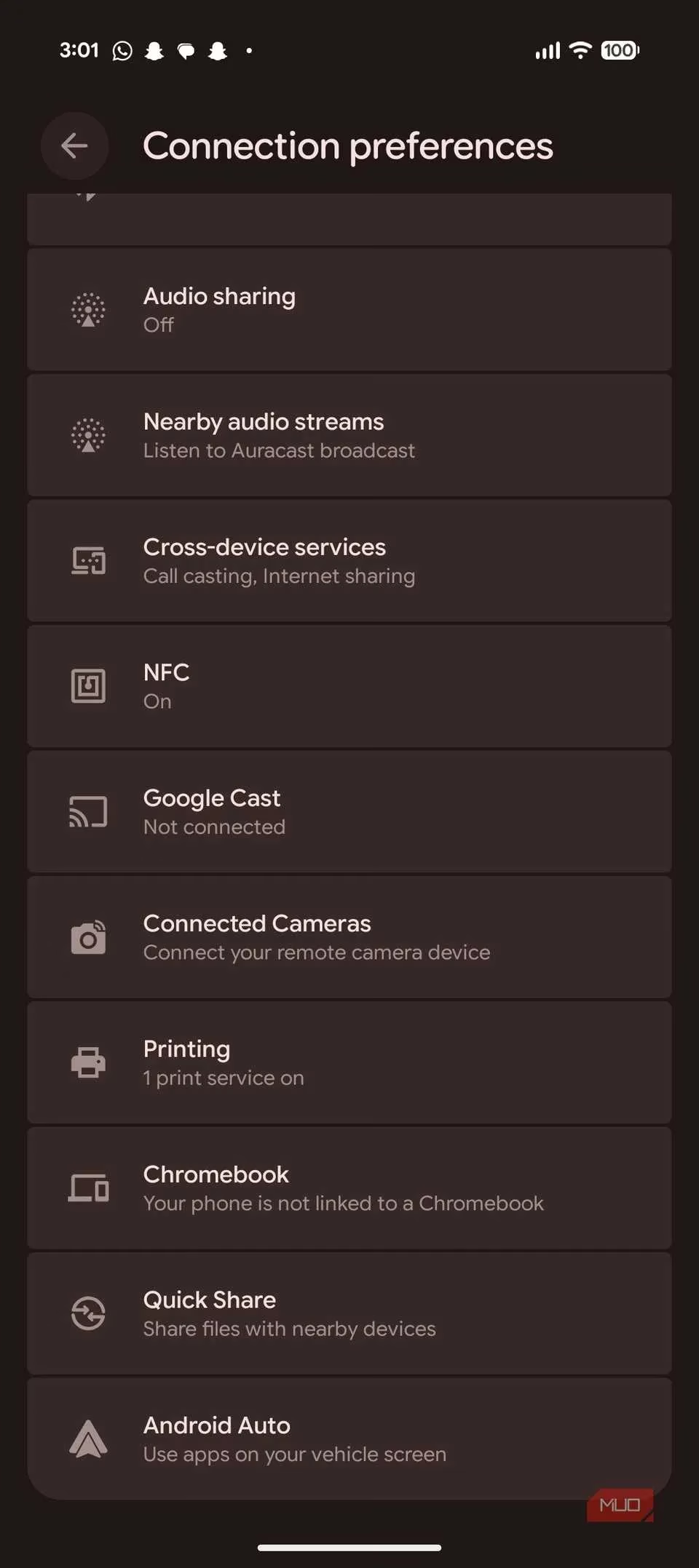
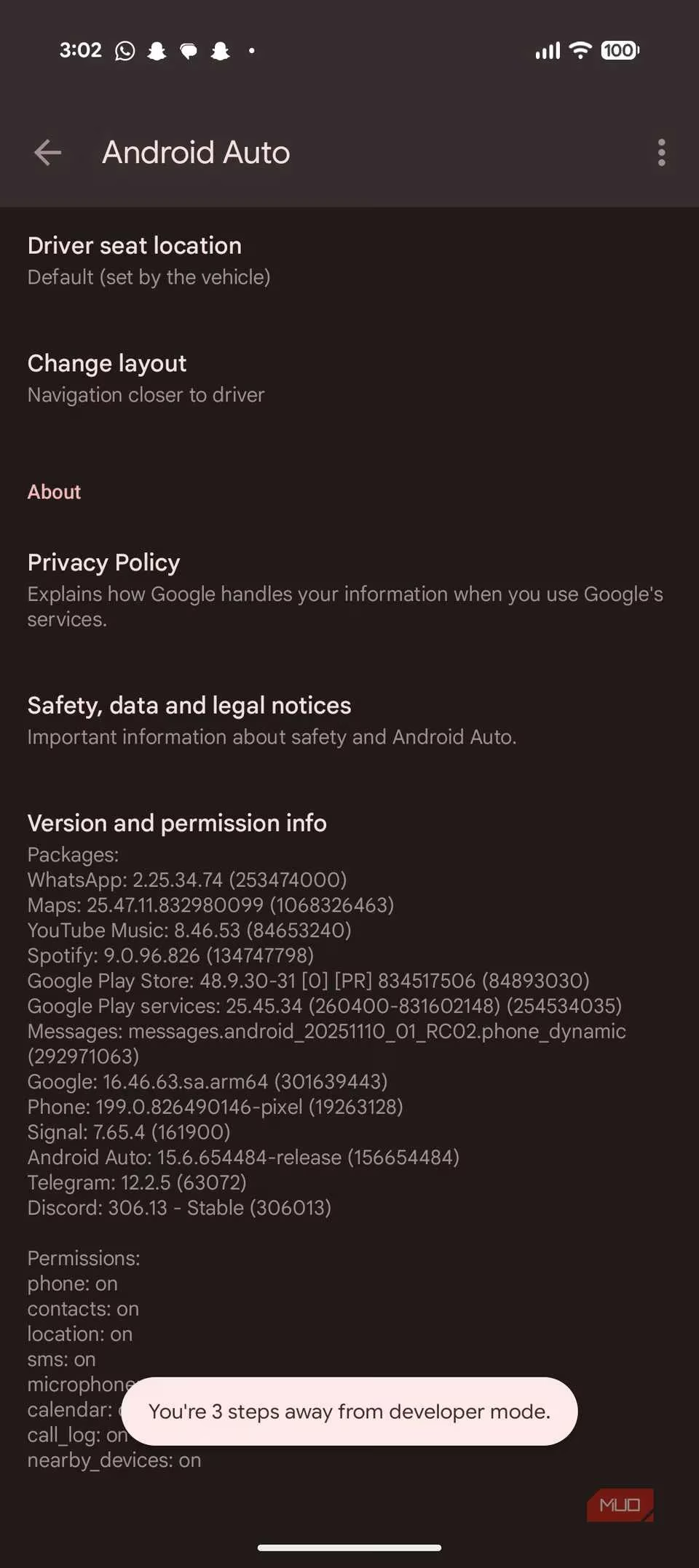
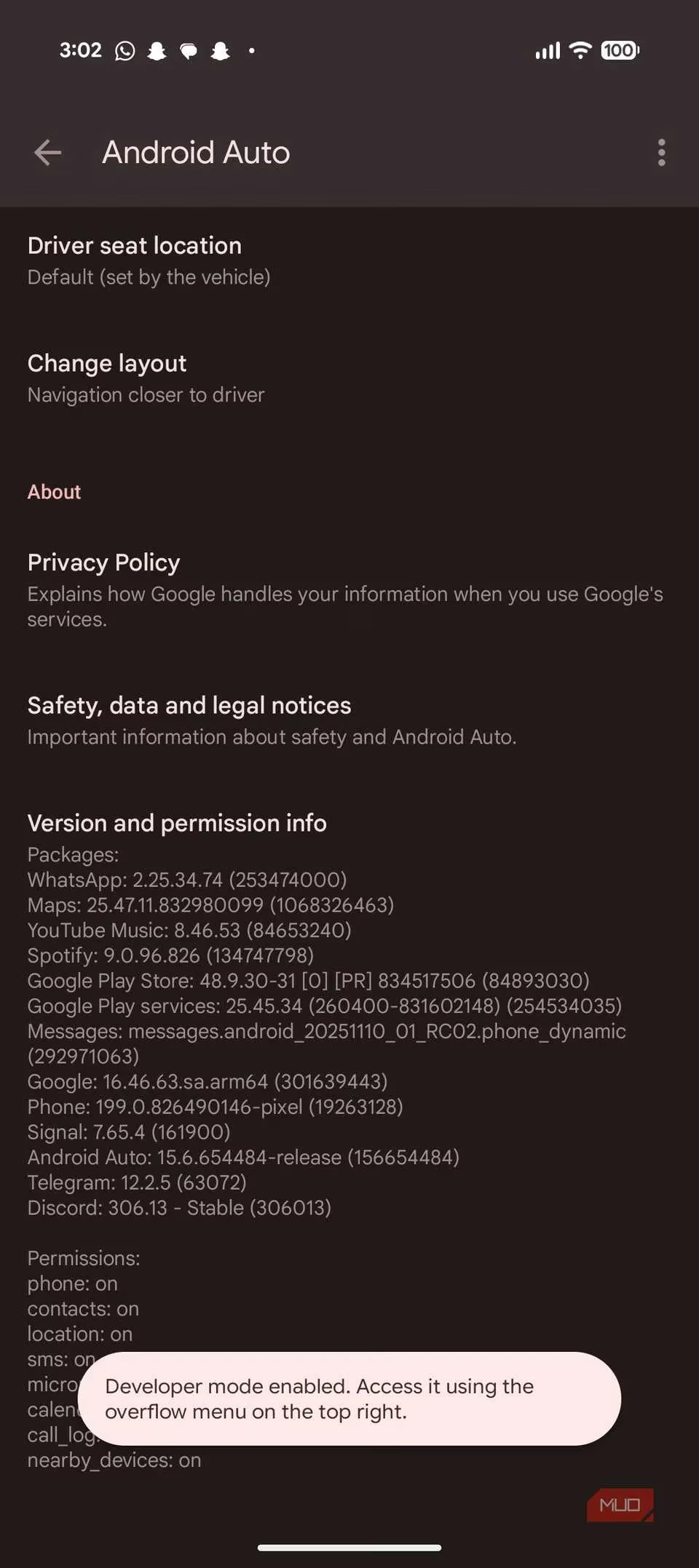
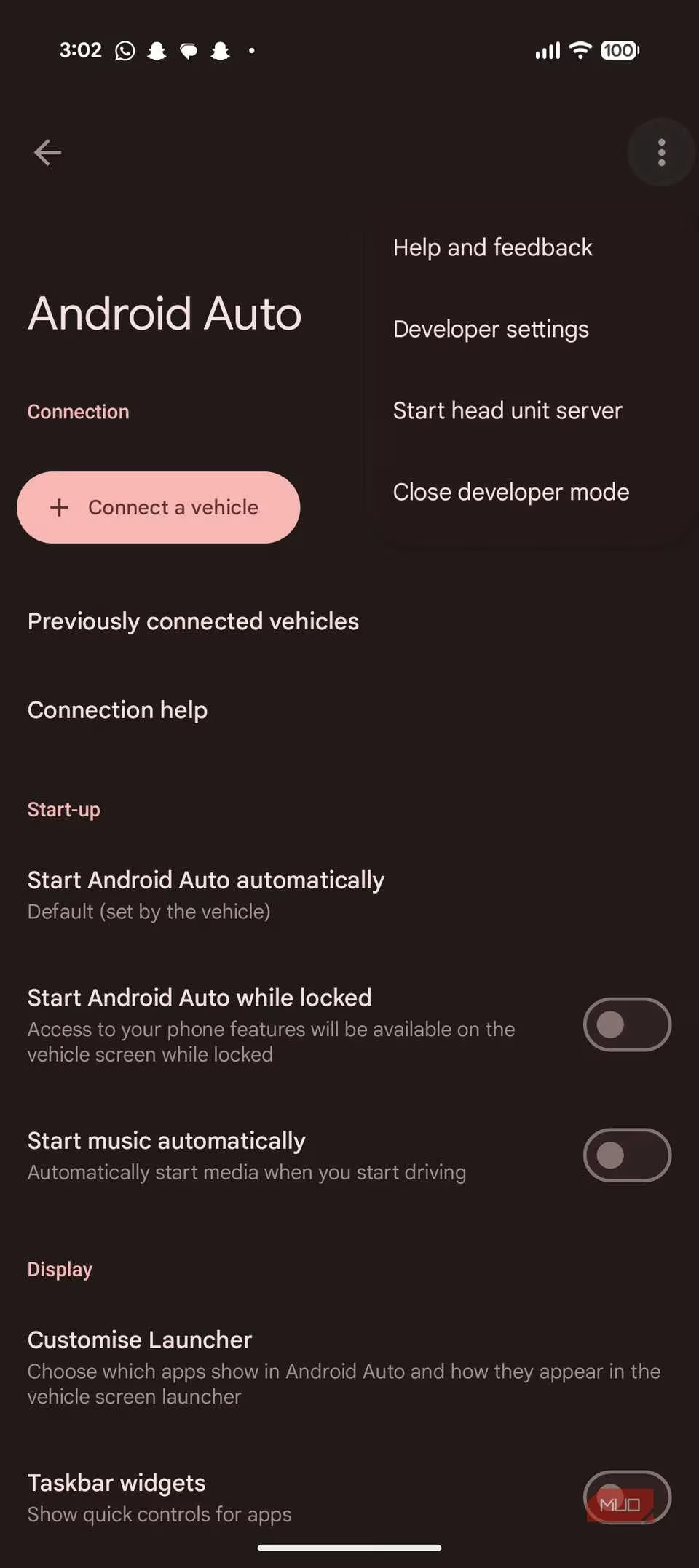
If a personal hotspot isn't desired, the two devices can also be connected via USB. Keep in mind that the head unit server must be running whenever the two devices are connected for HUR to work. There's an accompanying app called Wi-Fi Launcher that automates starting the head unit server and connecting the two phones via Wi-Fi. However, it requires extra configuration and isn't very reliable. Besides, the server keeps running once enabled, so it's good until manually turned off.
What You Get
Once running, the app emulates what a real car head unit would do. Users get navigation through Google Maps or their navigation app of choice, music from streaming services, hands-free calling and messaging, voice control, and all the apps that a regular Android Auto head unit can run. The launcher can even be customized to show apps in a specific order via the Android Auto settings on the phone. Some apps can make Android Auto 10x more useful.
There's little to no tweaking needed in the HUR app itself to get it to work. In testing, the app worked on an old Pixel 4a instantly with no tweaks needed, although experimenting with app settings was necessary to get the scaling just right. HUR allows customization of DPI and resolution, automatic day/night modes, and settings that usual Android Auto head units lock users out of.
The Trade-offs
Despite its advantages, HUR has several drawbacks.
-
⚠️ Requires two devices: The setup needs both the main phone and a spare tablet or phone working in unison. This means considering mounting, power, and whether the car's setup can handle two chargers. For those who want just one cable and one screen, this isn't the right solution.
-
⚠️ Audio quality: Android Auto already works over Bluetooth, so pairing the spare device to the car's stereo over Bluetooth and then pairing another phone over Wi-Fi can degrade audio quality. In one test, using HUR to play music through a helmet intercom resulted in audio that wasn't bad, but it certainly wasn't as clean as a direct connection between the main phone and helmet speakers.
-
⚠️ User experience: The experience can be finicky. An integrated head unit feels seamless, while HUR requires more manual setup. Users might need to manually enable the phone's hotspot and head unit server, manage two devices' battery life, and deal with occasional connectivity hiccups. The app is also in beta, so random bugs and glitches can occur. It's not a deal-breaker, but it's not exactly plug-and-play either.
Final Verdict
For those with a spare phone or tablet gathering dust in a drawer, or for those not ready to commit a significant amount of money to a car head unit, the HUR app is a good alternative. It adds modern functionality to older cars that may or may not have a compatible aftermarket head unit available.
Is it perfect? No. It won't replace a $1,000 premium head unit with wireless connectivity and seamless installation. But it delivers 95% of the functionality for a quarter of the price, which is pretty compelling.
Old Android devices are more capable than many give them credit for. In this case, they might not provide the best experience, but they can get users pretty close for practically free. 🚗💨
Data referenced from CNET - Gaming highlights how repurposing older mobile hardware can be a practical way to add modern infotainment features without the expense and complexity of a full head-unit swap—an approach that aligns with using Headunit Reloaded to bring Android Auto-style navigation, media, and voice controls to older cars while accepting trade-offs like added setup steps, connectivity quirks, and potential audio degradation.