
The Hidden Battery Drains on Your 2026 Smartphone and How to Stop Them
Master the essential smartphone battery optimization tips and tricks for 2026, including disabling Wi-Fi/Bluetooth scanning and Quick Share, to achieve a significantly extended battery life for your mobile gaming and work marathons.
As a professional gamer who's constantly on the move, my smartphone is my lifeline, my second screen, and my connection hub all rolled into one. Battery life isn't just a convenience; it's the difference between a clutch win and a disconnect screen. I've noticed that my phone, packed with features, has a few power-hungry habits that are, frankly, a total vibe killer. Even in 2026, these background processes—Wi-Fi/Bluetooth scanning, location services, background app refresh, and more—are still silently sipping away at my battery like a leaky faucet. They're useful, sure, but letting them run wild is a rookie mistake. It's time to go pro and optimize.
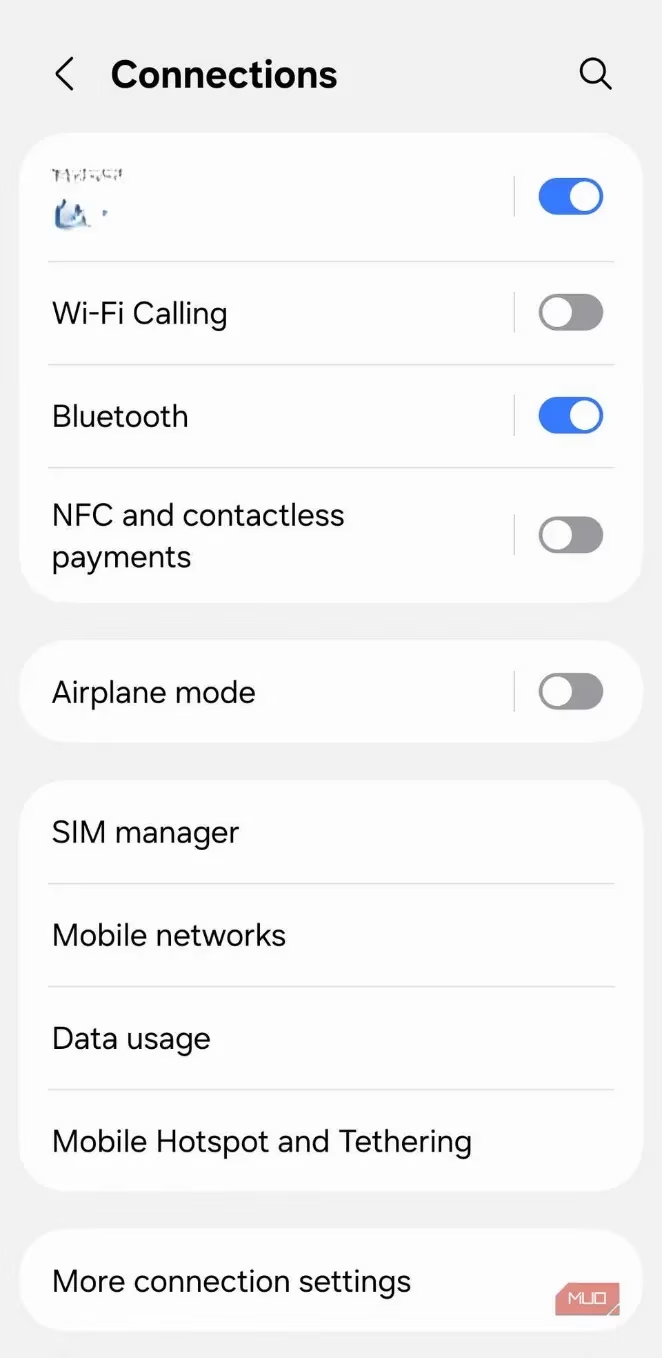
1. Wi-Fi and Bluetooth: The Constant Scanners
Even when you're not actively connecting, your phone is like a tiny, tireless detective, constantly scanning the airwaves for familiar networks and accessories. This is the magic behind your phone auto-connecting to your home Wi-Fi or instantly pairing with your wireless earbuds. While modern standards are more efficient, all that scanning still costs power. If you're about to dive into a long gaming session or a marathon workday and know you won't need them, flipping these off can save you a solid 3-4% battery over the course of a day. Every percent counts when you're grinding for that final boss.
2. Quick Share: The Convenient Power Vampire
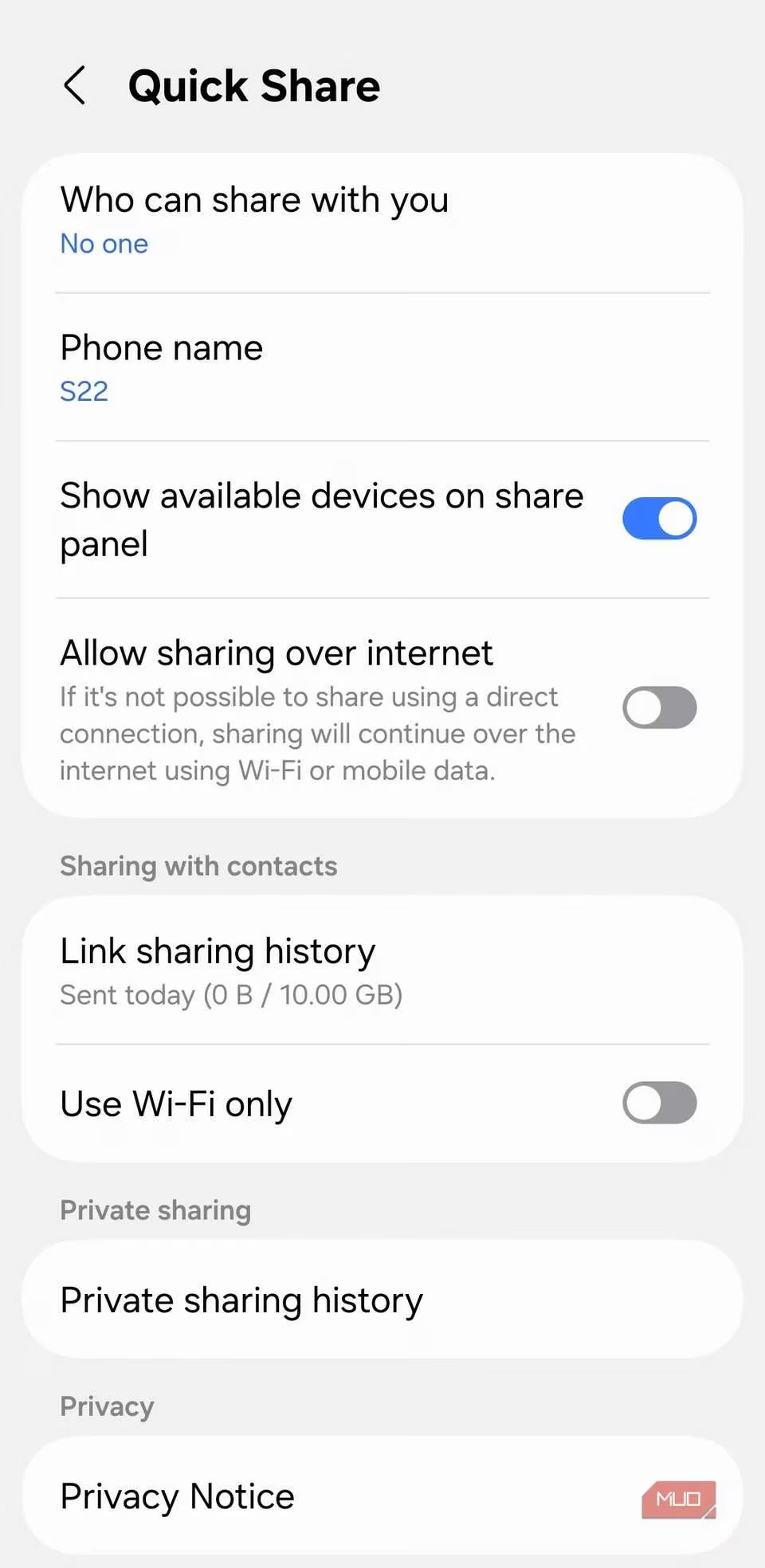
Quick Share feels like straight-up sorcery for file transfers. A couple of taps and poof—your files are sent. But to maintain that instant, seamless magic, your phone has to stay on the lookout for nearby devices and incoming requests. Since it leverages both Wi-Fi and Bluetooth, it can be a sneaky background drain. I've seen tons of threads in support forums where users point the finger at Quick Share as an unexpected battery hog. If you're not a frequent file-sharer, this is low-hanging fruit. Head into the settings and set 'Who can share with you' to 'None'. Your battery will give you a virtual high-five. You can always toggle it back from the Quick Settings panel when you need it.
3. Background App Refresh: The Silent Army
By default, every app you install gets a backstage pass to run in the background. This is clutch for essential apps like messaging, email, and cloud storage. But for that random game you downloaded two years ago or a shopping app you open once a month? It's just wasting juice. Individually, each app's background activity is a drop in the bucket, but when you have dozens, it adds up to a flood. Your phone ends up waking up repeatedly to keep apps synced, even while it's supposed to be catching some Z's.
Here's my pro-tip for reining this in:
-
Dive into an app's info page.
-
Tap Battery and select Restricted.
-
Then, go to Mobile data and turn off Allow background data usage.
For Samsung users, enabling the 'sleeping apps' feature is a game-changer—it automatically puts your lesser-used apps into hibernation. It's like having a smart butler for your battery.
4. Haptic Feedback: The Subtle Energy Sucker
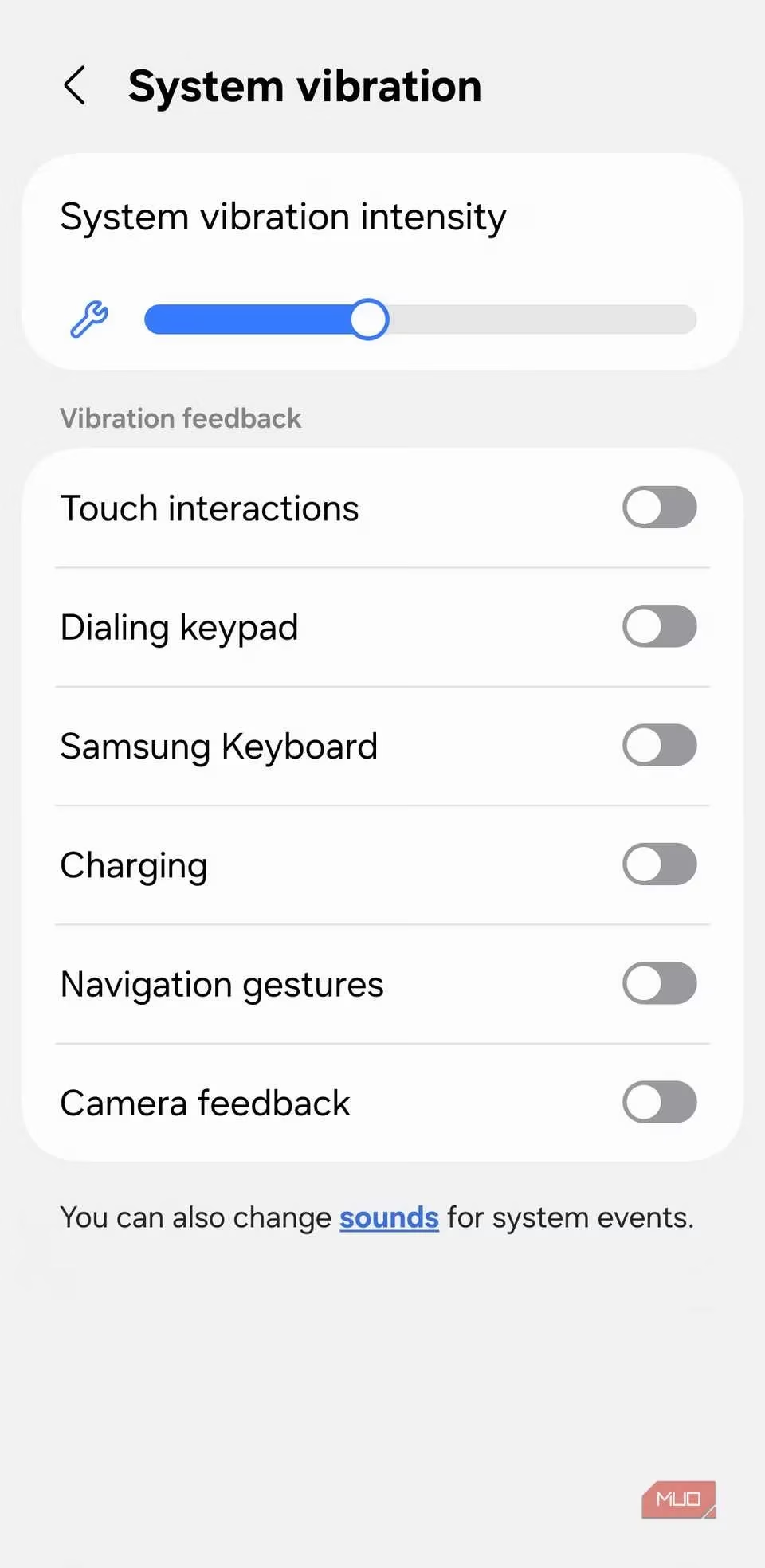
This one is sneaky. Every time you type, tap, or navigate, your phone gives you that satisfying little buzz. That tiny vibration motor uses power. One buzz is nothing, but multiply that by hundreds of interactions a day? It adds up, big time. Typing a long message, swiping through menus—each action sends a small jolt. If you can live without these tactile pulses (and let's be real, in a noisy tournament hall, you can't feel them anyway), disabling system-wide vibrations is a simple, effective tweak.
5. Location Services: The King of Battery Drain
Hands down, location services is the biggest battery hog on your phone. It's a resource monster, pulling data from GPS, Wi-Fi, Bluetooth, cell towers, and sensors to pinpoint you. Apps use it for everything from navigation and weather to finding nearby coffee shops and serving targeted ads.
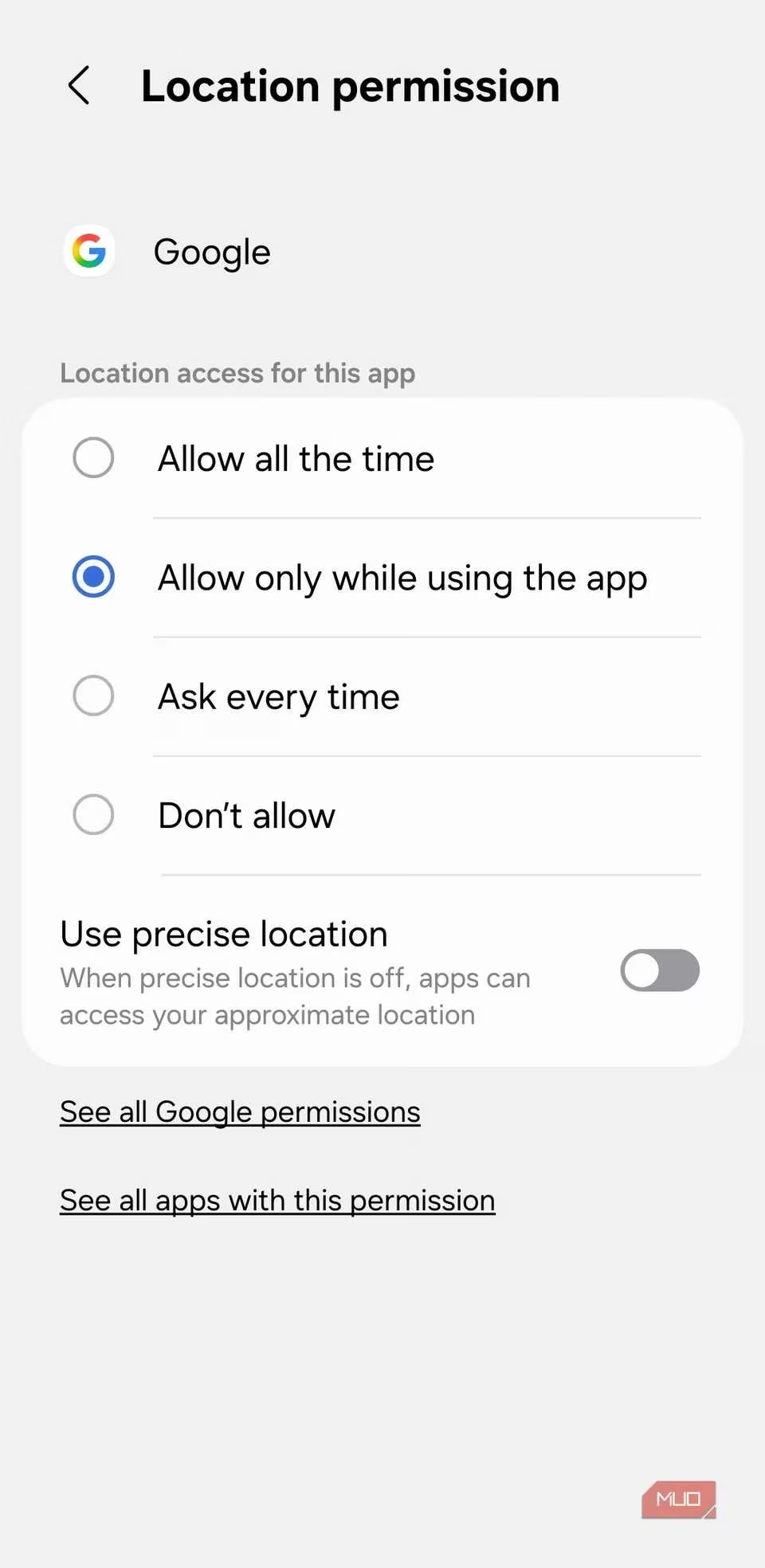
While it's non-negotiable for apps like Maps, Uber, or fitness trackers, many apps request location access for no good reason. The 'Precise Location' toggle can make things even worse. My advice? Time for a permissions audit.
| App Type | Recommended Permission | Reason |
|---|---|---|
| Navigation (Google Maps) | Allow all the time | Core function |
| Weather App | Allow only while using | Updates when you open it |
| Social Media | Deny / Allow only while using | Rarely needs precise location |
| Random Game | Deny | Absolutely no need |
Go through your app list and be ruthless. Set most apps to 'Allow only while using the app' or deny access entirely if the feature is pointless. This single move can massively extend your battery life.
Look, managing these settings isn't about turning your cutting-edge 2026 smartphone into a dumb brick. It's about being smart and intentional. It's knowing what's running in the background and choosing what's essential for you. For a gamer like me, that means prioritizing performance and connection stability over a shopping app's background updates. Take control, make these tweaks, and you'll be surprised how much extra juice you can squeeze out. Now, if you'll excuse me, I've got a battery to save and a leaderboard to climb. 🎮🔋