
ScreenVeil: The Ultimate Android App for Battery-Saving Video Playback in 2026
ScreenVeil offers a powerful universal solution for Android users in 2026, saving battery life by intelligently dimming screens during background audio playback.
Have you ever wondered why your phone's battery seems to vanish when you're just listening to a video or podcast? It's a common frustration for many Android users in 2026. Whether it's a YouTube video essay, an Instagram story, or a background comedy special, the screen often stays brightly lit, needlessly draining power and generating heat while you're not even looking at it. For years, users have resorted to makeshift solutions—dimming the screen to its lowest setting, flipping the phone over, or paying for premium app features just to enable background audio. But what if there was a smarter, universal solution that works across all apps without a subscription fee? That's precisely the problem ScreenVeil was designed to solve.
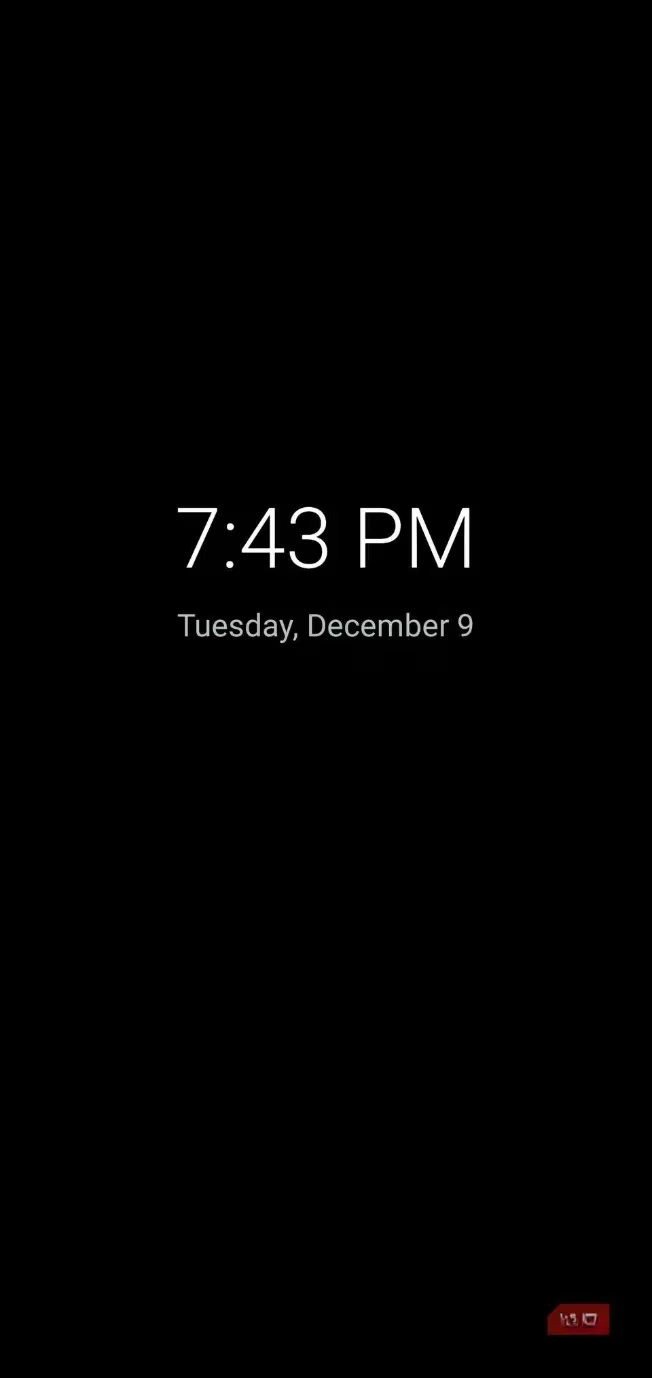
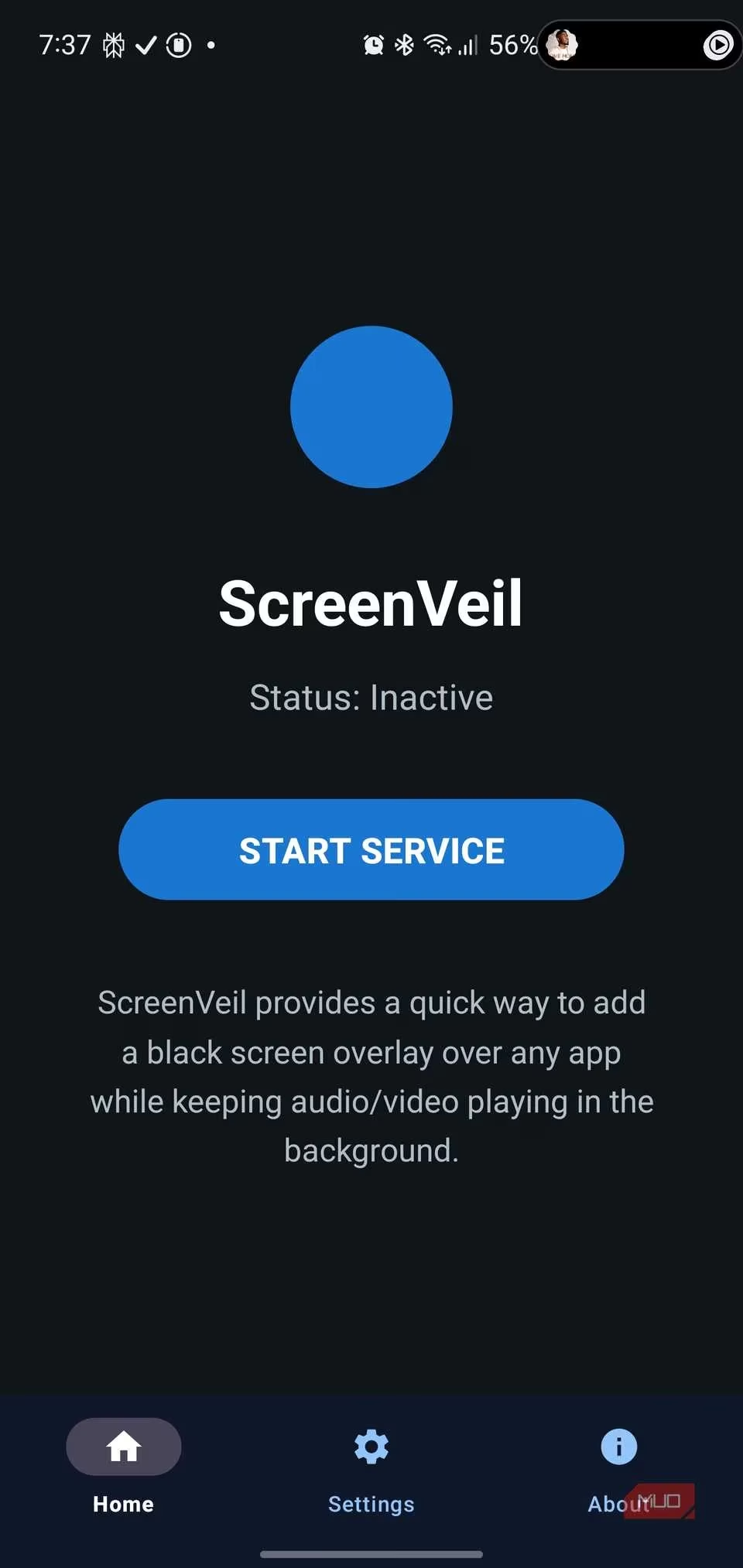
Getting started with ScreenVeil is remarkably straightforward. After installing the app, you simply open it, tap the prominent START SERVICE button, and grant the necessary Overlay permission. Once that's done, a small, blue floating button appears on your screen. This button remains visible over any app you're using, serving as your gateway to massive battery savings. When you're watching a video but only need the audio—perhaps while cooking, commuting, or working—you just tap that floating button. Instantly, your screen dims to a pure black overlay that displays the current time and date, similar to an always-on display. Your video continues playing in the background with perfect audio, but the display is no longer consuming significant power. Isn't that a clever way to reclaim control over your battery life?
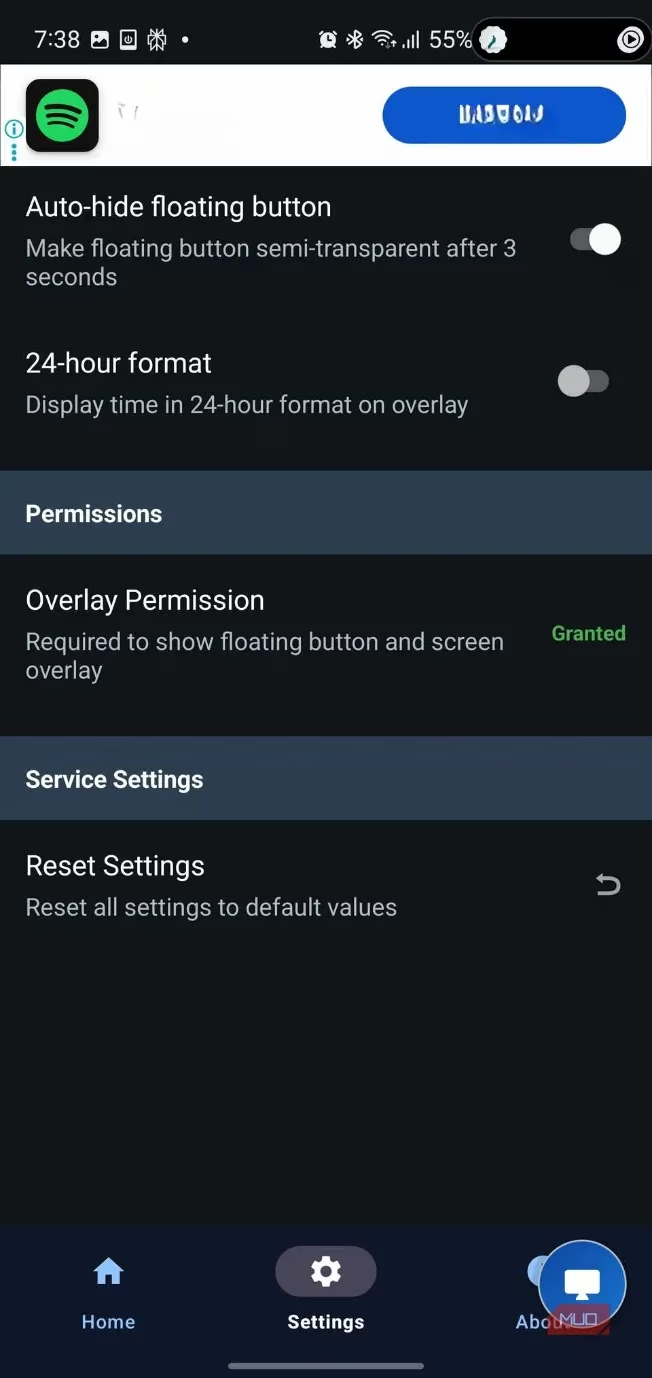
Exiting this battery-saving mode is just as intuitive, yet designed to prevent accidental touches. You simply tap anywhere on the black screen, which then reveals an UNLOCK button centered at the bottom. A tap on this button returns you to your normal app view. This two-step process ensures you don't accidentally restore the bright screen while handling your phone. The app also offers handy customization in its Settings menu. For instance, you can enable "Auto-hide floating button," which makes the blue button fade to semi-transparent after a few seconds of inactivity, keeping your screen clutter-free. There's also a toggle for 24-hour time format on the overlay. Under Permissions, you'll see ScreenVeil only requires the Overlay permission to function—a standard and minimal requirement for this type of utility.
But how does ScreenVeil achieve such impressive battery savings? The secret lies in modern display technology. Most premium smartphones in 2026, including Samsung Galaxy, Google Pixel, and OnePlus models, use OLED, AMOLED, or POLED screens. Unlike older LCD screens that use a constant backlight, OLED technology illuminates each pixel independently. When a pixel displays pure black, it turns off completely, drawing virtually no power. ScreenVeil leverages this by covering your entire screen with a pure black pixel overlay. The app doesn't put your phone to sleep; it just makes the display show black, allowing the audio to play uninterrupted. The developer claims this can save between 50% to 80% of battery life compared to normal video playback with the screen on. Real-world testing in 2026 strongly supports this. Users who previously saw their battery drop from 100% to 20% by evening from audio-listening now consistently finish the day with 40-50% charge remaining. Imagine what you could do with that extra power!
The practical applications for ScreenVeil in 2026 are vast and cater to diverse lifestyles:
-
Students & Professionals: Listen to recorded lectures, meetings, or tutorials while taking notes on another device, without battery anxiety.
-
Commuters: Enjoy hours of podcasts, audiobooks, or video essays during travel without constantly checking the battery percentage.
-
Fitness Enthusiasts: Play workout video guides for audio cues during a run or gym session, without the screen timing out or causing accidental pauses.
-
Night-time Listeners: Watch shows or listen to content in bed without lighting up the entire room with a bright screen.
Essentially, any scenario where you consume video primarily for its audio becomes a perfect use case for ScreenVeil.
One of ScreenVeil's strongest points is its efficiency. In an era where many so-called "optimization" apps are bloated and resource-heavy, ScreenVeil remains lightweight and responsive. It adds minimal overhead to your system, and toggling the overlay is instantaneous. The floating button is small and unobtrusive, and the core functionality works flawlessly without interfering with other apps. So, are you tired of carrying a power bank everywhere or rationing your phone's battery life just to enjoy audio content? For Android users in 2026 seeking a smart, app-agnostic solution to a perennial problem, ScreenVeil isn't just a handy tool—it's a must-have download that genuinely extends your device's usability throughout the day.