
Samsung's Sleeping Apps Feature: The Game-Changer That Can Boost Your Battery Life by Over 30%
Samsung Galaxy users can boost battery life by over 30% using the innovative Sleeping Apps feature in One UI—a true game-changer!
In the relentless digital hustle of 2026, where our smartphones are the command centers of our lives, one universal complaint reigns supreme: battery anxiety. For the millions of Samsung Galaxy users worldwide, watching that battery percentage plummet faster than a meme's relevance is a daily struggle. But what if the secret weapon to reclaiming your day wasn't a bulky power bank or sacrificing performance, but a clever, often-overlooked feature baked right into One UI? Buckle up, because the Sleeping Apps feature isn't just an option—it's a battery-saving revolution that can deliver mind-blowing results, with some users reporting gains of more than 30%! Talk about a game-changer! 🤯
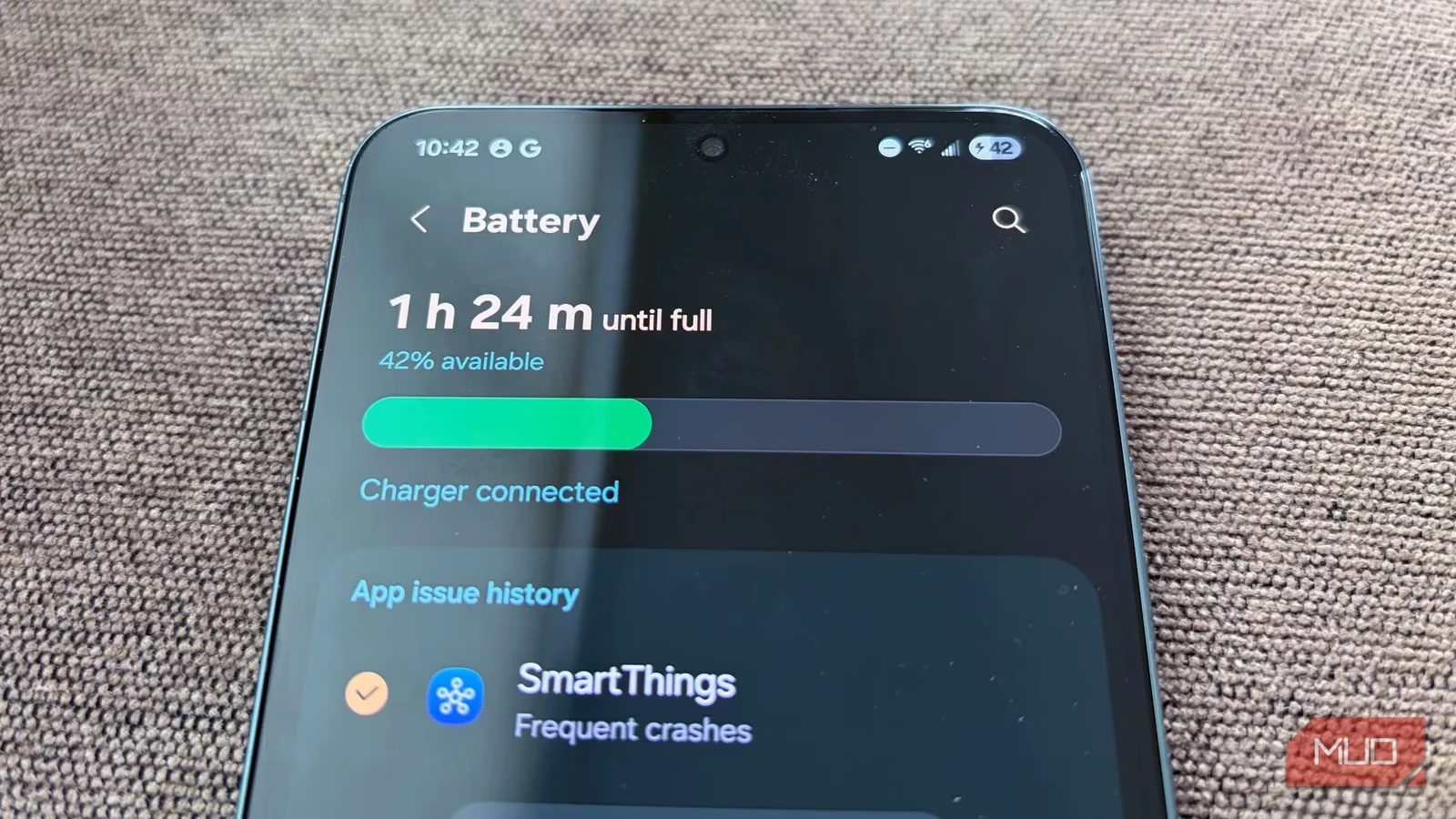
The Silent Battery Killers: Your Forgotten Apps
Let's face it, our phones are digital hoarders. We download apps for a one-time task, a fleeting interest, or because "it might be useful someday." Fast forward a year, and you've got dozens of apps languishing in the digital attic, forgotten but far from inactive. This is the crux of the problem. These apps are like little energy vampires, running in the background 24/7. They're constantly pinging servers, syncing data, checking for updates, and sending notifications. Individually, they're a drop in the ocean, but collectively? They form a tsunami of battery drain that can leave you high and dry by lunchtime. It's a classic case of death by a thousand cuts for your battery life.
The Magic Bullet: How Sleeping Apps Works Its Sorcery
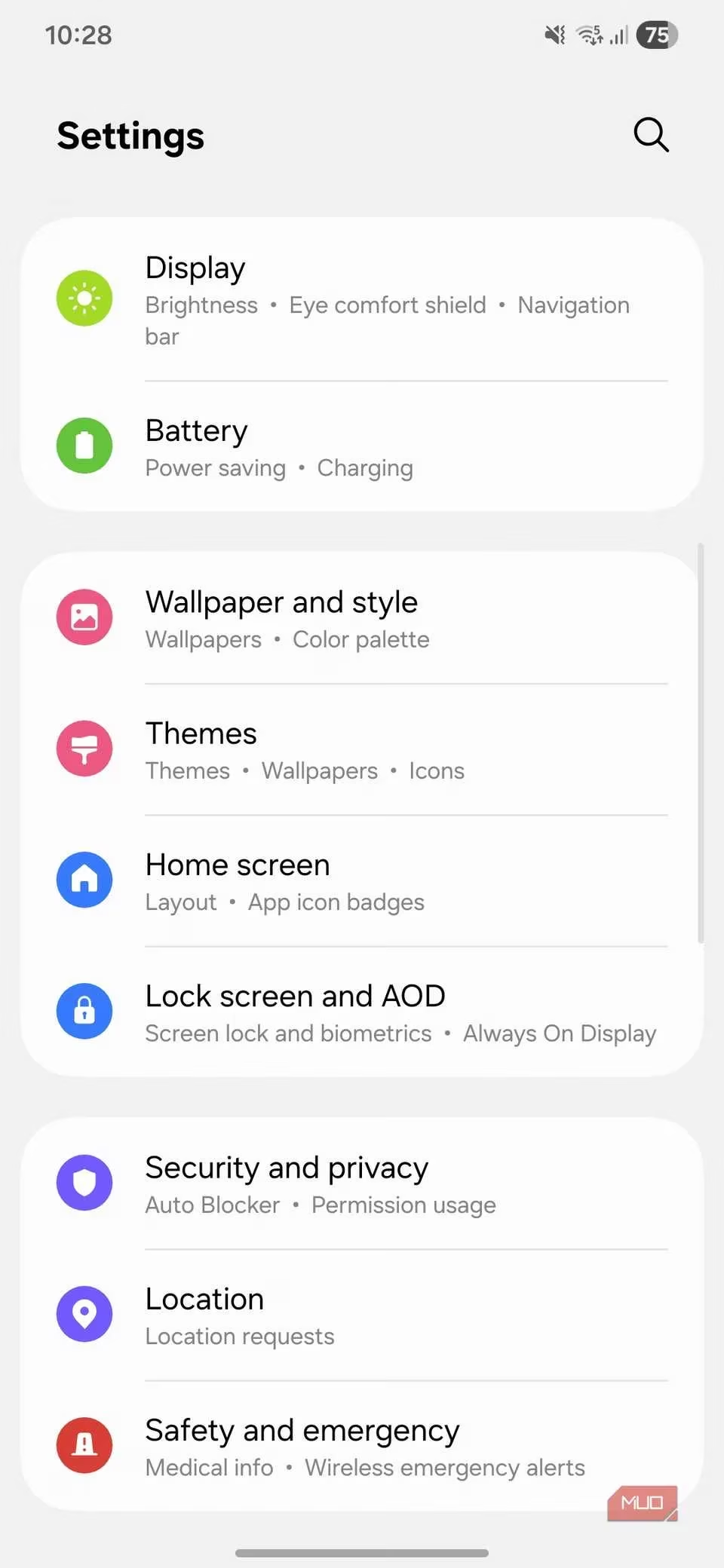
Enter the hero of our story: the Sleeping Apps feature. This isn't your average power-saving mode that turns your vibrant flagship into a sluggish brick. Oh no, this is intelligent, surgical, and oh-so-effective. Located in Settings > Battery > Background usage limits, this feature is like a hyper-vigilant digital butler for your apps. It automatically monitors your usage patterns and identifies the apps you haven't touched in ages. Once identified, it gently puts them into a low-power "sleep" state. In this state, their background activity is severely restricted or halted entirely, stopping them from guzzling precious battery juice when you're not looking. It's the equivalent of putting your phone on a strict, app-specific diet without you lifting a finger. How cool is that?
Leveling Up: The Power of Deep Sleep 🛌
But wait, there's more! For the apps you really never use—think that airline app from a trip two years ago or a game you conquered and abandoned—One UI offers the nuclear option: Deep Sleep. Apps placed in Deep Sleep are completely frozen in carbonite (figuratively speaking). They cannot run in the background at all. They only spring to life the moment you tap their icon. This is perfect for:
-
Rarely-used utility apps (e.g., a specific retailer's app, a converter tool)
-
Old games you keep for nostalgia
-
Demo or testing apps you installed once
This feature is a total game-changer because it means you don't have to choose between uninstalling apps you might need someday and preserving your battery. You can have your cake and eat it too!
Taking Control: Your Manual Override Toolkit
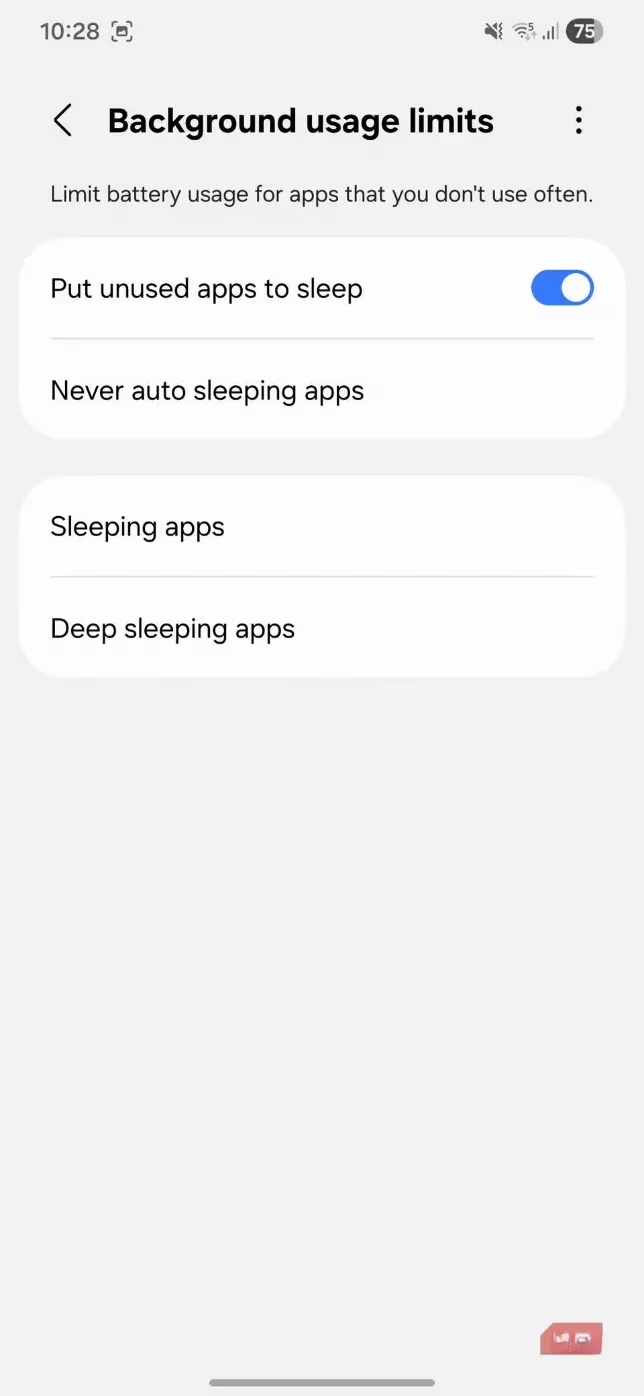
While the automatic mode is brilliant, true power users love control. One UI lets you micromanage your battery destiny with manual settings. Feeling impatient? Don't wait for the algorithm. Head to Settings > Battery > Background usage limits and tap the + icon to manually add apps to the Sleeping or Deep sleeping lists. Want to remove one? Just tap the three-dot menu and select 'Remove.' Easy peasy!
More importantly, you can create a VIP list. Some apps are crucial, even if you don't open them daily. For these, you need the "Never auto sleeping apps" list. Add your essential messaging apps, health trackers, or project management tools here. This ensures apps like Samsung Health, WhatsApp, or Slack remain active in the background, so you never miss an important notification or a vital health data sync. It's all about smart prioritization!
Pro-Tips and Pitfalls to Avoid 🚨
As the great philosopher Uncle Ben said, "With great power comes great responsibility." Throwing every app into sleep mode willy-nilly is a recipe for frustration. Here's the lowdown on what not to do:
| App Type | Why You Shouldn't Sleep It | Consequence |
|---|---|---|
| Cloud Backup Apps (Google Photos, OneDrive) | Needs background access to sync your files. | Failed backups, missing photos/videos. |
| Instant Messengers (WhatsApp, Signal) | Relies on background activity for timely messages. | Delayed or missed messages. Not a good look! |
| Email Clients (Gmail, Outlook) | Fetches new emails periodically. | You'll only see new mail when you open the app. |
| Fitness/Wearable Companions (Samsung Health, Galaxy Watch) | Continuously syncs health and activity data. | Incomplete fitness tracking, missed alerts. |
The Detective Work: Identifying the Real Culprits
Still unsure which apps are your battery's arch-nemesis? One UI has a built-in detective tool. Navigate to Settings > Battery > View details. Here, you'll see a brutally honest breakdown:
-
Battery usage per app (Who's the hungriest?)
-
Background activity time (Who's been sneaking around?)
-
Wake-up counts (How many times did an app rudely interrupt your phone's rest?)
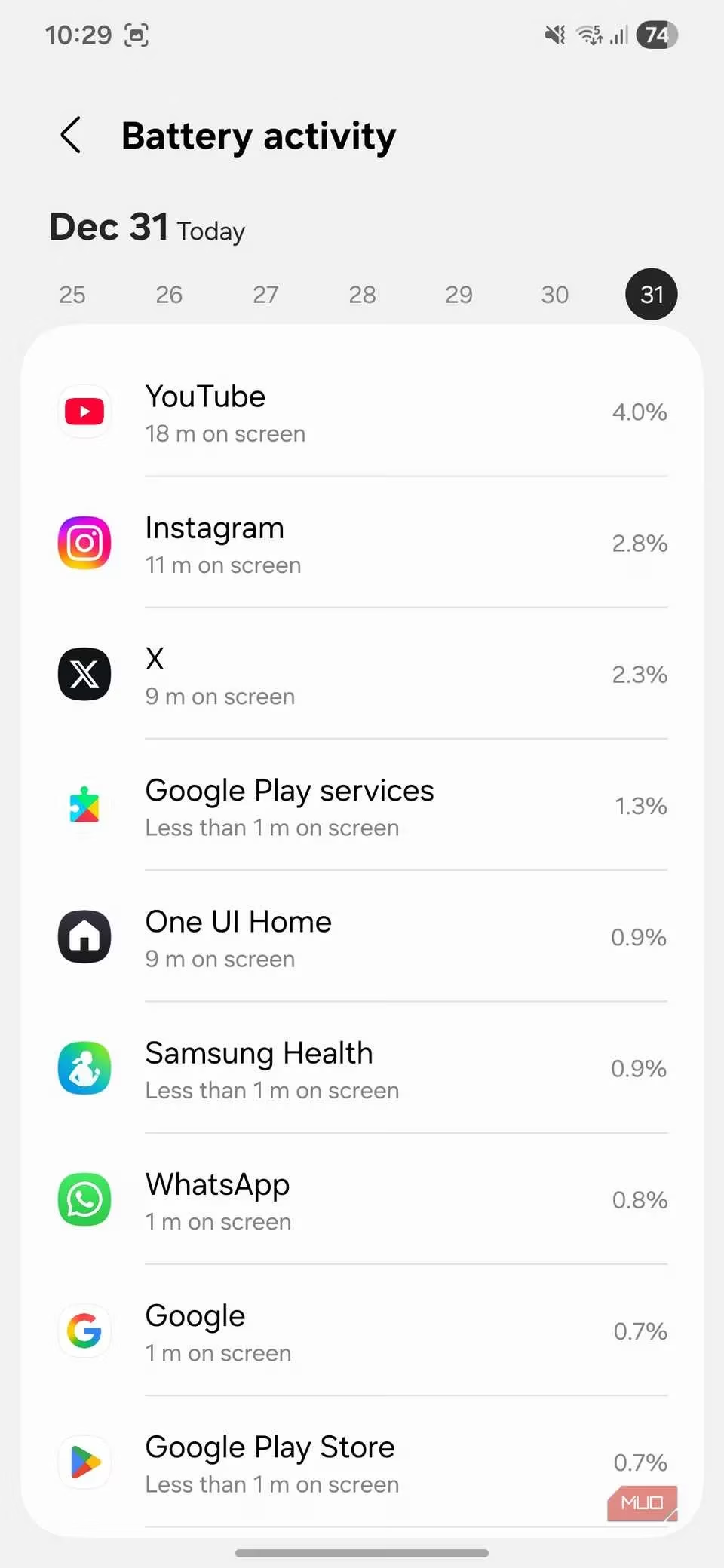
If you see an app you rarely use with a high wake-up count, that's your smoking gun. Just tap on it and flip the Background usage limits toggle to send it straight to sleep mode jail. Case closed! 🔍
The Bottom Line: A New Era of Battery Empowerment
In 2026, we demand more from our tech. We want it all: stunning displays, blistering performance, and all-day battery life. Samsung's Sleeping Apps feature in One UI proves we don't have to compromise. It's a sophisticated, user-friendly system that automates the tedious work of battery management while giving you the reins when you need them. By intelligently silencing the digital noise of unused apps, you're not just saving battery; you're reclaiming control and ensuring your Galaxy phone works for you, not against you. So go ahead, dive into those settings. Your future self, happily unplugged at the end of a long day, will thank you. This isn't just a tip; it's a lifestyle upgrade for the power-user generation. Get ready to be blown away by the extra juice! 💪