
Reviving a Classic: How an Old Phone and a Clever App Gave a 1993 Mitsubishi Galant a Modern Heads-Up Display
Discover how a 1993 Mitsubishi Galant owner solved the speedometer sensor challenge with a clever GPS speedometer HUD, blending classic charm and modern tech.
For many car enthusiasts, the heart and soul of automotive passion often reside in older, analog machines. The tactile feedback of a cable throttle, the distinct sound of a carbureted engine, and the raw, unassisted driving experience are treasures increasingly rare in today's sensor-laden, fuel-efficient world. One such treasure is a 1993 Mitsubishi Galant, a vehicle that proudly eschews modern complexities. However, the romance of classic car ownership comes with its own set of challenges, most notably the dreaded hunt for obsolete parts. When the physical speedometer sensor nestled on the gearbox gave up the ghost, a familiar problem emerged: replacement parts for such a specific, rarely failing component in a 34-year-old car are virtually impossible to find. The result? A speedometer needle that permanently rests at zero, regardless of whether the car is cruising in fifth gear or parked. Faced with this mechanical dead-end, the owner had to get creative, leading to a surprisingly elegant and modern solution.
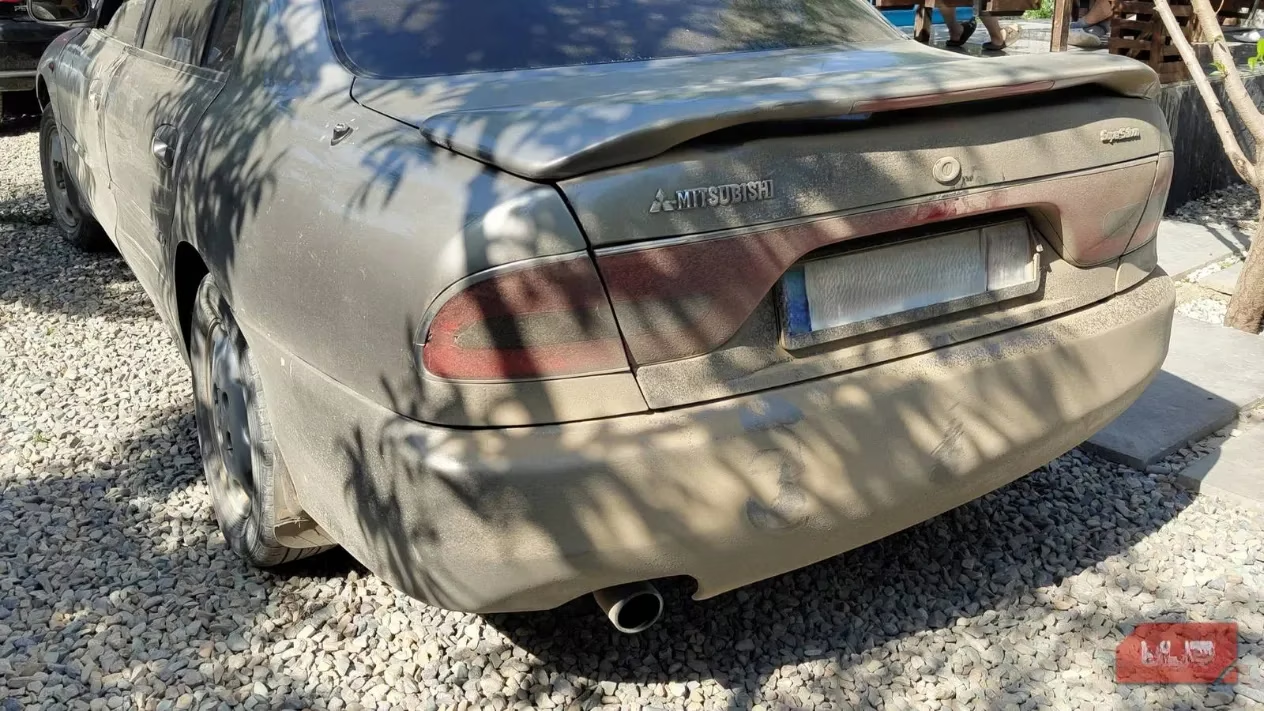
At first, living without a functional speedometer became an exercise in attunement. The driver learned to gauge velocity through a symphony of sensory inputs: the distinctive roar of the engine at specific RPMs, the position of the tachometer needle, and even the subtle vibrations felt through the steering wheel and chassis. This deep, intuitive connection forged a bond between human and machine, turning every drive into a visceral, engaged experience. Yet, despite this mastery, a lingering desire remained—the simple, satisfying confirmation of seeing a numerical speed readout. While navigation apps like Google Maps offer a small, often inconsistent speed indicator, they fall short for quick, at-a-glance reference while piloting a vintage sedan. The quest for a bold, reliable digital display led to the discovery of a specialized application: GPS Speedometer.
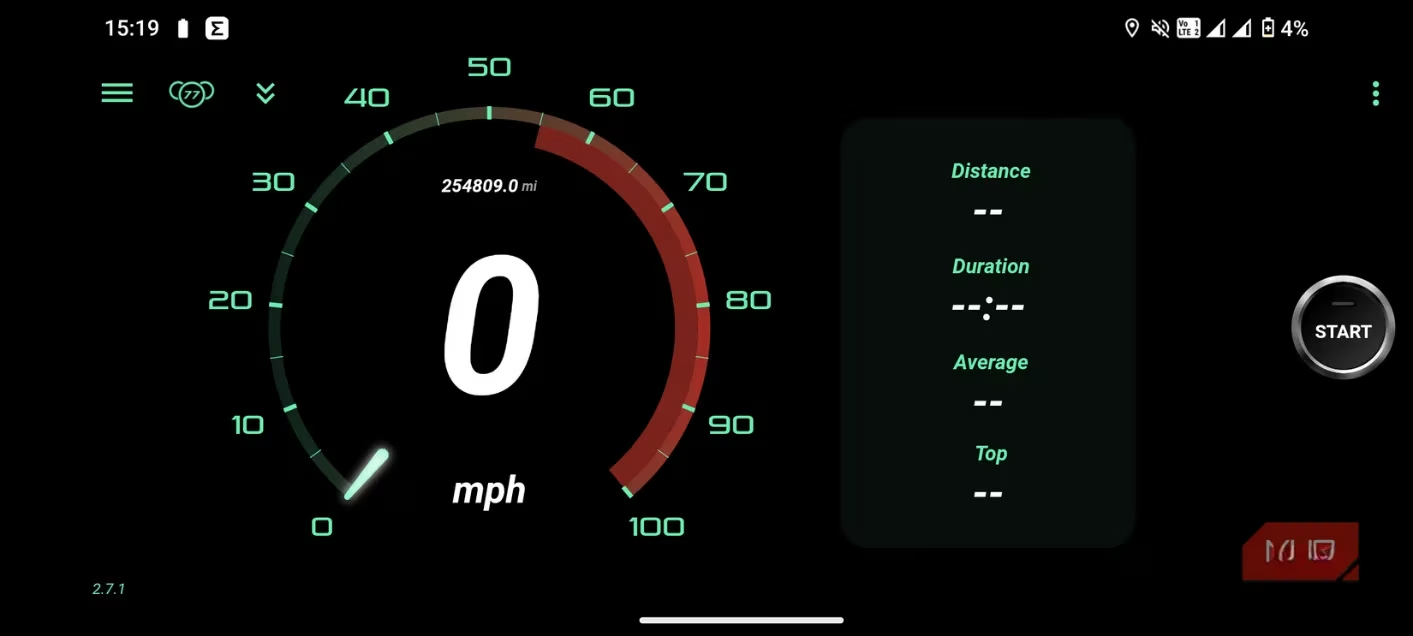
This app, with its nostalgically retro interface reminiscent of 90s tech, presented an ideal solution. Its primary feature is an enormous, clear speed readout, complemented by a functional digital odometer—a crucial backup since a broken speedo typically renders the mechanical odometer useless as well. The initial usage pattern was straightforward: launch the app, place the phone on the passenger seat, and glance over occasionally. However, a deeper dive into the settings unveiled a game-changing feature: a button labeled "HUD." Activating this mode mirrors the display, transforming the smartphone screen into a projector designed to be reflected onto the windshield. The implementation is absurdly simple and requires zero permanent modification to the vehicle—no drilling, wiring, or complex mounting brackets.
Here’s the step-by-step setup that brought a futuristic heads-up display to a three-decade-old car:
-
Phone Preparation: Use a spare Android smartphone (an OLED screen is highly recommended for power efficiency).
-
App Configuration: Open the GPS Speedometer app, switch to landscape orientation, and lock it.
-
Enable HUD Mode: Tap the "HUD" button to mirror the display.
-
Optimize Visuals: Activate Dark Mode for a pure black background and maximize screen brightness.
-
Positioning: Simply slide the phone under the windshield, screen-up, on the dashboard.
And just like that, the analog cockpit of the Mitsubishi Galant gained a sleek, digital overlay. The effect is particularly striking at night, where the bright numerals appear to float over the road ahead. The choice of an OLED display is a masterstroke for power management. In Dark Mode, the black pixels are completely off, drawing negligible power. Only the illuminated digits (often in a vibrant, angry red theme chosen for maximum visibility) consume battery, meaning the phone can run for extended periods without a recharge.
Beyond the Basic Speedo: Functionality and Flair 🚗
While the core appeal is the futuristic HUD projection, the GPS Speedometer app offers a suite of features that enhance its utility:
-
Trip Tracking: Log journeys, review average speed, and see total distance traveled.
-
Route Mapping: View your driven path pinned on an integrated map.
-
Odometer Syncing: Input your car's existing mechanical odometer reading to keep a continuous digital record.
-
Customizable Dashboards: Switch between different visual themes. A one-time payment of $0.99 unlocks even more stylish designs, a monetization model appreciated for adding value rather than imposing intrusive advertisements—a critical point for any driving-focused application.
For daily use, the spare Android phone now resides permanently in its new role under the windshield. Its battery life is impressive since it runs a single, optimized app. For those seeking a truly permanent setup, ideas like wiring a dedicated micro-USB or USB-C connection to the car's electrical system for constant power are under consideration. This opens up even more possibilities, such as developing a custom app to transform the phone into a basic Android Auto-like head unit for the classic car.
The Verdict: A Touch of Modernity
This ingenious hack is more than just a functional fix for a broken part. It's a celebration of resourcefulness and a testament to how modern technology can respectfully complement classic engineering. The solution doesn't alter the car's original character; it merely adds a convenient, removable layer of digital information. The driver doesn't need the HUD to drive—their attunement to the car's analog signals is already complete. Instead, this project adds a layer of flair, a cool factor that makes driving the venerable Galant even more enjoyable. It rescues a piece of tech from collecting dust on a shelf and gives it a purposeful, exciting new life on the open road. In the end, it's a perfect metaphor for the classic car hobby itself: blending old-school mechanical charm with clever, modern ingenuity to create something uniquely personal and satisfying.
Insights are sourced from Game Developer, and they help frame this Galant HUD hack as a classic “repurposing” project: take commodity hardware (an old Android phone), strip the experience down to one clear UX goal (large, glanceable speed data), and optimize the interface for the real driving environment (high contrast, mirrored HUD mode, minimal distractions). That same product-thinking—prioritizing readability, reducing interaction cost, and designing for constraints like night glare and power draw—explains why an OLED dark theme and a single-purpose display can feel more “factory” than many cluttered dashboards.