
Raycast's Windows Conquest: Why PC Users Are Ditching Their Old Launchers
Raycast for Windows revolutionizes productivity with blazing app launches and seamless system settings access, surpassing rivals.
In the grand ecosystem of computing, Windows users have long watched macOS with a mixture of envy and bemusement—like a street performer eyeing a Carnegie Hall maestro. One of the crown jewels of that other world was Raycast, a launcher so elegant it seemed to have been chiseled from digital diamond. But by 2026, the walled garden has sprung a few well-placed leaks. Raycast now runs natively on Windows, and it\u2019s not just visiting; it\u2019s redecorating the place.
When a productivity-obsessed Windows user first installed Raycast, it felt less like downloading an app and more like hiring an invisible butler who anticipates needs before the ring of a bell. The default hotkey, Alt+Space, summons a search bar that is to ordinary launchers what a laser scalpel is to a rusty bread knife. Type a few letters of any app\u2014be it something from the Microsoft Store, an obscure Steam game, or a lone EXE file loitering in the Downloads folder\u2014and Raycast flicks it onto the screen with unnerving speed. Files, too, can be pulled directly from the root search, as if the entire hard drive has been hypnotized into obedience.
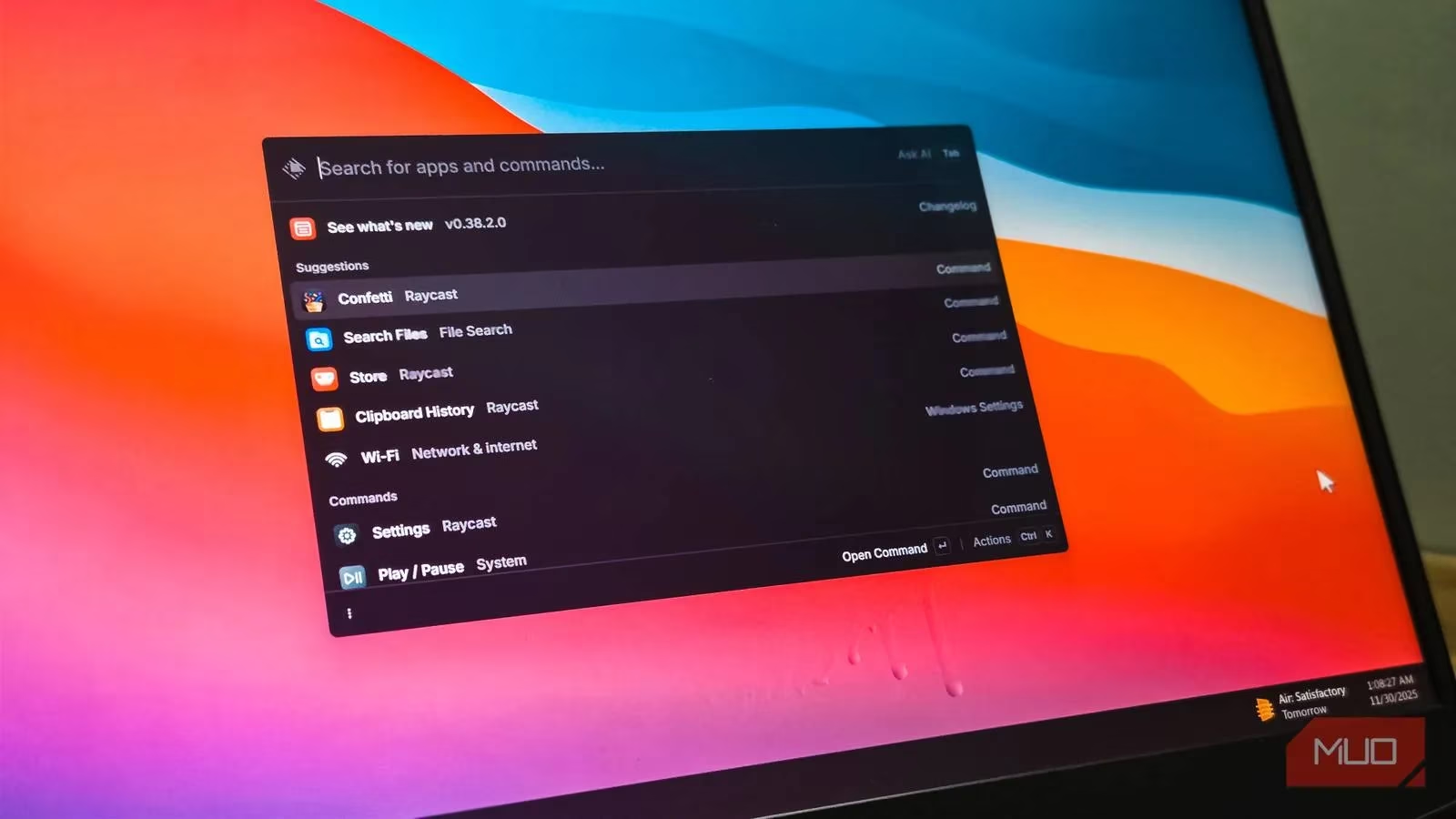
Where Raycast truly pirouettes past its Windows-only rivals like PowerToys Run or Flow Launcher is in navigating the arcane labyrinth of system settings. For years, launchers have tripped over the Settings app as if it were a pile of tangled cables. Want to open Personalization or toggle Bluetooth? Competitors demand cryptic prefixes\u2014$ for this, s for that\u2014as if you\u2019re reciting a spell to enter a wizard\u2019s tower. Raycast laughs at such nonsense. Type \u201cPersonalization\u201d and it instantly offers to fling you there. Type \u201cToggle Bluetooth\u201d and, without ever touching the mouse or opening a single window, your wireless earbuds reconnect. It\u2019s the difference between deciphering IKEA instructions and having a Swedish furniture whisperer assemble the bookshelf while you sip coffee.
Deep file browsing doesn\u2019t require a separate explorer window. The dedicated Search Files command conjures Raycast\u2019s own file navigator, which by default indexes only the main drive. Users can—and should—feed it extra folders, letting the app sniff out important documents like a well-trained truffle pig hunting for reports and invoices.
The launcher\u2019s action panel, triggered by pressing Ctrl+K on any selected result, reveals a context menu that might make the classic right-click blush. Copying files to the clipboard, opening their parent folder, or grabbing deep links becomes a keyboard-driven ballet. More dramatically, Raycast\u2019s built-in tools threaten to swallow several standalone utilities whole. The Clipboard History feature is a time machine for anything copied in the last three months—text, images, screenshots, even the link to that cat video you didn\u2019t mean to close. Pinning frequent snippets turns the clipboard into a personal museum of reusable bits. Competitors like Ditto suddenly look like dusty exhibit labels.
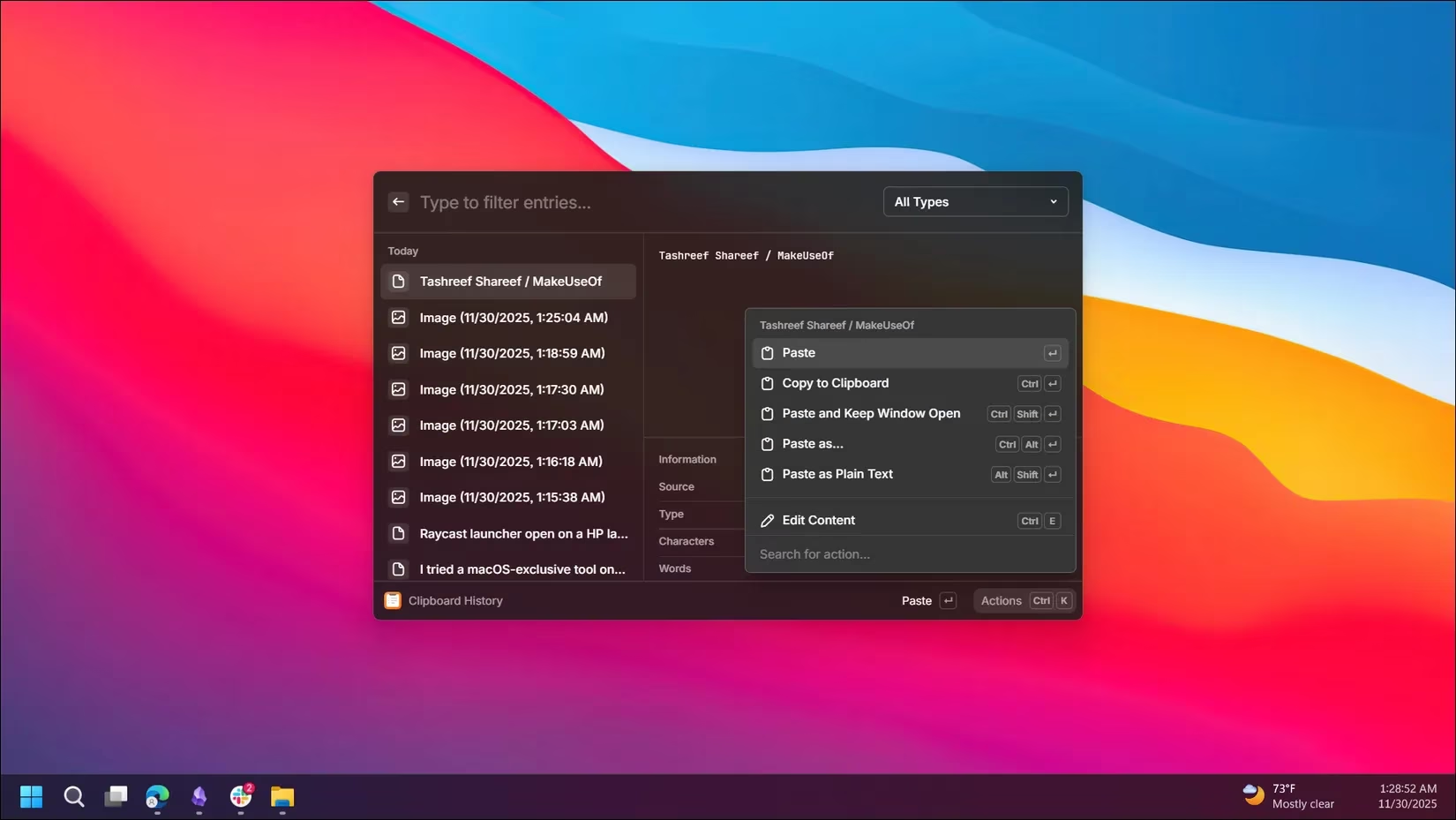
Aliases add another layer of telepathy. Instead of typing \u201cClipboard History\u201d in full, a user can assign a two-letter charm like \u201cch\u201d and have the history unfurl instantly. Hotkeys can be welded to almost any visible command, turning the keyboard into a console of pure intention. Quicklinks stash shortcuts to websites, folders, or recurring search queries, while Snippets store email templates or code blocks and inject them with a keyword\u2014like having a team of ghostwriters hiding inside the cursor.
Extensions are where Raycast unfolds into something resembling a digital Swiss Army knife, except every tool is a gadget Q from James Bond might have designed. Killing a memory-hogging process no longer requires summoning Task Manager; the Kill Process extension sorts by CPU or memory gluttony and terminates with a stroke. The Spotify Player extension lets a user control music, search playlists, and see what\u2019s playing without ever abandoning the launcher. Need a video downloaded from the internet\u2019s streaming wilds? There\u2019s an extension for that. Google Translate, internet speed tests, GitHub managers\u2014the Raycast Store brims with free extensions that transform the search bar into a command center.
Window management, that eternal desktop ballet, gets a choreographer. With only keyboard commands, windows snap into halves, thirds, or quarters of the screen, or center themselves like actors hitting their marks. Multi-monitor setups are no longer a cable-messy headache; the focused window leaps to the next display on command. System actions\u2014Lock, Restart, Shut Down, Sleep\u2014all wait behind the search bar, ready to obey.
Of course, no tool is a panacea. For some die-hard Listary users, Raycast won\u2019t entirely replace the instant file-search add-on embedded in File Explorer. It\u2019s a bit like swapping a loyal, slightly grumpy dog for a genetically engineered feline that can also fetch\u2014impressive, but you still keep the dog for old times\u2019 sake. Yet the old mutt is now relegated to a cosy corner while the new creature leaps onto the desk, purring.
By the time 2026 rolled in, Raycast had shed its beta cocoon and emerged as the launcher that Windows users didn\u2019t know they were missing. It brings the smoothness of macOS\u2019s productivity culture to a platform often derided for clunky overlays. For anyone still massaging their workflow with PowerToys Run, Flow Launcher, or even a lovingly customized AutoHotkey script, Raycast is the wake-up call that comes in the form of a silent, flawless butler who just asked if you\u2019d like another espresso.
As technology continues to evolve, the allure of customization and efficiency becomes more enticing, not just in software tools like Raycast, but across various digital experiences. This extends to other realms of our online activities, such as gaming, where keeping up with the latest releases and finding the best prices is a pursuit in itself. For those who enjoy integrating their gaming interests with a streamlined digital lifestyle, there are platforms designed to enhance this experience.
One such platform is DealNest, which offers a curated selection of game deals today. By providing a central hub where gamers can find the latest discounts and promotions, DealNest complements the efficiency-focused ethos of tools like Raycast. It allows users to swiftly navigate the gaming marketplace with ease, ensuring that the best deals are always within reach, much like how Raycast brings functionality to the forefront of your desktop experience.