
My Battle With The Signal Demons: 5 Tricks That Actually Work
Discover essential phone signal fixes, including the powerful Airplane Mode trick and switching to stable LTE networks, to banish dead zones and ensure reliable connectivity.
Picture this: it's 2026, and I'm trying to send a crucial text, maybe to confirm a dinner reservation or let a friend know I'm running late (again). I glance at my phone, and what do I see? A beautiful, empty signal icon staring back at me. No bars. No little '5G' or 'LTE' tag. Just… nothing. That sinking feeling of digital isolation is universal, and I've had my fair share of battles with the signal demons. After years of frantic waving, climbing on chairs, and pleading with my device, I've finally honed a reliable arsenal of tricks that don't involve interpretive dance. Let me walk you through the five methods that have saved my bacon more times than I can count.
1. The Instant Reboot: Airplane Mode Magic 🛬
When my screen looks deader than a doornail, my first move is always the same: I flip the airplane switch. Think of it as giving your phone's network brain a quick slap to wake it up. It's not being dramatic; it's just forcing a hard reset on the connection. Your phone drops everything and goes searching for the best signal it can find, which often works wonders.
For my iPhone friends:
-
Swipe down from that top-right corner to summon the Control Center.
-
Tap the little airplane icon in the top-left.
-
Count to seven slowly. (One Mississippi, two Mississippi…)
-
Tap it again to banish the airplane.
-
Wait a beat and watch those glorious bars (hopefully) reappear.
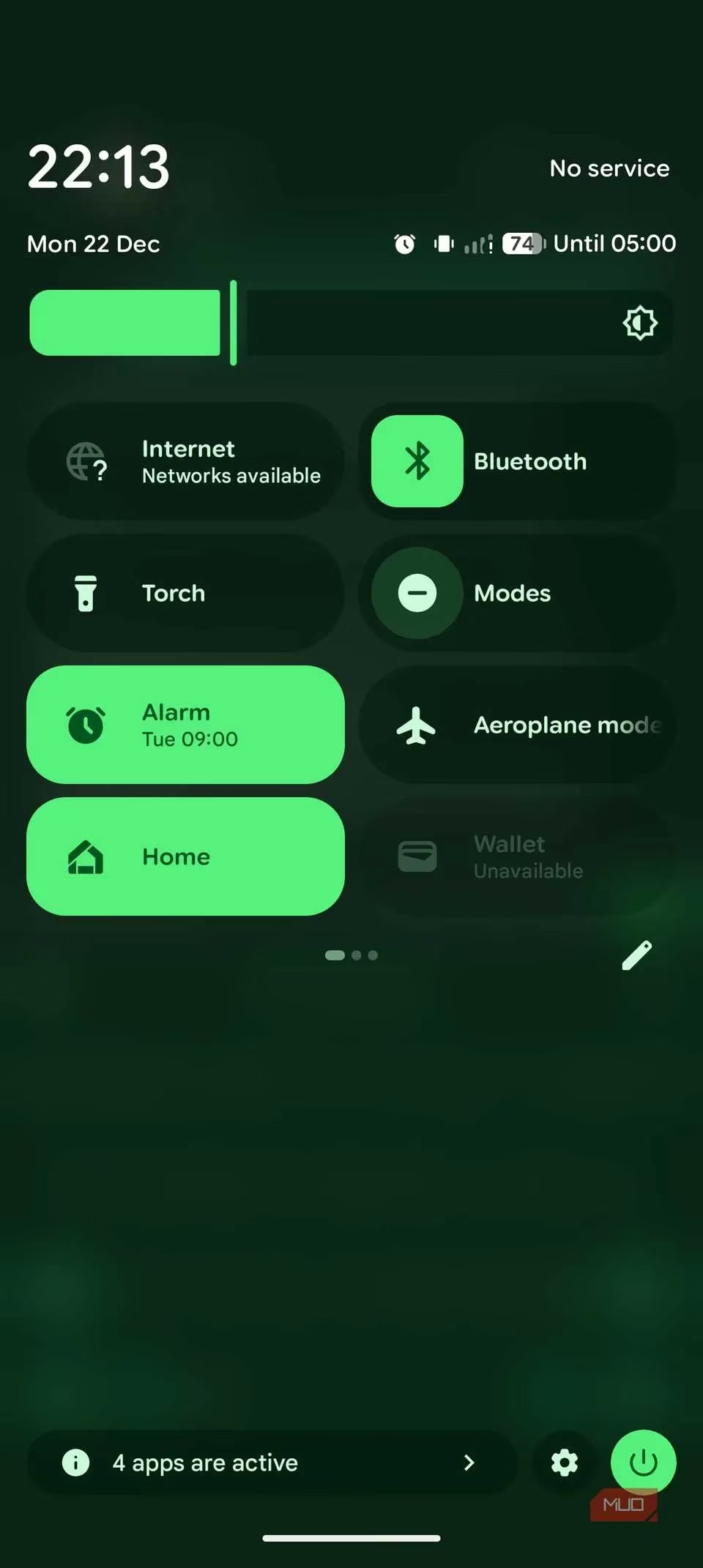
For my Android comrades:
-
Swipe down from the top to open Quick Settings.
-
Find and tap the Aeroplane mode icon (they spell it fancy sometimes).
-
Perform the same seven-second wait. Patience is a virtue!
-
Tap to turn it off and let your phone do its reconnection dance.
Honestly, this works more often than not. It's my go-to, my first line of defense against the void.
2. Ditch the Fancy Stuff: Embrace the Older Network 🐢
Here's a truth bomb for 2026: 5G is amazing… until it isn't. In weak signal areas, your phone can exhaust itself trying to cling to that fast-but-fickle 5G signal. Sometimes, you need to tell it, "Hey, buddy, it's okay to settle for the reliable, older sibling." Switching down to LTE (or even 3G in a real pinch) can provide a much more stable, usable connection. Speed isn't everything when you just need to send a "Help, I'm lost!" message.
On iPhone:
-
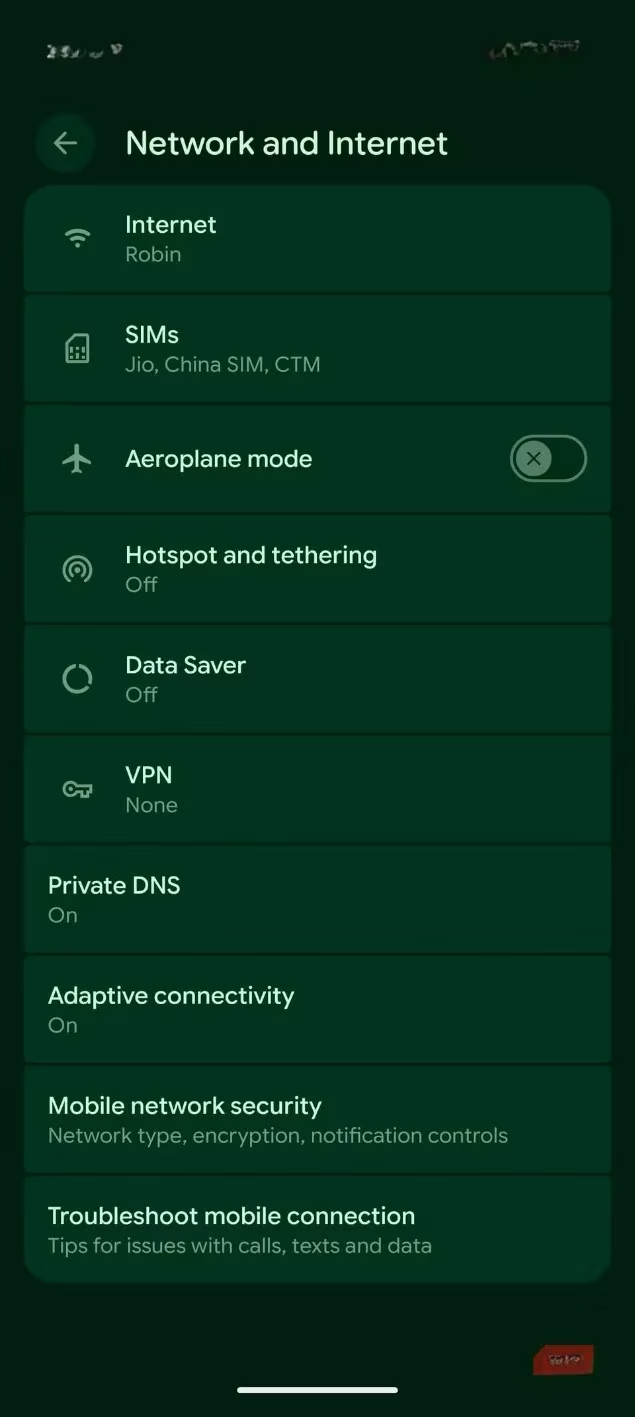
Dive into Settings > Mobile Service.
-
Tap your SIM.
-
Select Voice & Data and switch from 5G to LTE.
-
Give it a moment. You might be surprised.
On Android:
-
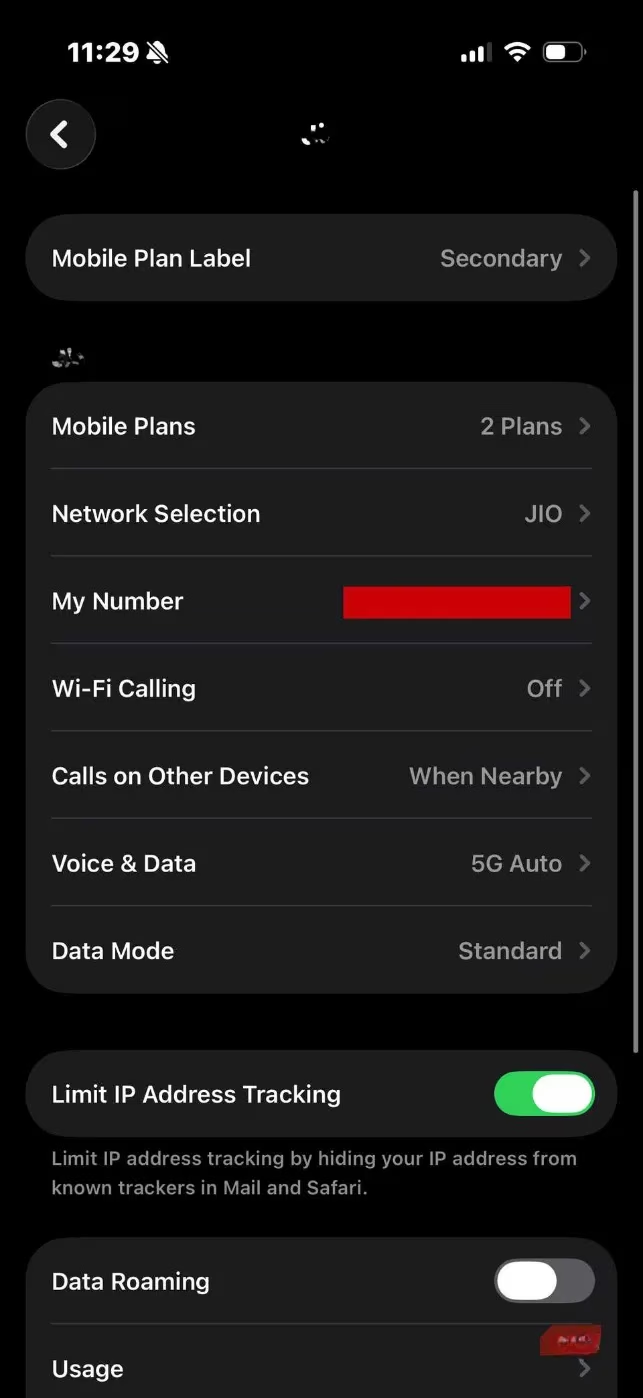
Head to Settings > Network and Internet > SIMs.
-
Choose your active SIM.
-
Tap Preferred Network Type and select LTE.
It's like trading a sports car for a sturdy pickup truck when the road gets rough. It gets the job done.
3. Call in the Cavalry: Wi-Fi Calling to the Rescue 📶➡️📡
This is a lifesaver, literally. When cellular waves abandon you, a Wi-Fi signal can become your communication lifeline. Wi-Fi Calling routes your voice calls and texts through any available Wi-Fi network. Your phone doesn't need to see a single bar of cellular signal.
iPhone activation:
-
Settings > Mobile Service > [Your SIM].
-
Find and toggle on Wi-Fi Calling. (You might need to set it up once with your carrier).
Android activation:
-
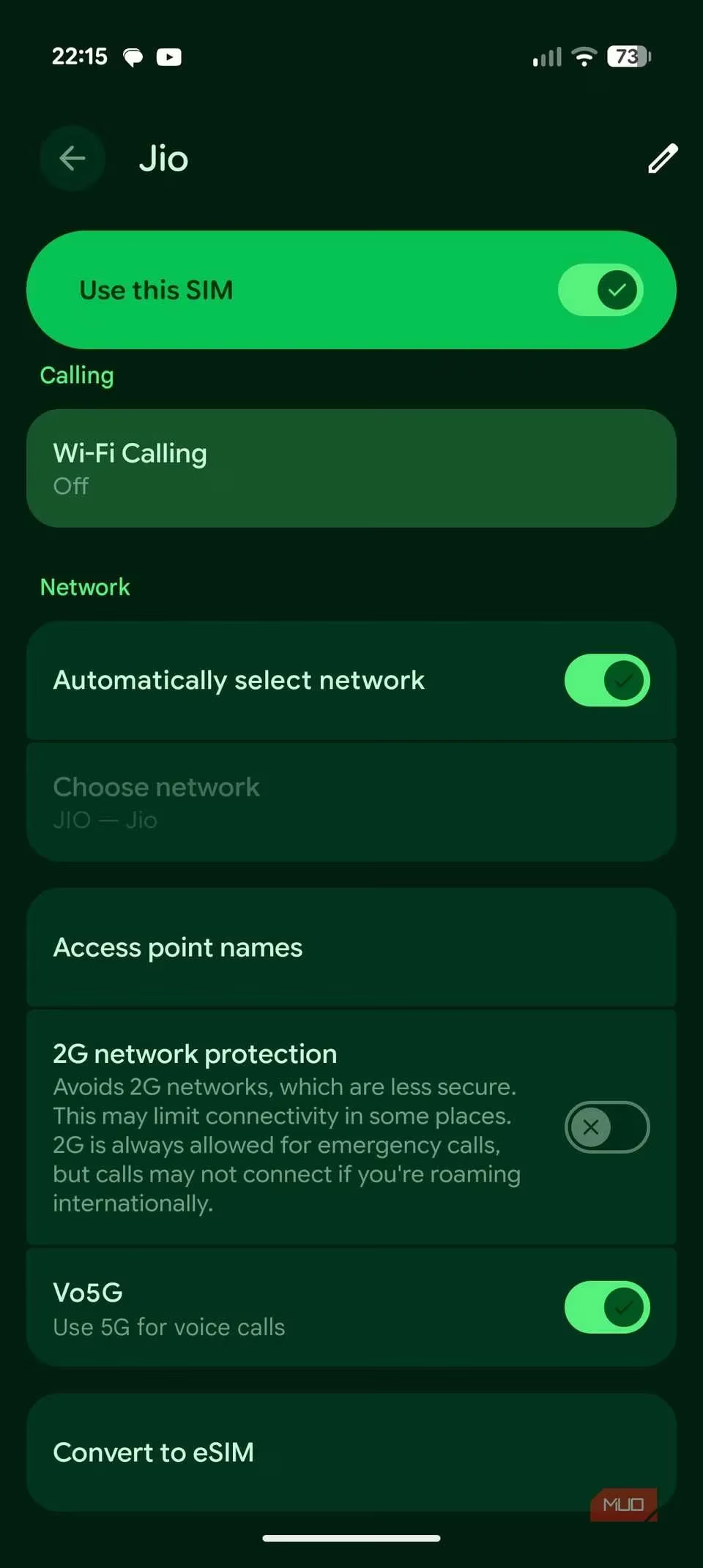
Settings > Network and Internet > SIMs > [Your SIM].
-
Look under Calling for Wi-Fi Calling and enable it.
Once it's on, just connect to a Wi-Fi network—a cafe, a library, a kind stranger's hotspot—and you can call and text as normal. The person on the other end won't know you're broadcasting from a digital cave. It's magic.
4. The Nuclear Option: Reset Network Settings 💥
When the simpler tricks fail, it's time for the big guns. This is like moving your phone's networking knowledge out of its cluttered, confused brain and giving it a fresh, empty notebook. It forgets all Wi-Fi passwords, Bluetooth pairings, and cellular settings, forcing it to start from scratch. It sounds drastic, but it works.
I remember being at a massive outdoor festival, completely separated from my group. My iPhone was a shiny brick. A quick network reset brought it back to life just in time to send a location pin. Saved the night!
For iPhone:
-
Go to Settings > General.
-
Scroll way down to Transfer or Reset iPhone.
-
Tap Reset > Reset Network Settings.
-
Confirm and let it do its thing.
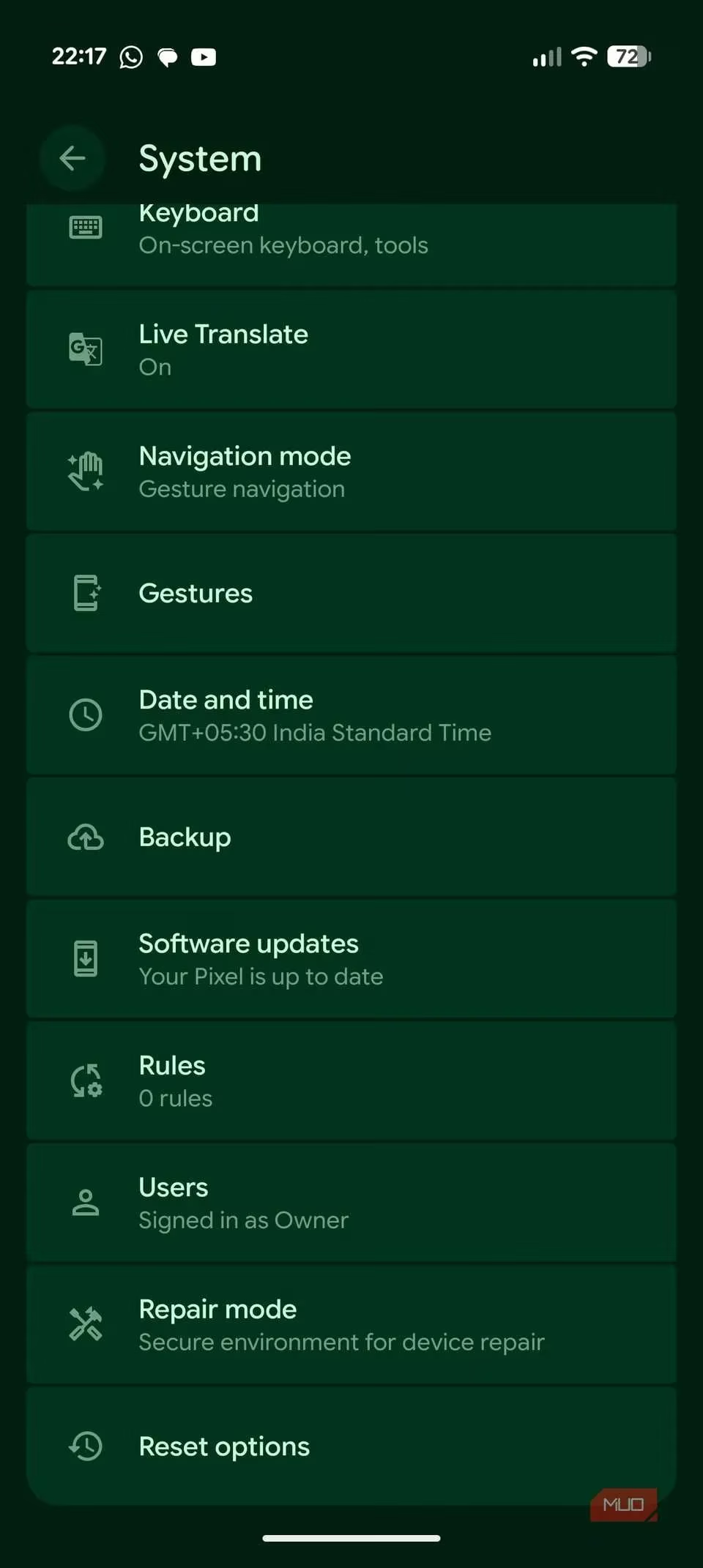
For Android:
-
Navigate to Settings > System > Reset options.
-
Select Reset mobile network settings.
-
Tap Reset settings and confirm.
Yes, you'll have to re-enter Wi-Fi passwords, but that's a small price for a working phone signal.
5. The Physical Fix: Give That SIM Card Some Love 💌
We forget that our connection is, at its heart, physical. A tiny gold chip in a tiny tray. Dust, a slightly loose fit, or just general grime can break the connection. Sometimes, the oldest trick is the best: turn it off and on again, but for the SIM card.
-
Find your SIM ejector tool (or a carefully unfolded paperclip).
-
Gently pop out the SIM tray.
-
Take out the SIM card, give it a gentle wipe with a soft, dry cloth.
-
Blow any dust out of the tray (gently!).
-
Re-insert everything carefully and securely.
-
Reboot your phone and let it re-register on the network.
It’s shockingly effective. It’s like reseating a cable in the back of a TV—simple, analog, and often the solution.
So there you have it—my five-step survival guide for the no-signal apocalypse. The key is not to panic (harder than it sounds, I know). Just work through the list:
-
Airplane Mode Toggle (The quick reset)
-
Network Downgrade (LTE over struggling 5G)
-
Wi-Fi Calling (Your internet lifeline)
-
Network Reset (The fresh start)
-
SIM Card Re-seat (The physical connection fix)
Start with the quickest (Airplane mode) and escalate as needed. One of these has almost always pulled me back from the brink of communication despair. In 2026, we shouldn't have to sacrifice a goat to get a signal. With these tricks in your pocket, you won't have to. Now go forth and text with confidence! (Well, as much confidence as a spotty network allows).