
⚠️ I Almost Got Hacked by a ‘Microsoft’ Email – This ONE Tiny Detail Saved Me
Typosquatting scams mimic Microsoft login pages using near-identical domains like rnicrosoft.com—learn to spot subtle character swaps before you click.
Last Tuesday I nearly handed over my Microsoft password to a scammer. The email sitting in my inbox looked
exactly like an official account security notice—Microsoft logo, perfect layout, even the sender name said “Microsoft Support.” I was seconds away from clicking “Verify Now” and typing in my credentials. What stopped me? I noticed the sender’s domain was rnicrosoft.com, not microsoft.com. Yep, just a single letter swap. That tiny visual hiccup was a full-blown typosquatting attack, and it’s still running wild in 2026.
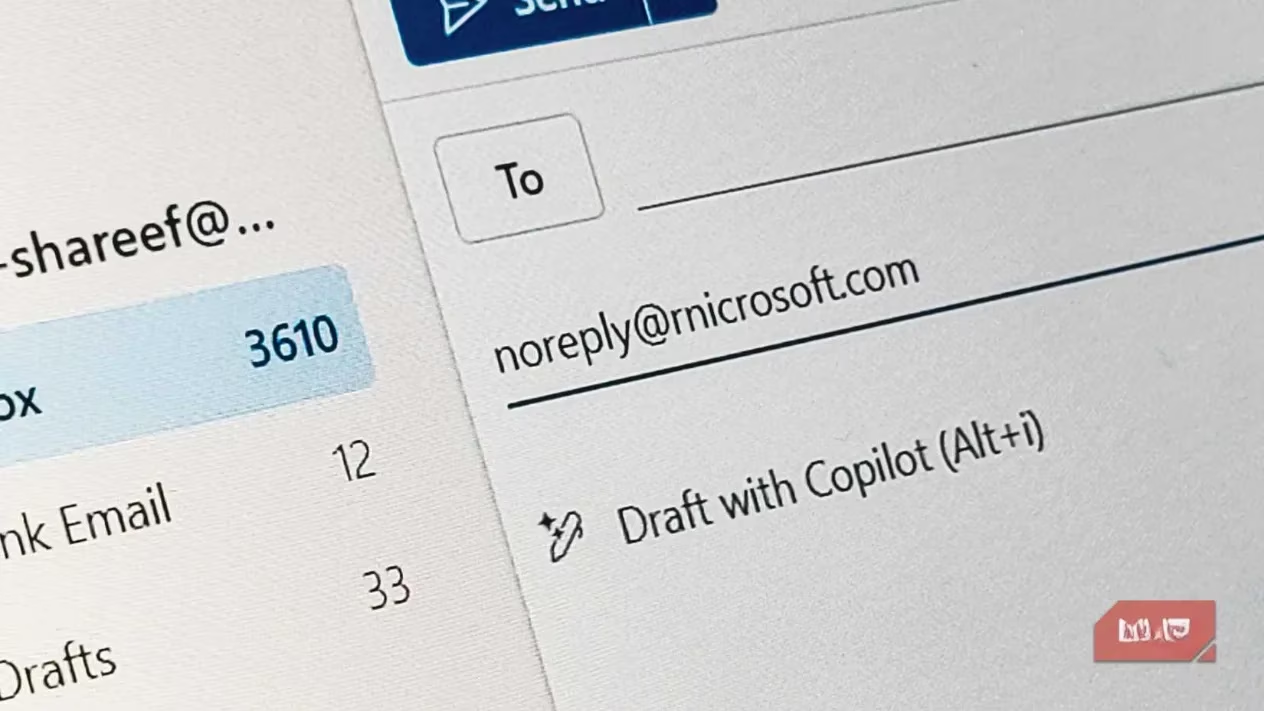
Let me break it down because this trick is way more dangerous than it looks. Typosquatting is when scammers register domains that mimic popular websites using misspellings, extra characters, or swapped letters. Think “rn” instead of “m,” “vv” instead of “w,” or “1” (number one) instead of “l”. Our brains process words as shapes, not letter by letter, so “rnicrosoft” on a quick glance reads just like “microsoft.” Scammers
bank on your brain’s autocomplete to skip right over the detail.
Here’s what the bad guys do: they buy a typo domain, slap a valid SSL certificate on it, and set up proper email authentication—SPF, DKIM, DMARC. From there they craft an email that sails right past spam filters. The message lands in your primary inbox, complete with a clone of Microsoft’s login page waiting behind that innocent-looking button. The screenshot below shows a real example I flagged; the subject field even uses the fake URL in a way that makes you think it’s legitimate.
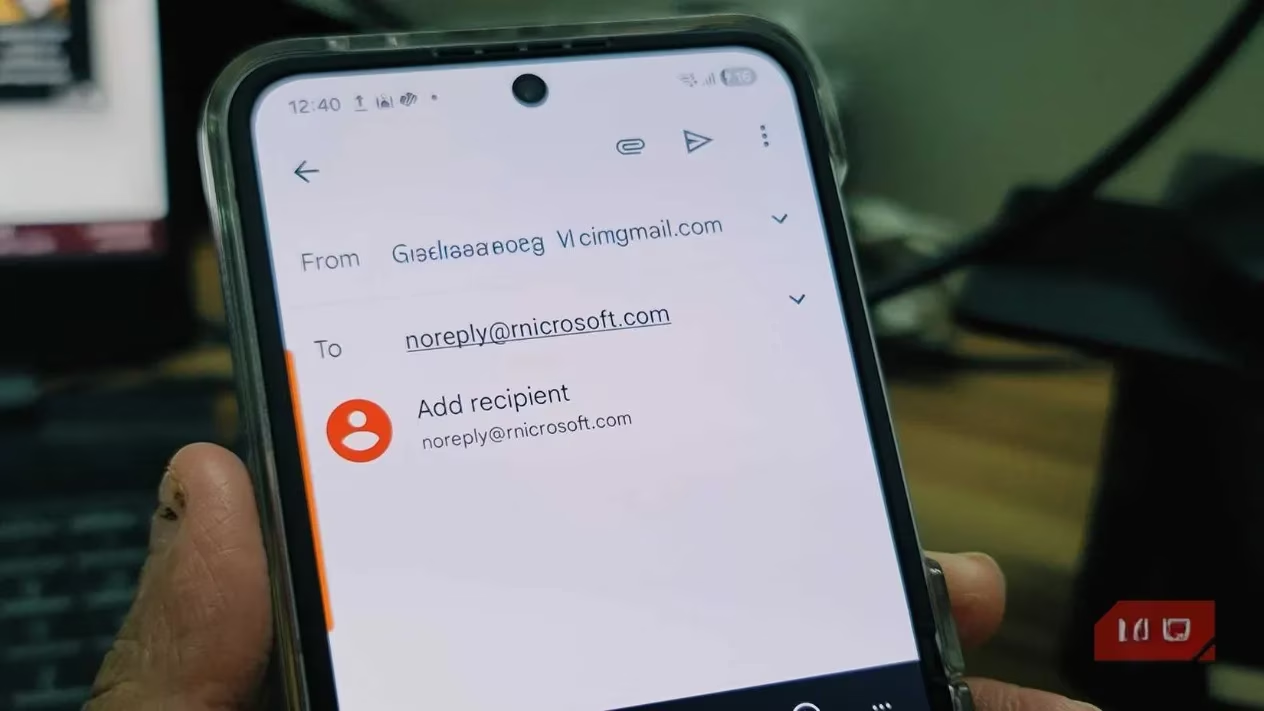
The problem gets 10x worse on mobile. 📱 Smaller screens, default fonts, and fast scrolling combine to make those tiny character swaps practically invisible. You’re checking emails over lunch, see what looks like a Microsoft alert, and tap through without a second thought. I almost did exactly that.
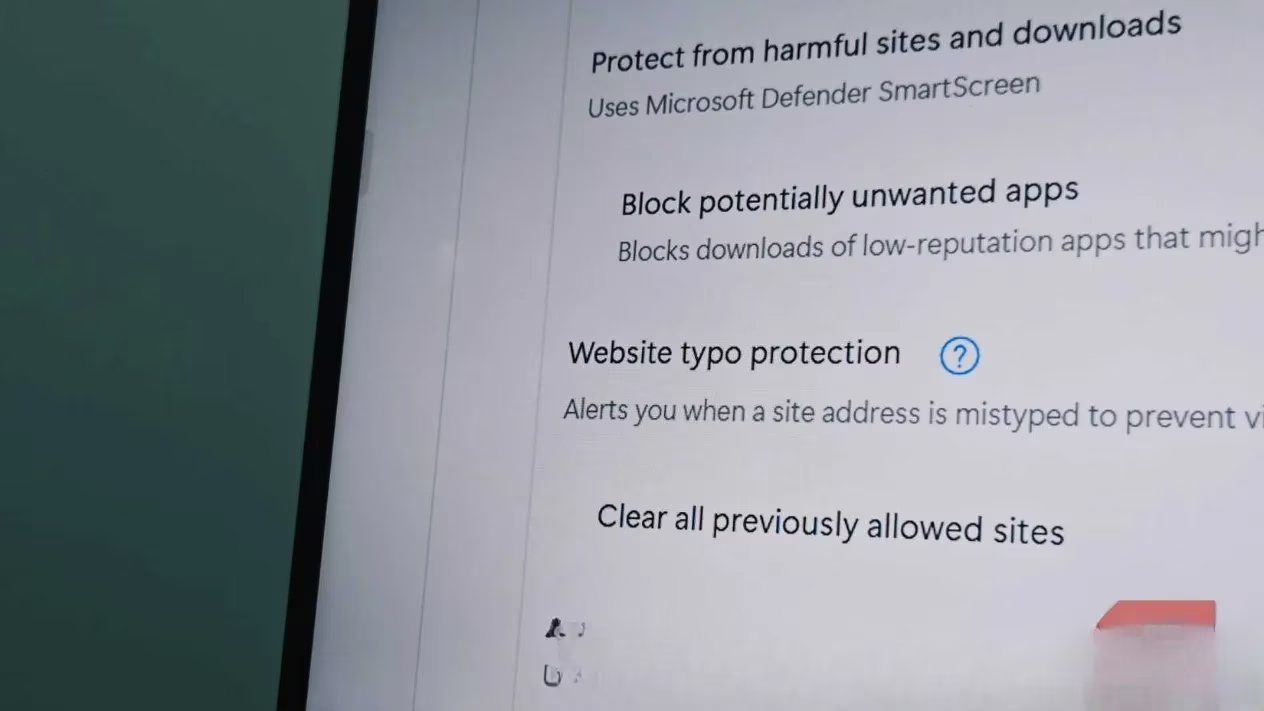
Why don’t email providers or browsers catch this every time? They do try—Edge and Chrome actually have typo protection features now. But typosquatted domains are often freshly registered with clean reputations and valid certificates. Email gateways look for spam patterns and known bad senders, not subtle brand impersonations. And low-volume, targeted attacks can fly under the radar. By the time a domain gets blocklisted, the campaign has already moved to a new one. 👾
So what can you actually do to protect yourself in 2026? I changed my habits overnight after almost falling for this, and honestly it’s saved me more than once since.
1. Pause before you click—seriously.
Hover over every link in an email for a full second. On mobile, long-press the link to preview the URL. If anything feels even slightly off (wrong font on the login page, a missing logo element, odd request for payment), close the tab and type the official site directly into your browser or use a bookmark. 🔖
2. Let your password manager be your detective.
Password managers do not care about visual appearance. They match the exact domain. If your password manager won’t auto-fill on a Microsoft login page, that’s a huge red flag—the domain isn’t the one you’ve saved. It’s literally impossible for a typosquatted site to trigger that auto-fill. I now treat a missing auto-fill prompt like a giant neon “DO NOT ENTER” sign.
3. Move to passkeys wherever possible.
Passkeys are phishing-resistant by design because they’re bound to the original domain. A lookalike site can’t use your passkey. Hardware security keys offer the same superpower. Since making the switch last year, I don’t even bat an eye at fake login pages anymore—they simply can’t authenticate me.
4. Bookmark your critical sites.
For banking, email, cloud storage, any account where you’d feel physical pain if it were compromised: bookmark the real URL and use that bookmark exclusively. Never navigate there from an email link. This alone blocks 99% of typosquatting attempts because you completely remove the poisoned link from the equation.
5. Remember: big companies do buy up common typos, but they can’t catch everything.
Google, Microsoft, Amazon routinely snatch up domains like gooogle.com or amzon.com and redirect them. That’s helpful, but attackers constantly innovate with new patterns. Don’t rely on the company to protect you—rely on your own two-second checks.
💡 The core lesson I took away is this: Your brain is a pattern-matching machine, and scammers exploit that. You see what you expect to see, not what’s actually written. A single “rn” instead of “m” is all it takes to compromise years of digital life. Now whenever an email gives me that urgent feeling—“verify now or lose access!”—I take a breath, check the actual domain letter by letter, and let my password manager do its job. That brief pause has already saved two friends who texted me panicking this year.
Stay safe out there, and never trust a URL just because you think you recognize it. 🛡️