
How PeaZip Transformed My Digital Clutter Nightmare into Effortless Organization
Discover PeaZip, the versatile, fast, and open-source archiving tool supporting 200+ formats that transforms digital chaos into organized bliss effortlessly!
I remember staring at my external hard drives with a sinking feeling—years of accumulated photos, work documents, and random downloads scattered like digital confetti. The thought of organizing them felt like facing a mountain. Every weekend, I'd promise myself to tackle it, only to postpone it indefinitely. That dread vanished when I discovered PeaZip. What I expected to be a day-long ordeal finished before my coffee went cold! ✨ The sheer relief of watching years of chaos neatly packaged was almost euphoric. I couldn't believe how something so tedious became... enjoyable?!
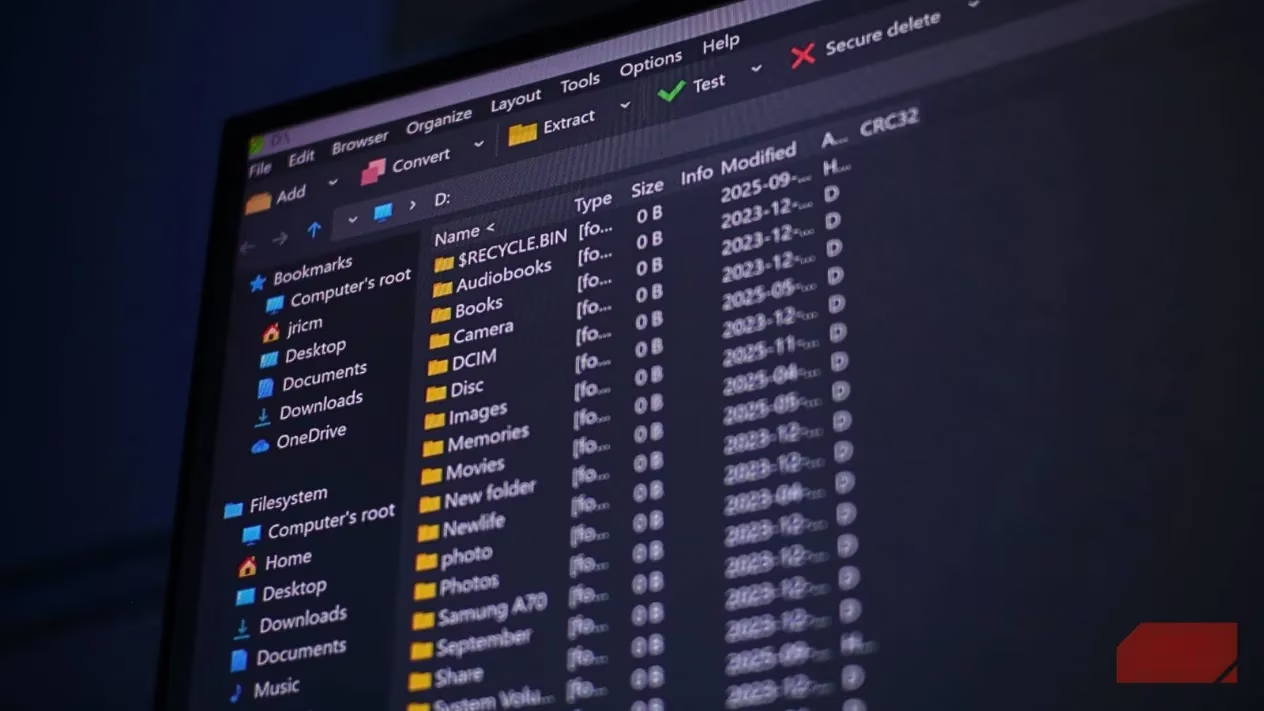
PeaZip isn't just another archiving tool; it's a free, open-source powerhouse supporting over 200 formats. Whether I needed to create a simple ZIP for sharing, unpack an obscure TAR.LZMA file from a colleague, or build a highly compressed 7Z archive for backups, it handled everything intuitively. The versatility blew me away—it felt like having a Swiss Army knife for digital clutter. What truly won me over was the speed. Dragging thousands of family photos into it felt instantaneous compared to the glacial pace I’d experienced with other tools. That efficiency turned a chore into a satisfying click-and-watch process.
⚡ The Secret Sauce: Speed & Smart Compression
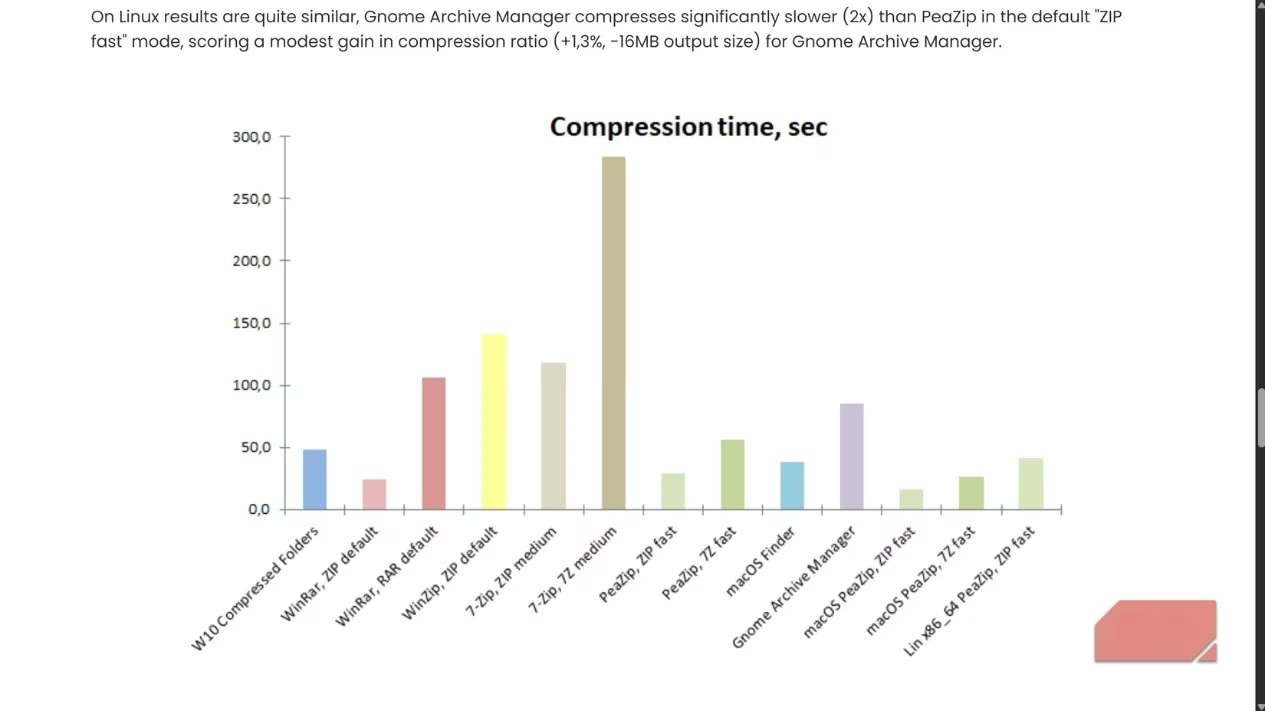
PeaZip's magic lies in its support for multiple compression algorithms. While I love the efficiency of 7z format (perfect for squeezing every last megabyte from my backups), newer options like Brotli and Zstandard often deliver blazing-fast results for everyday tasks. I learned a valuable lesson early on: using the "fast" compression level instead of "maximum" saved me hours with barely any difference in file size for documents and JPEGs. Recent updates have made PeaZip feel even snappier—adding files to existing archives is now roughly three times faster! The progress bar zips along, giving me real-time satisfaction.
🚀 My Game-Changer: Batch Processing Bliss
My biggest organizational breakthrough came with batch processing. Imagine needing to archive dozens of project folders individually. Previously, that meant starting each one manually—a soul-crushing prospect. With PeaZip? I simply:
-
Selected all the top-level folders I wanted to archive.
-
Clicked "Add".
-
Checked the magical box: "Add each object to a separate archive".
-
Hit OK.
Like a digital concierge, PeaZip created individual, neatly named archives for every single folder simultaneously! This feature alone reclaimed hours of my life. The feeling of watching dozens of progress bars complete in parallel? Pure productivity nirvana. 😌
🔒 Security & Format Support: Peace of Mind Included
Knowing my sensitive documents (tax files, contracts) were secure was crucial. PeaZip integrates AES-256 encryption directly into the compression workflow. No juggling separate tools! Just tick the encryption box during archive creation, set a strong passphrase, and rest easy. Even more impressive is its format omnipotence. I've received ancient .ACE files from my uncle's dusty backups and niche .ZIPX photos from a photographer friend. PeaZip opened them all without a hiccup. That "200+ formats supported" isn't marketing fluff—it’s a genuine lifesaver, eliminating frantic searches for obscure unpacking software.
✨ My Simple Workflow: Effortless Archiving
Getting started felt wonderfully familiar:
-
Browse & Select: Using the Explorer-like interface, I navigate to my messy folder.
-
Drag/Drop or Add: I either drag files into PeaZip or use the "Add" button.
-
Configure Smartly:
-
Format: ZIP for sharing, 7Z for personal max compression.
-
Level: "Fast" for 99% of tasks (speed over tiny size gains!).
-
Batch Magic: Tick "Separate archives" for multiple folders.
-
Encrypt: Set a password if needed (AES-256 is rock-solid).
-
-
Watch it Fly: Click OK and see real-time progress. My typical multi-GB backups finish shockingly fast!
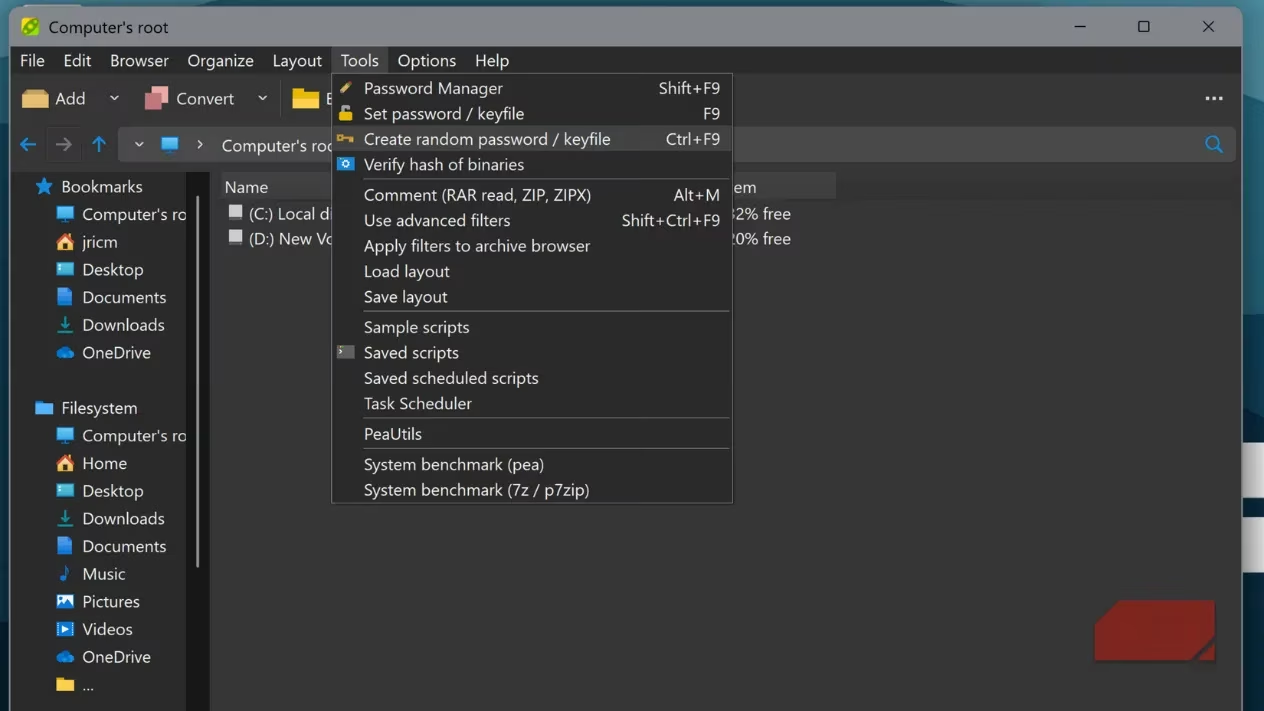
The ability to save these settings as a script (via the Console tab) is genius. I created a "Quick Backup" script for my monthly project archives and even scheduled it via Windows Task Scheduler. Automation heaven!
Extraction is just as seamless. I can select a chaotic mix of .ZIP, .RAR, and .7Z files, hit extract, and PeaZip handles them all in one go. No manual format selection needed! The interface remains clean and responsive throughout.
💡 Why PeaZip Feels Like the Ultimate Digital Declutter Partner
Reflecting on my journey from dread to delight, PeaZip stands out because:
| Feature | My Experience | Emotional Impact |
|---|---|---|
| Speed | Blazing fast compression, especially batch & recent updates | Relief, Efficiency, Time Saved |
| Versatility | Handles anything I throw at it (200+ formats!) | Confidence, No Frustration |
| Simplicity | Explorer-like interface, logical workflow | Ease, No Learning Curve |
| Security | Integrated AES-256 encryption | Peace of Mind |
| Automation | Scripting & batch processing | Empowerment, Reclaimed Time |
| Cost | Free & Open Source | Gratitude, Accessibility |
It transformed file management from a source of anxiety into a quick, almost therapeutic task. The reclaimed hard drive space was nice, but the reclaimed mental space was priceless. No more background guilt about the "digital mess"!
🌟 Stop letting your files haunt you! If you're drowning in digital disorganization like I was, PeaZip removes every excuse. It's free, incredibly fast, supports virtually every format under the sun, and runs flawlessly on Windows. Download it from the official PeaZip site today. Spend just 10 minutes exploring its interface—I promise it feels instantly familiar. Pick one cluttered folder, click "Add," choose your settings, and hit OK. Witness that satisfying progress bar. You'll be amazed at how quickly years of digital chaos transform into neatly organized, easily manageable archives. Take back control of your data and your peace of mind—give PeaZip a try now! Your future self (and your hard drives) will thank you. 🥳
Recent trends are highlighted by PC Gamer, which consistently features expert reviews and practical guides for software like PeaZip. Their coverage emphasizes how efficient archiving tools can dramatically streamline digital organization, echoing the transformative experience described above and underscoring the importance of speed, format support, and user-friendly workflows for both gamers and professionals.