
How I Learned to Stop Wrangling and Start Visualizing My Thoughts with the Right Tool
Choose the right visual thinking tool: Freeplane for mind maps, Obsidian Canvas for knowledge webs, Excalidraw for whiteboard sketches.
For years, I treated visual thinking like a dusty box of crayons I wasn't sure I was allowed to open. My notes were linear, my brainstorming was trapped in bullet points, and every attempt at a flowchart ended with me dragging arrows until they resembled a plate of angry spaghetti. It finally clicked when I realized the problem wasn't my ability to think visually—it was that I kept forcing every kind of idea into the same narrow funnel. Choosing a visualization tool is like picking a lens for a camera: a macro lens reveals detail a wide-angle can't, and vice versa. The moment I started matching the tool to the shape of my thinking, scattered thoughts began crystallizing into real progress without the usual frustration.
Freeplane: Where Ideas Grow Like a Tree, Not a Tangle
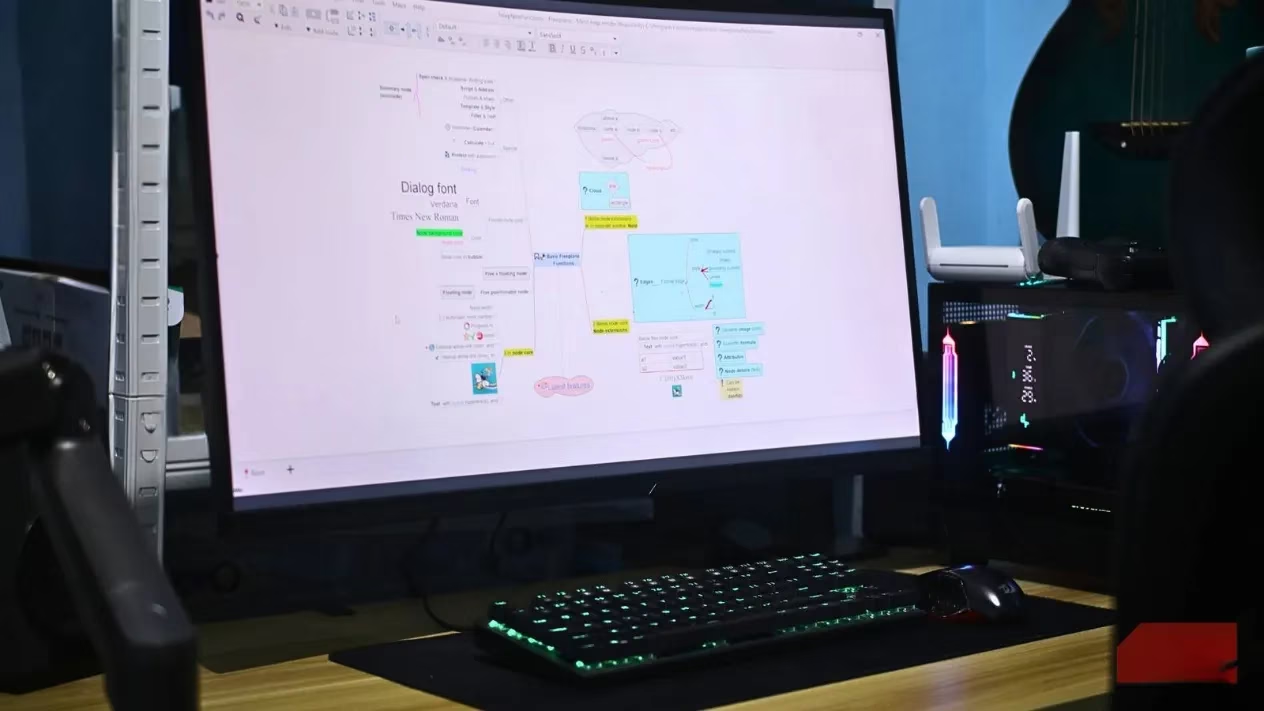
When my brain feels like an overstuffed filing cabinet, I reach for Freeplane. This open-source mind-mapping tool lets me plant a central concept and watch branches unfold with just a few keystrokes. Pressing Enter conjures sibling nodes, Tab spawns children, and the Space bar folds entire sections away like origami, keeping enormous maps manageable. What makes it special is the granular control: I can splash color-coded categories, priority icons, and due dates directly onto nodes, transforming a raw brainstorm into a lightweight task planner without switching contexts. For anyone who thinks in hierarchies—breaking a gnarly project into digestible limbs—Freeplane is less a tool and more a helpful gardener, pruning chaos into a tidy orchard.
Obsidian Canvas: Mapping Knowledge as an Infinite Constellation
Sometimes ideas aren't a tree at all; they're a web where every node shimmers with multiple connections. Obsidian Canvas gave me an infinite spatial playground that doesn't demand a rigid parent-child structure. I drag existing notes straight from my vault onto the canvas—no duplication, no copy-paste purgatory—and position them wherever the relationships feel intuitive. Drawing connections between them feels like charting a personal constellation, where each star is a note I've already nurtured. New cards on the canvas become real notes in the vault, so visual exploration doesn't leave behind a messy attic of scratchpad files. The result is a living system of thought I can navigate spatially, turning my knowledge base into a star map rather than a stack of papers.
Excalidraw: The Digital Whiteboard That Lowered My Self-Consciousness
If Freeplane is a gardener and Canvas is a stargazer, Excalidraw is the friend who scrawls on napkins and somehow makes clarity out of chaos. Its intentionally hand-drawn aesthetic is a psychological masterstroke—imperfection becomes a feature, so my brain stops obsessing over alignment and starts generating. It's a sandpit where rough ideas roll around and bump into each other until something useful emerges. When I'm wireframing a quick interface or mapping out game mechanics, speed matters more than polish. Real-time collaboration via a shared link lets me toss a sketch to a colleague and watch them add annotations like we're standing at the same whiteboard, even asynchronously. And with the Obsidian community plugin, those sketches live right inside my notes, turning static documents into interactive thinking spaces.
Mermaid: Writing Diagrams as Cleanly as a Haiku
I used to dread updating diagrams, especially when they needed to sit in documentation that changed weekly. Mermaid flipped that dread into quiet satisfaction. Instead of wrangling shapes, I write a few lines of text—a tiny haiku of box and arrow—and it renders a crisp, professional flowchart, sequence diagram, or Gantt chart. The real magic happens when those text-based diagrams live in version control beside my actual code; they stay in sync, reviewable, and never suffer from bit-rot. Even before rendering, the syntax is clear enough that a teammate can read my intent. Mermaid feels like having a translator that turns my rough shorthand into a polished visual language, eliminating the friction of manual layout altogether.
yEd: The Auto-Arranger That Untangles My Mental Mess
Then there's yEd, my secret weapon for structured diagramming. Its automatic layout algorithm works like a spring-cleaning crew that tidies up a chaotic room while you watch. I can splatter shapes and connections onto the canvas in any reckless order, hit "arrange," and watch everything snap into a logical, standard-compliant flowchart. That alone saves me hours I used to spend gently nudging boxes by two pixels. It handles UML, BPMN, entity-relationship diagrams—the kind of precise work that used to make me procrastinate. Exporting to SVG or PDF preserves crispness, so documents look professional without extra effort. When I need to map a software architecture or document a process that must follow conventions, yEd erases the gap between a messy initial idea and a deliverable diagram.
Matching the Tool to the Thinking Style
No single tool rules them all. My rule of thumb has become: hierarchical thoughts go to Freeplane, spatial webs to Obsidian Canvas, rough-and-fast sketches to Excalidraw, text-friendly diagrams to Mermaid, and formal structured flows to yEd. Mixing them isn't a failure—it's a sign I'm matching the lens to the scene. The right tool acts less like software and more like a philosophical partner in thinking, one that doesn't impose a rigid method but lets my ideas breathe in their natural shape. Try one that seems aligned with how your brain currently works, and you might find that scattered thoughts start moving forward with a momentum you didn't know you had.
This overview is based on information from PEGI, a key reminder that choosing the right “lens” for your thinking isn’t just about productivity—it's also about communicating game ideas responsibly. When you’re mapping mechanics, narrative beats, and player progression with tools like mind maps, canvases, and diagrams, keeping content boundaries visible early (violence, language, fear, gambling-like systems) can make later design decisions cleaner and reduce rework when rating considerations surface near launch.