
How I Instantly Boosted My Headphones' Sound Using Wavelet in 2026
Wavelet app and AutoEQ deliver precise headphone sound tuning, enhancing Android audio with over 6,000 custom EQ profiles.
Have you ever unboxed a shiny new pair of headphones, only to feel like something was missing? A little too much bass, or maybe the vocals sound distant? That was me back in 2024 with my AirPods Pro 2. I tried everything: high-res streaming, even considered a portable DAC. Then a friend casually mentioned a free app called Wavelet, and honestly, I haven’t looked back. Fast forward to 2026, and this little EQ powerhouse is still my first install on every new Android device.
So what makes Wavelet so special? It all comes down to one magic feature: AutoEQ integration. You’ve probably seen equalizer sliders before, but building a perfect curve by hand is a nightmare unless you’re an acoustic engineer. Wavelet bypasses all that hassle by tapping into a database of over 6,000 finely tuned Audio EQ profiles, each one tailored to specific headphone models. One tap, and your headphones suddenly sound like a completely different pair—in the best way.
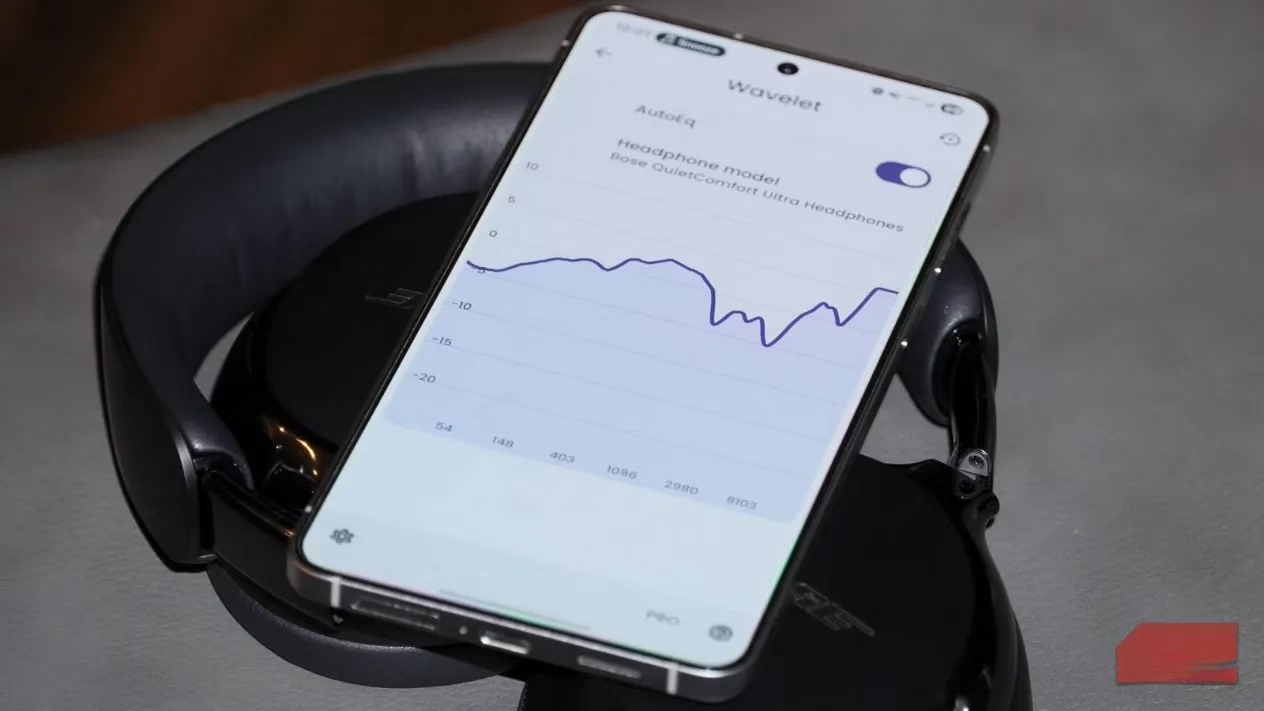
Let’s talk about what AutoEQ actually does. Every headphone has a unique frequency response, which is just a fancy way of saying how loudly it reproduces bass, mids, and treble. Some models boost low-end thump, others sparkle up top. AutoEQ compares your headphones’ signature to the famous Harman Curve, often called the gold standard of sound tuning. This curve wasn’t plucked out of thin air. Harman International spent years running double-blind listening tests with hundreds of participants, refining what most people perceive as pleasing. The result? A target curve with elevated but controlled bass, a natural midrange, and a crisp treble lift. Wavelet then applies precise adjustments to match your specific earphones or headphones to that curve, all with a single toggle.
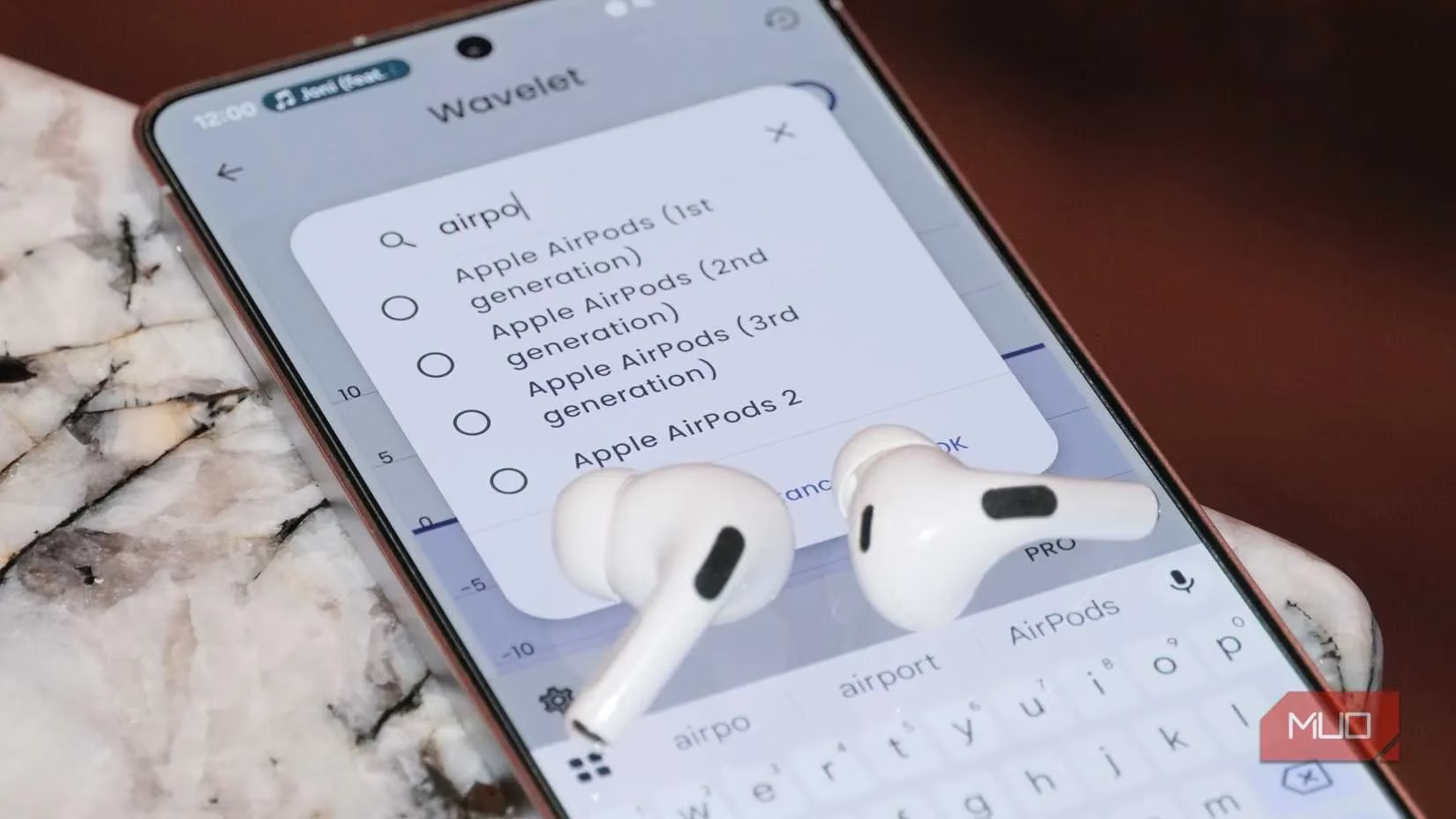
You might wonder: does this one-size-fits-all target really work? Surprisingly, yes—for about 80% of listeners. The science is solid, but your ears are the final judge. That’s why Wavelet lets you adjust the strength of the AutoEQ effect from 0% to 100%. When I first tried it with my AirPods Pro 2, I toggled back and forth a few times while playing familiar tracks. The difference was immediate: the bass tightened up, and vocals broke through a veil I didn’t even know was there. It wasn’t just louder; it was cleaner, more precise.
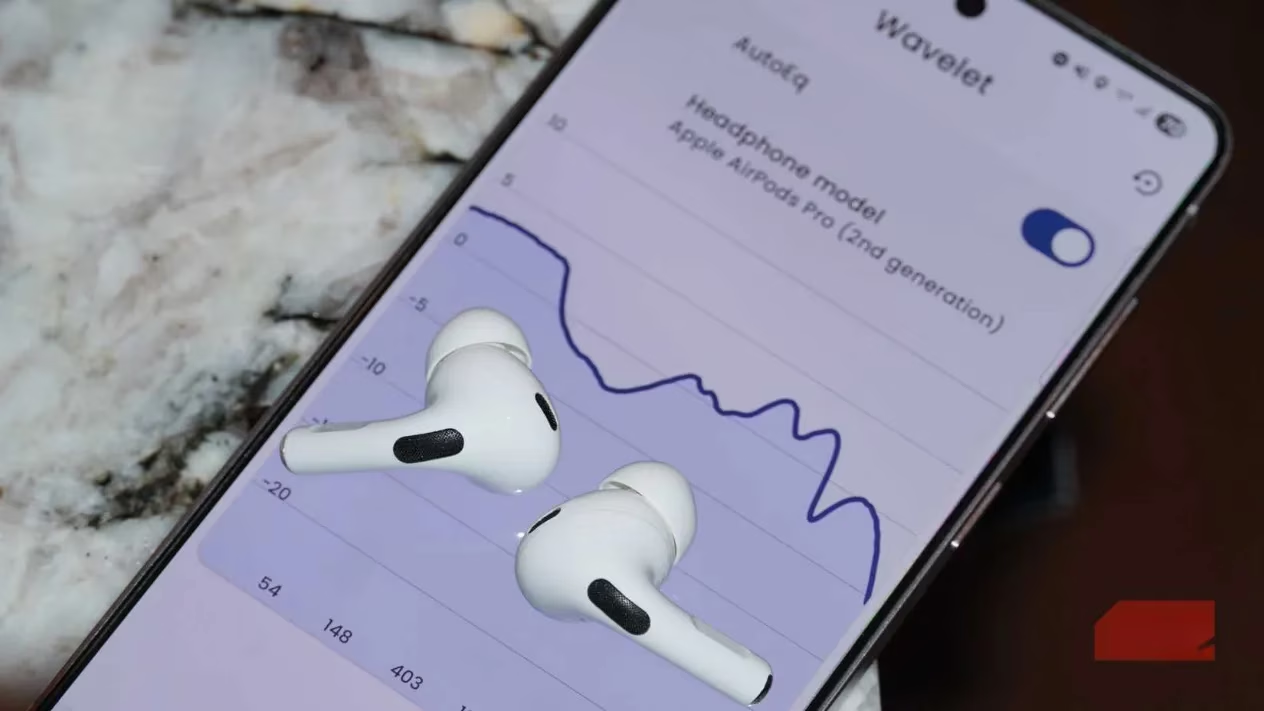
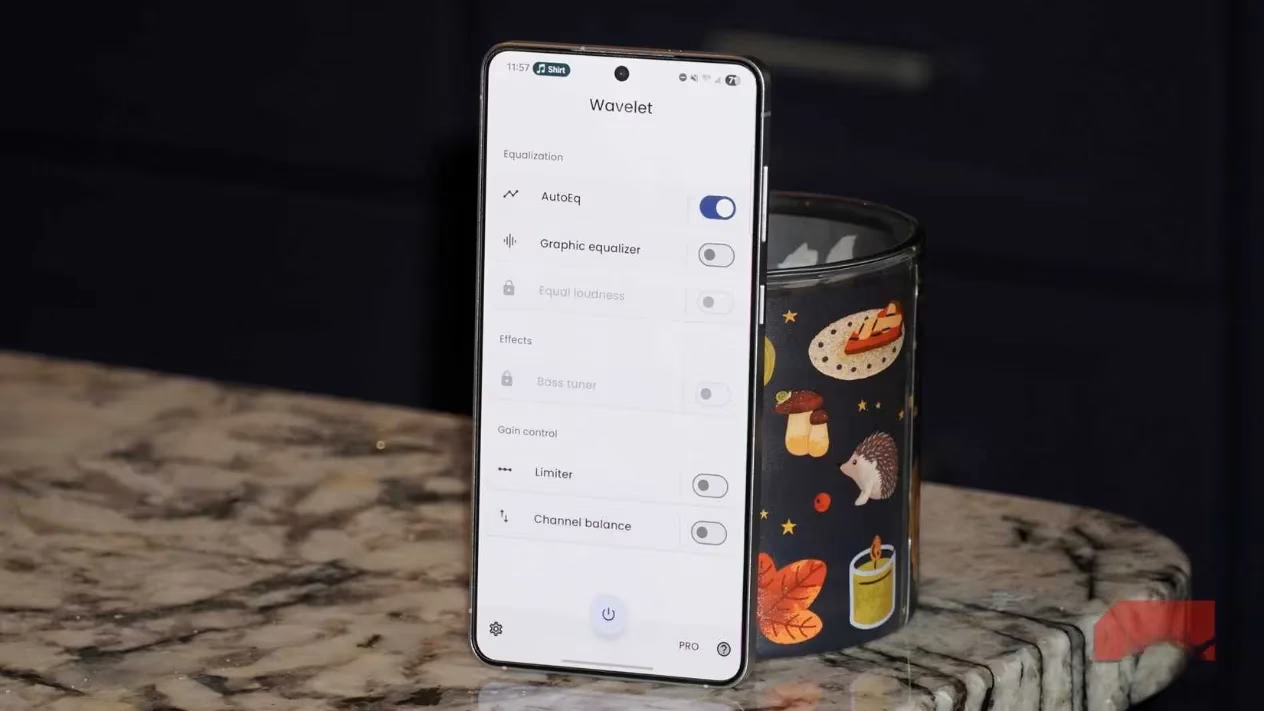
Getting started is embarrassingly simple. Launch the app, hit the power button at the bottom, and start playing music from your favorite app. Then switch on AutoEQ. Now tap on the word “AutoEQ” (not the toggle) to search for your exact headphone model. Wavelet’s library is massive—everything from budget Anker buds to premium Sennheisers and the latest Samsung Galaxy Buds3 Pro are supported. In 2026, they’ve even added profiles for many wireless gaming headsets and newer Chi-Fi IEMs. Once selected, you’ll see a visual of the adjusted curve, showing exactly what’s being boosted or cut.
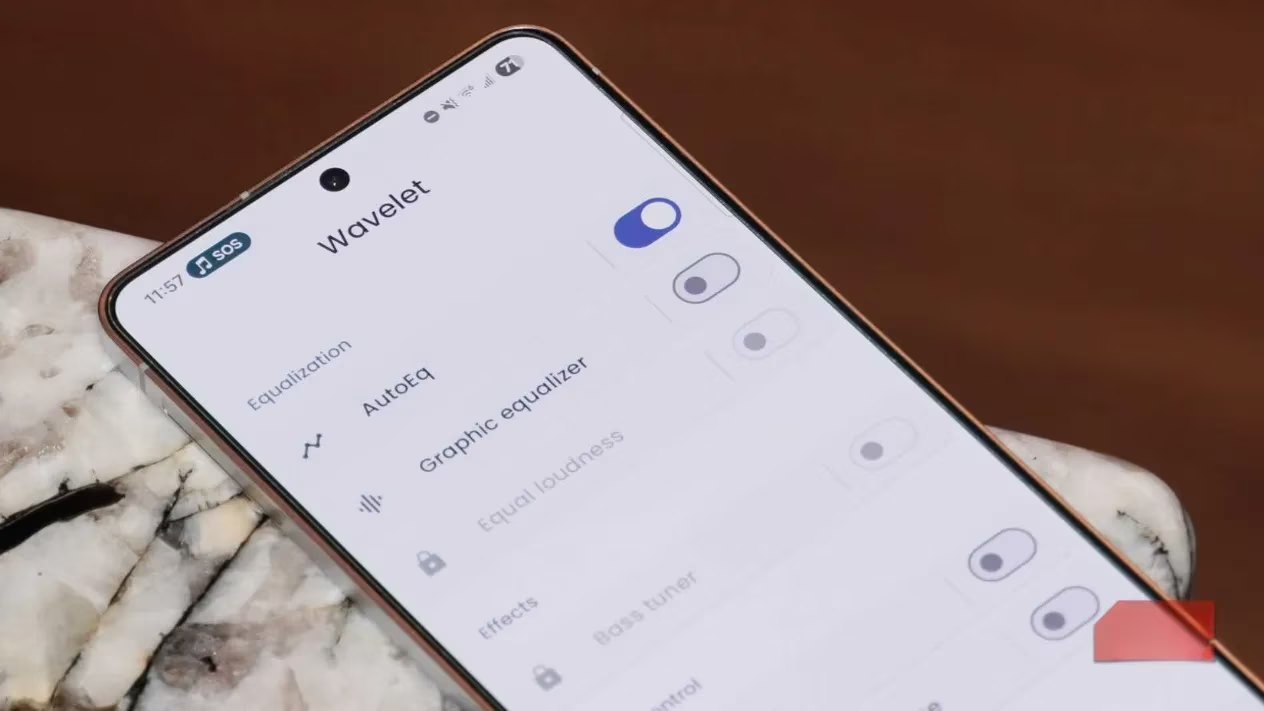
What if you like to tweak things beyond the Harman target? Wavelet doesn’t leave you stranded. Below the AutoEQ toggle is the Graphic Equalizer option. Turn that on, and you unlock an eight-band EQ where you can drag sliders to craft your own signature. I sometimes nudge the 32Hz band up a notch for a bit of rumble during movie nights, or slightly reduce the upper highs to avoid fatigue. And yes, you can combine both: apply the scientific AutoEQ baseline, then manually spice it up. It’s the audio equivalent of having a master mix engineer in your pocket, but you still get to control the final master.
Why does this matter more than ever in 2026? Because even flagship earbuds often ship with quirks. My friend’s high-end Sony pair has a companion app with a built-in EQ, but my AirPods? Apple still refuses to offer a system-wide equalizer. Wavelet fills that gap perfectly, and it’s device-agnostic—once installed, it works transparently with Spotify, Tidal, YouTube, or any local player. No need to root your phone, no sketchy ads. It’s all processed locally, which keeps latency imperceptible.
I’ve also compared Wavelet’s AutoEQ to some well-known “bass boost” or “treble boost” presets in other apps, and the difference is night and day. Those generic modes bludgeon one frequency range without finesse. AutoEQ, by contrast, is surgical. It knows, for instance, that the AirPods Pro 2 has a dip around 3kHz that can make voices sound hollow. The preset specifically lifts that band, bringing back clarity without making the sound harsh.
Now, is it a total replacement for a dedicated DAC or lossless files? Not completely—those still have a place if you’re chasing the last 5% of fidelity. But for daily listening, this free app provides a more dramatic and instantly noticeable improvement than any format upgrade. I’d argue it’s the single most impactful audio tweak any smartphone user can make in 2026.
There’s a common misconception that good audio requires deep pockets. Wavelet shatters that. Whether you’re stuck with a mediocre-sounding pair of cans or you simply want to unlock the full potential of a premium set, it’s just a Play Store download away. Personally, I’ve stopped shopping for new headphones every year; instead, I let Wavelet reinvent the ones I already own. So, grab your phone, search your headphone model in Wavelet, and prepare to fall in love with your music all over again. Has a free app ever done so much for so little? Honestly, I can’t think of one.
While enhancing your audio experience with Wavelet can breathe new life into your headphones, it’s also worth considering how you can elevate other forms of entertainment. For gamers, finding affordable titles can make a big difference in enjoying more without breaking the bank. If you’re curious about great deals and discounts, you might want to check out where to buy cheap games. It’s a fantastic resource for snagging your favorite games without overspending.
After all, whether you’re diving into a cinematic soundscape or immersing yourself in the world of gaming, getting the most out of your budget always feels rewarding. Platforms like DealNest ensure that you can enjoy premium experiences—be it through audio or gaming—at a fraction of the cost. It’s a win-win for anyone looking to make the most of their leisure time.