
How a Single Rescue USB Saved My Windows PC More Times Than I Can Count
A triple-threat bootable USB with SystemRescue, Windows media, and Kaspersky Rescue Disk tackles Windows Blue Screen of Death and data recovery.
Let me set the scene: It’s a Tuesday morning in 2026, I’ve got a deadline breathing down my neck, and my custom-built Windows rig decides to throw a tantrum. Instead of the familiar login chime, I’m staring at the Blue Screen of Death—proper gut-punch material. A few years back, I’d have been sweating bullets, but now? I just reach for the little keychain USB drive that’s been my digital guardian angel. This isn’t some magic wand; it’s a carefully curated rescue toolkit that has pulled my bacon out of the fire more times than I care to admit.
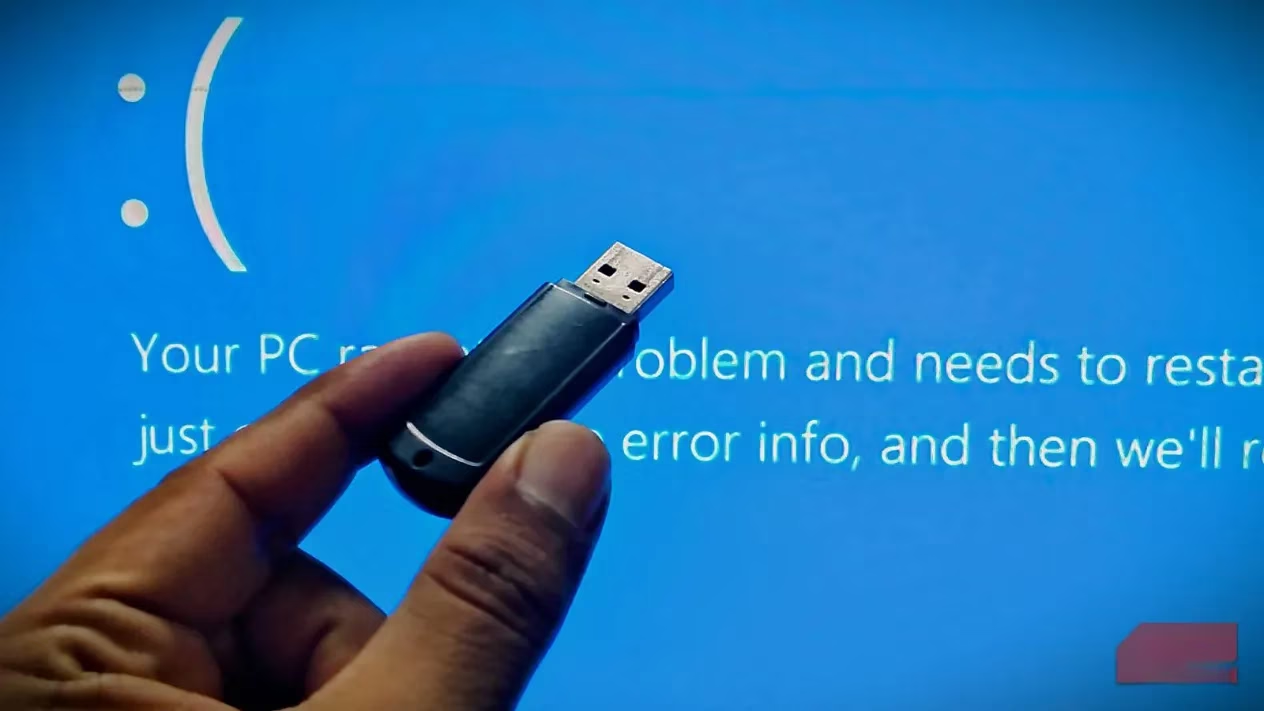
I learned the hard way that when Windows decides to keel over, the built-in recovery options are often about as useful as a chocolate teapot. That’s why I built a triple-threat bootable USB: SystemRescue for data triage, the Windows bootable media for deep OS surgery, and Kaspersky Rescue Disk to scrub out any digital nasties. Together, they’ve become my holy trinity for PC resurrection.
SystemRescue: The Linux Swiss Army Knife
My first move in any boot failure is to fire up SystemRescue. This lightweight Linux live environment is a beast under the hood, packing over 300 utilities into less than a gigabyte. It’s the tool I turn to when Windows has completely thrown in the towel—corrupted bootloader, ransomware lockdown, or a drive that’s clicking like a metronome from hell.
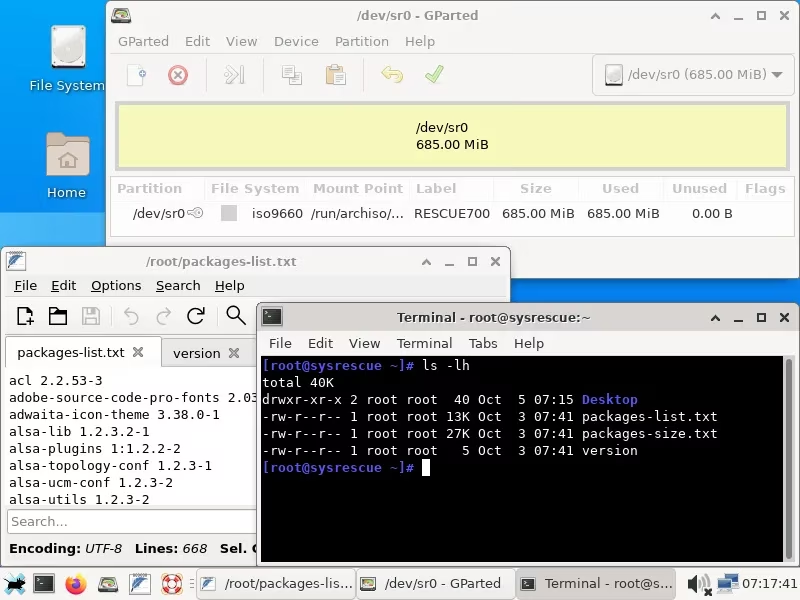
The beauty of SystemRescue is that it doesn’t give two hoots about your busted Windows install. It mounts NTFS drives natively with the NTFS-3g driver, so I can slurp up every last document, photo, and project file onto an external SSD before even thinking about repairs. Last month, when a Windows update turned my system into a brick, I booted into SystemRescue, fired up GParted to check partition health, and used TestDisk to recover a whole partition I’d accidentally wiped during a late-night brain-fart. ddrescue even cloned a failing HDD sector-by-sector, saving a client’s decade-old family photos. And yes, I’ve launched Firefox from that minimal desktop to download drivers—total lifesaver.
Windows Bootable USB: The Familiar Lifeline
Once my files are safe, I switch gears to a dedicated Windows bootable USB. This isn’t just an installer stick; it’s a full-blown recovery environment that speaks Windows’ native language. I can access WinRE from the setup screen and get to the tools that actually understand BitLocker encryption, driver rollbacks, and the arcane magic of SFC and DISM commands.
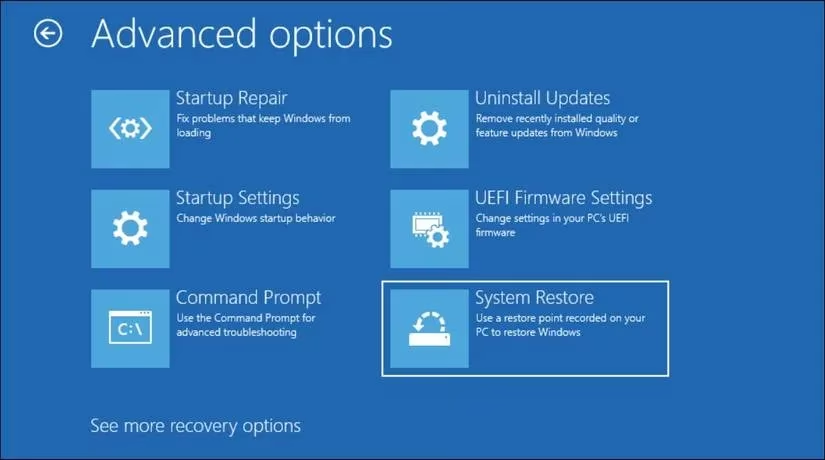
I’ve lost count of how many times Startup Repair has automagically fixed a broken boot configuration, or System Restore has wound the clock back to a moment before I installed some dodgy driver. The command prompt here is pure gold for running bootrec /fixmbr or chkdsk /f when I’ve borked things playing with disk layouts. The best part? It can even reset the PC while keeping my personal files—handy when your nephew’s gaming mods have turned the OS into Swiss cheese. Having a Windows USB means I rarely need to do a scorched-earth reinstall; a quick repair often gets me back to work in under an hour.
Kaspersky Rescue Disk: The Malware Exterminator
Sometimes, Windows isn’t just broken—it’s infected. That’s when I bring out the big guns. Kaspersky Rescue Disk runs in a lightweight Linux shell completely outside the compromised OS, so even the nastiest rootkits can’t hide. Its interface is dead simple: point, scan, and watch it erase trojans and ransomware like a digital pest control service. The real kicker is the ability to update virus definitions on the fly over a network connection—essential in 2026, when malware strains evolve faster than ever.
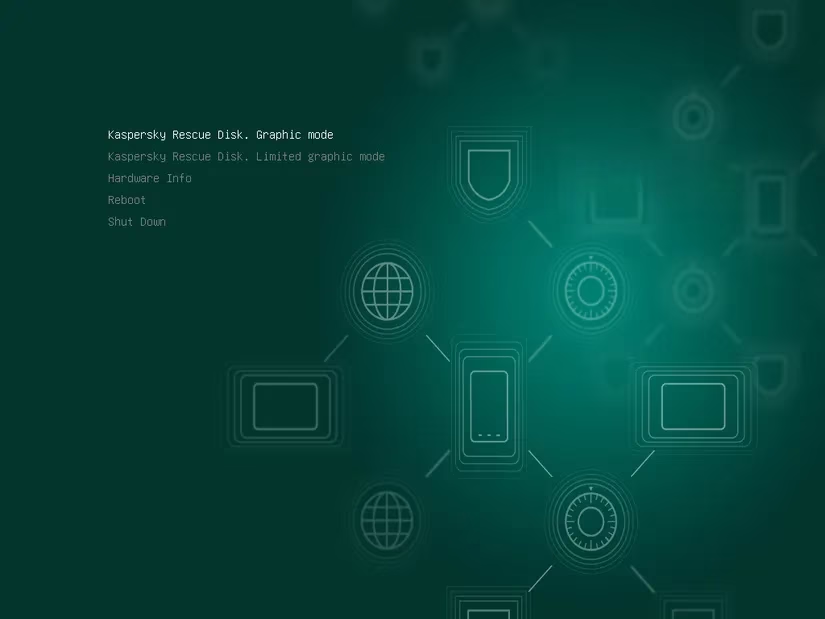
A few months ago, a phishing email tricked my cousin into downloading what looked like a legit game launcher—next thing you know, the PC was held hostage. Booting the Kaspersky disk not only nuked the ransomware but also repaired the registry keys it had mangled. Without this tool, I would have been staring at a clean wipe and a very awkward conversation. It complements the other two perfectly: first you disinfect, then you repair.
Why This Trinity Works So Well
I can’t stress enough that a single-purpose tool just doesn’t cut it anymore. SystemRescue saves your data, the Windows USB fixes the OS, and Kaspersky clears out the gremlins. With a 64GB USB drive, I’ve got all three living happily in separate partitions using Ventoy, so I just pick my poison at boot. In 2026, disasters come in all shapes—failed updates, stealthy malware, hardware hiccups. This USB has turned many a “we’re screwed” moment into a casual “give me 20 minutes.”
If you don’t have a rescue USB yet, you’re playing with fire, mate. Spend an afternoon, slap these tools on a stick, and you’ll sleep like a baby knowing your digital life has a safety net. Trust me, it’s the best hour of preventative care you’ll ever invest in.