
Building a Full Terminal-Based Development Environment in 2026
By 2026, terminal-based development leveraging Neovim and AI CLI tools provides a streamlined, efficient alternative to graphical IDEs.
Shifting an entire development workflow into the terminal is no longer a niche experiment reserved for minimalists. By 2026, a growing number of developers are discovering that a well-tuned command-line setup can rival modern graphical IDEs in speed, focus, and efficiency. The tools that make this possible have matured significantly, turning the terminal from a last-resort backup into a genuine powerhouse.
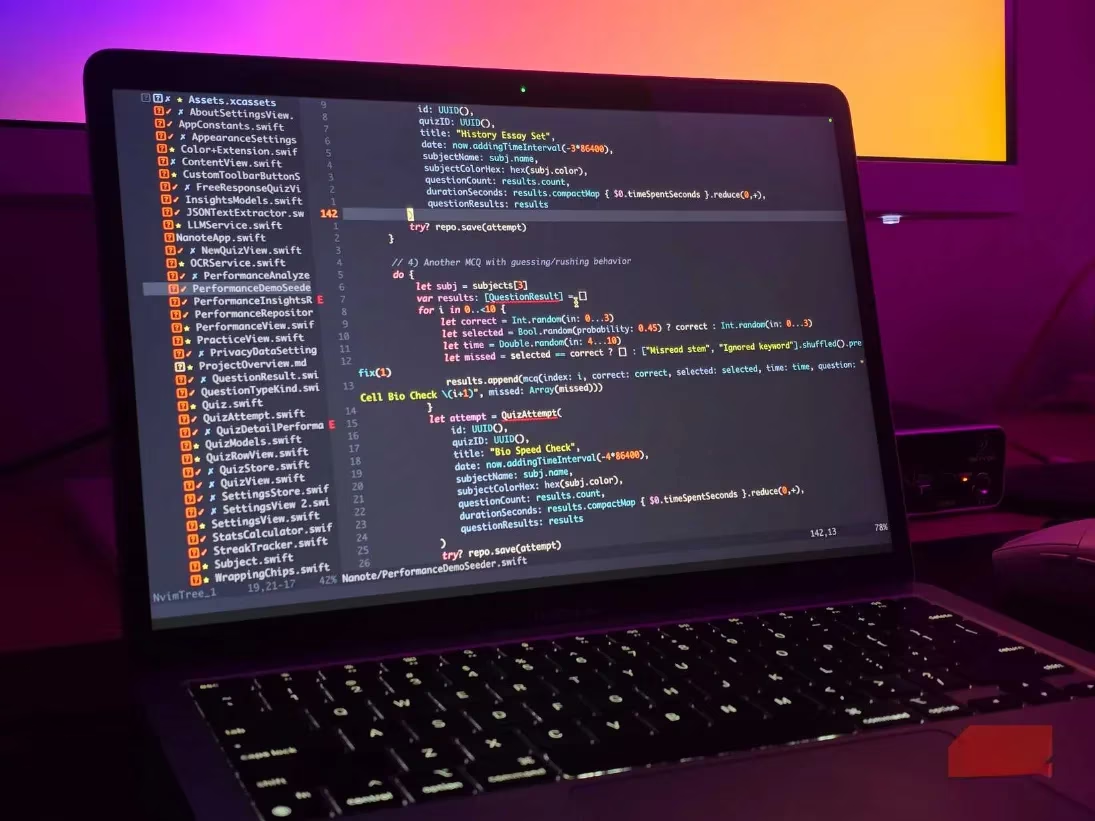
The journey often begins with the code editor itself. For many, that editor is Neovim, a community-driven fork of Vim that has evolved into something far beyond a simple text manipulator. The philosophy behind it remains the same: hands stay on the keyboard, every action accessible through muscle-memorized keybindings, and the interface stays out of the way. But what truly sets Neovim apart in 2026 is its vast plugin ecosystem. Developers can browse a directory filled with themes, LSP clients, fuzzy finders, and AI integrations, assembling a personalized IDE that barely touches system resources.
A perfect example is nvim-tree, which adds a file explorer pane that feels intuitive even for those migrating from VS Code. Paired with a few carefully chosen color schemes and code-completion tools, Neovim transforms into a fully featured development environment. The lightweight nature of the editor remains one of its strongest selling points. When juggling memory-hungry tasks like running mobile device simulators alongside browser dev tools and database services, an editor that consumes mere megabytes of RAM becomes a strategic advantage, not merely a preference.
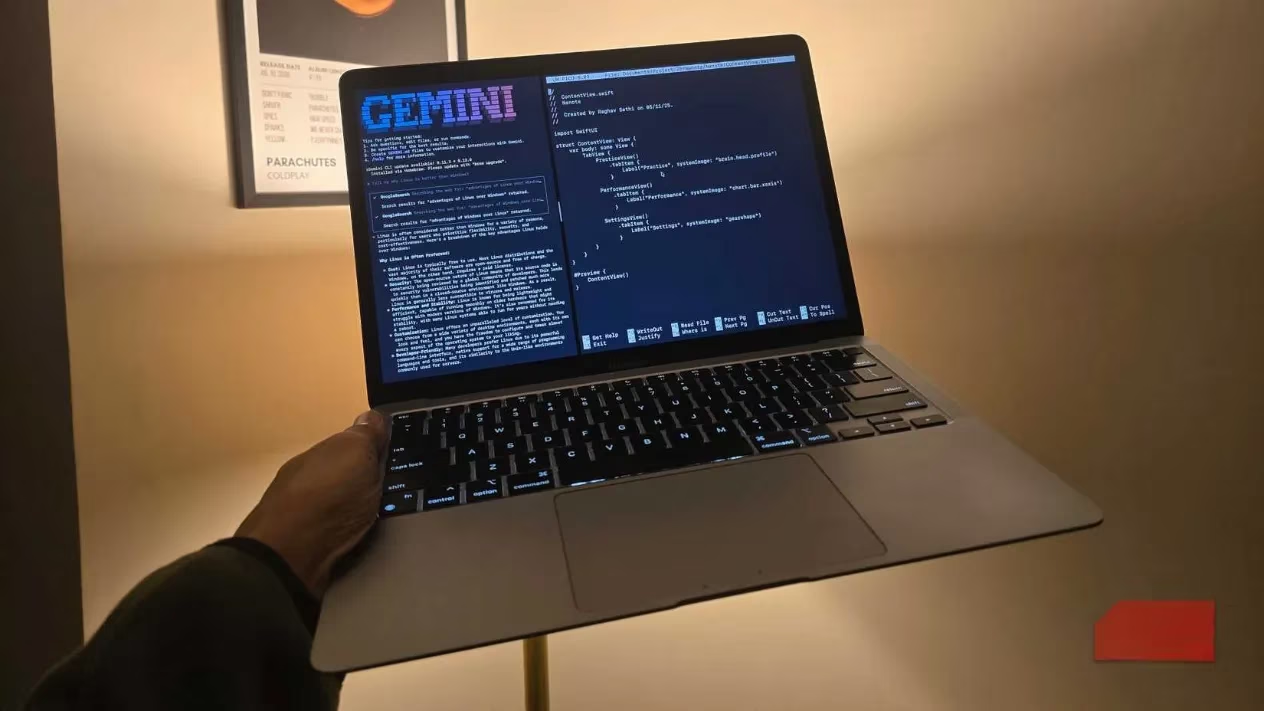
AI-assisted coding, a landscape that has exploded since 2025, finds a natural home in the terminal. Rather than reaching for heavy, Chromium-wrapped editors like Cursor or Antigravity, developers can invoke language models directly from the command line. One standout tool is Gemini-CLI, which lets a developer point to a project directory and describe a task in plain language. The tool then edits files in place, applying changes without ever opening a separate application. The recent release of Gemini 3 Pro has pushed this capability even further, with many professionals considering it the best coding model they have tried.
Alternatives exist for those who prefer other ecosystems. ChatGPT Codex and Claude Code offer similar functionality, though they typically require paid subscriptions. The crucial insight is that these CLI tools replicate the core promise of AI-augmented coding—generating boilerplate, cleaning datasets, and handling repetitive logic—without the overhead of a full-fledged GUI. The terminal stays lean, and the developer stays focused.
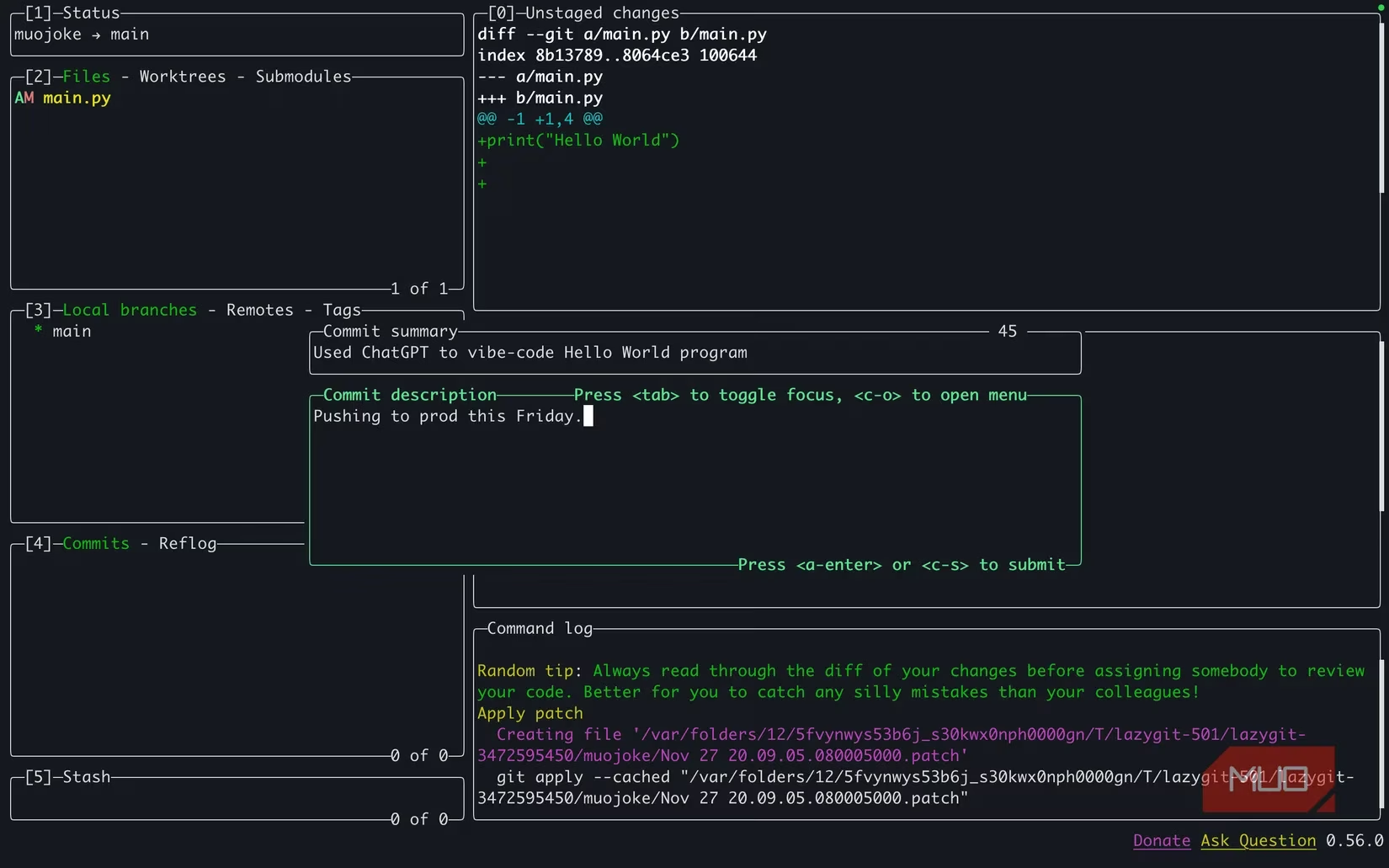
Version control has long been a source of frustration for those who find raw Git commands confusing and intimidating. The traditional compromise was GitHub Desktop, an Electron-based app that offers a graphical interface at the cost of system resources. Many developers have now discovered a middle ground in LazyGit, a terminal user interface (TUI) that provides a visual yet keyboard-driven way to handle commits, staging, merges, and diff views. The learning curve is real, but after a week or two, the speed gains are undeniable. Actions that once required memorizing arcane command-line flags become a matter of pressing a few keys while seeing the repository state clearly laid out before them.
The process of staging files, reviewing changes, and crafting commit messages turns into a fluid dance. Branches can be switched, rebases performed, and conflicts resolved, all without leaving the terminal or touching a mouse. The interface uses color-coded panels and intuitive shortcuts that make version control feel less like a chore and more like an integrated part of the coding rhythm.
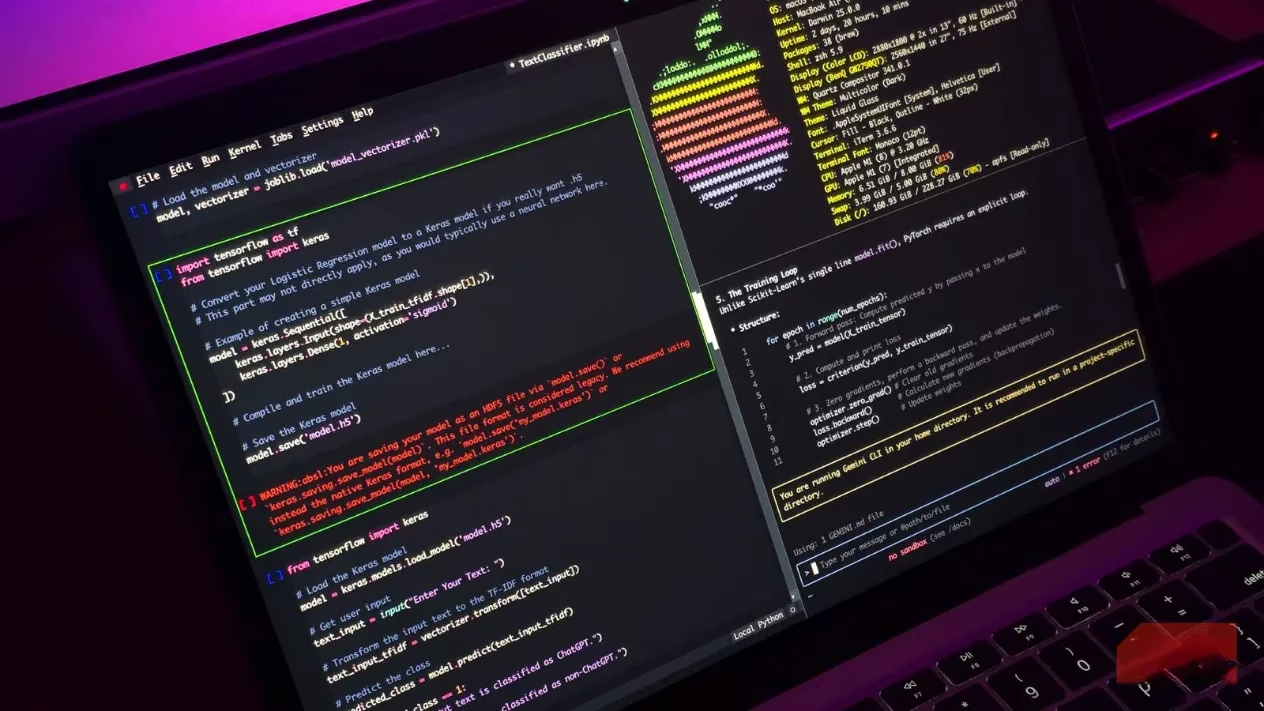
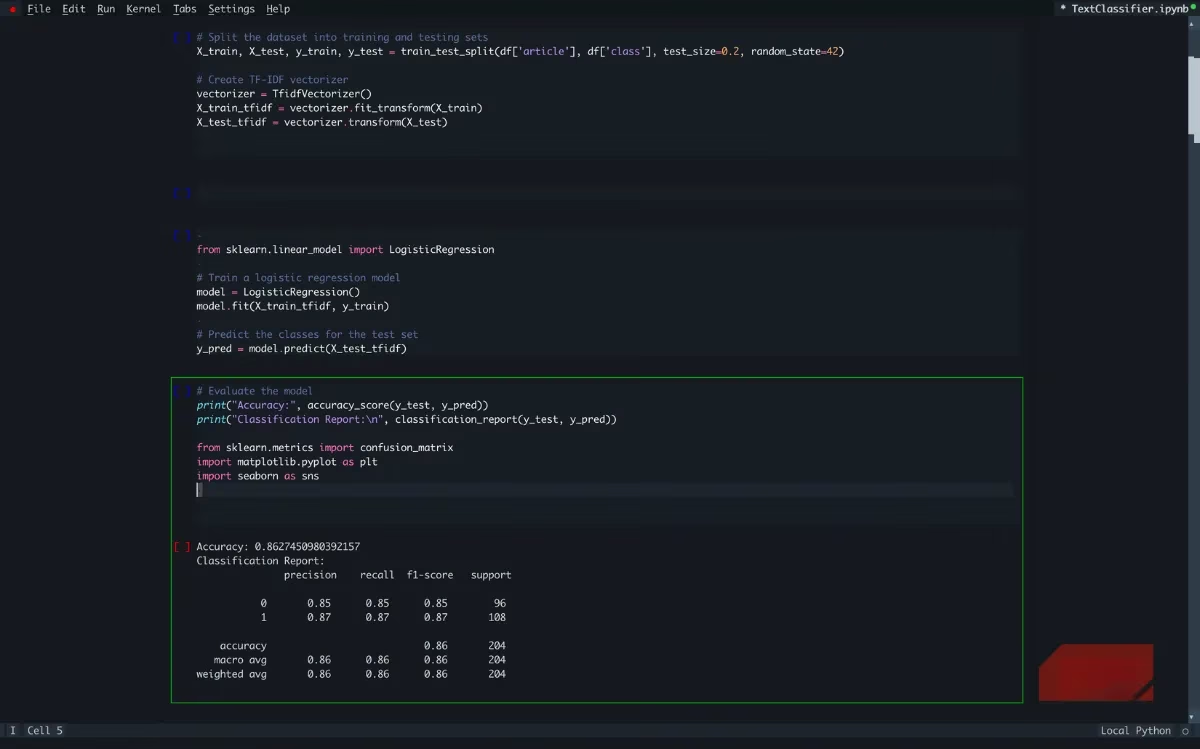
For data scientists and machine learning engineers, the terminal once presented a stubborn gap. Jupyter notebooks were considered the domain of web browsers or dedicated apps like Google Colab. Neovim has excellent Python plugins, but the interactive, cell-based workflow of notebooks never felt truly natural in a modal editor. In 2026, the solution has matured in the form of Euporie, a TUI notebook editor that runs entirely in the terminal. It handles Matplotlib figures, renders Markdown, and responds to inline code execution without ever launching a browser window. The tool has become feature-complete enough that many practitioners now prefer it over GUI alternatives, valuing the consistency of staying within a single environment.
The shift to a terminal-centric workflow is not about nostalgia or proving technical purity. It resembles the experience of driving a manual car. Initially, every action demands conscious thought and feels inefficient. But once the patterns are internalized, a sense of direct control and responsiveness emerges that GUI-based tools often obscure. The absence of visual clutter and lag creates a workspace where distractions are minimized and deep focus becomes the default.
Essential tools like Tmux for session management, fzf for fuzzy searching, and bat for syntax-highlighted file previews can be layered on to further enhance the experience. However, the core pillars—a modal editor, AI assistance, Git management, and notebook support—cover the vast majority of daily tasks for a modern developer. Each component has been refined over the past few years into a stable, accessible tool that respects the user's time and machine.
As 2026 progresses, the barrier to adopting a terminal-based development environment has never been lower. The tools described here are actively maintained, well-documented, and supported by enthusiastic communities willing to help newcomers climb the initial learning curve. The investment pays off in faster performance, deeper control, and a sustainable workflow that doesn't demand the latest hardware. For developers tired of slow IDE startups and resource-hungry Electron apps, the terminal offers a compelling alternative that feels remarkably modern.